

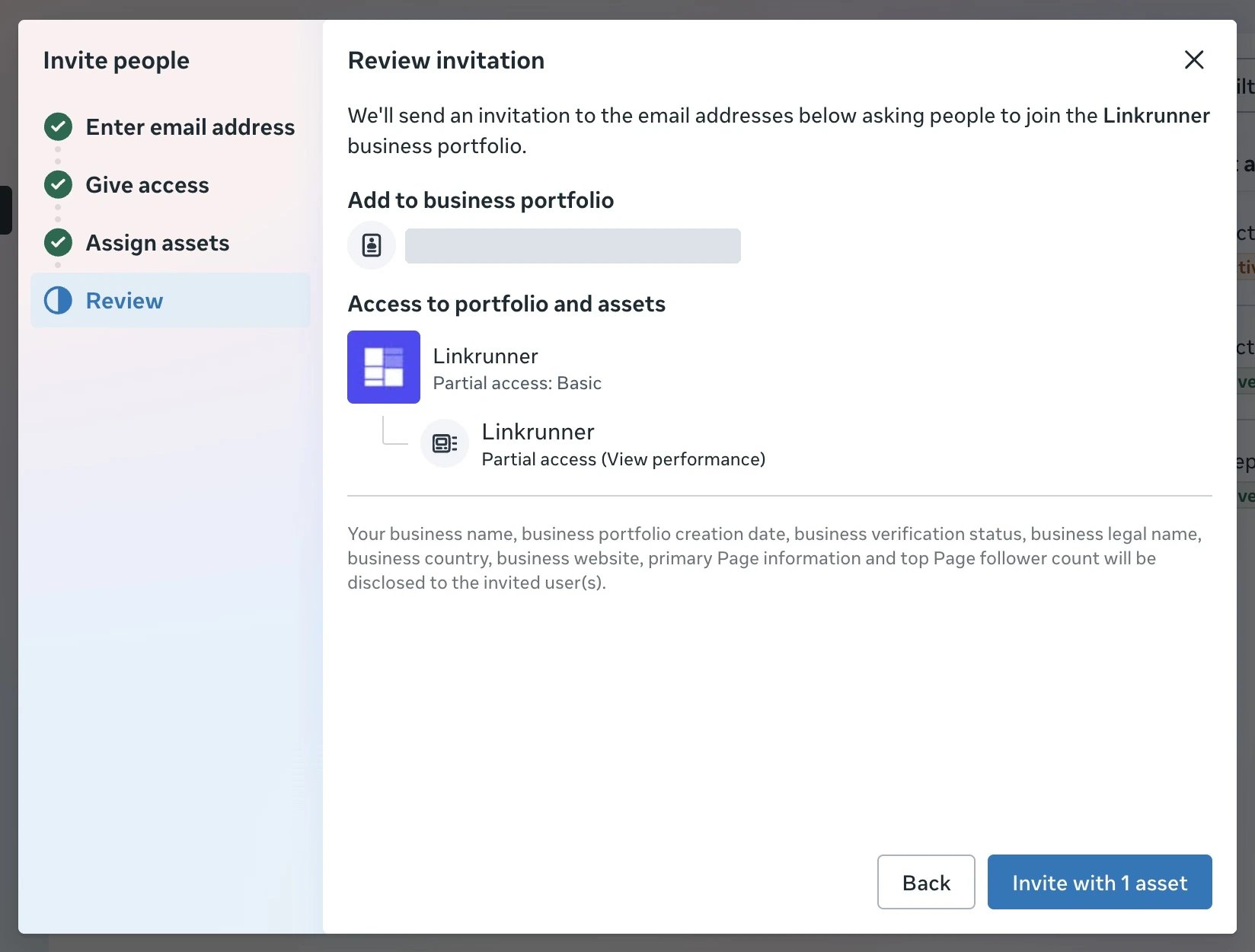
access@linkrunner.io with Basic business portfolio access and View performance on the affected ad account. Add app or dataset permissions only when the support team needs them for your issue.
You need full control of the business portfolio to invite people. Select the portfolio that contains the affected assets before you start. Complete Meta’s two-factor verification if prompted.
1. Open People settings
Open Meta Business Suite, select your business portfolio, then go to Settings → Users → People → Invite people.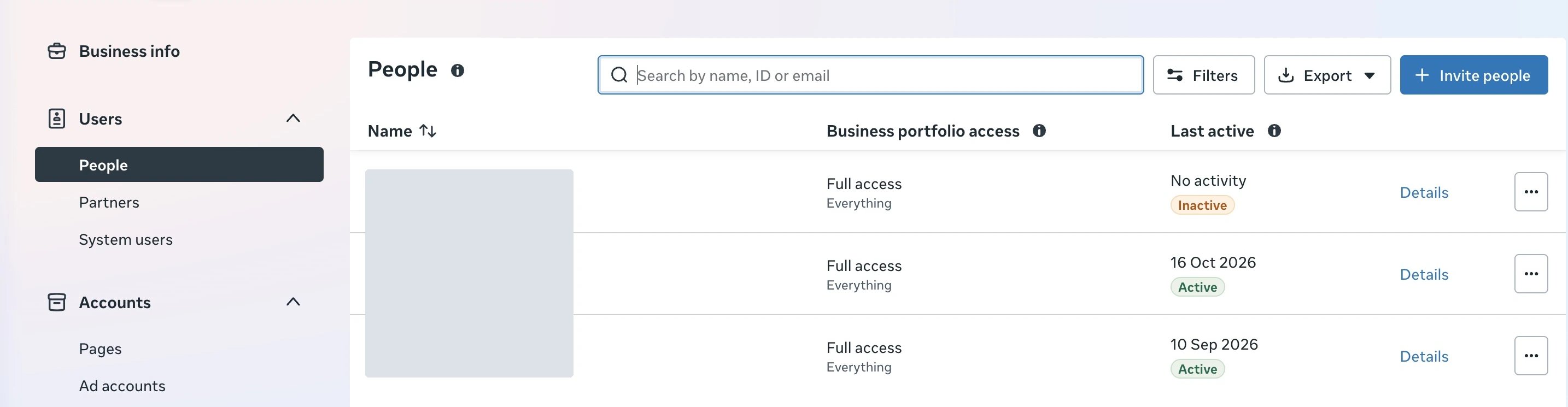
2. Enter the support email
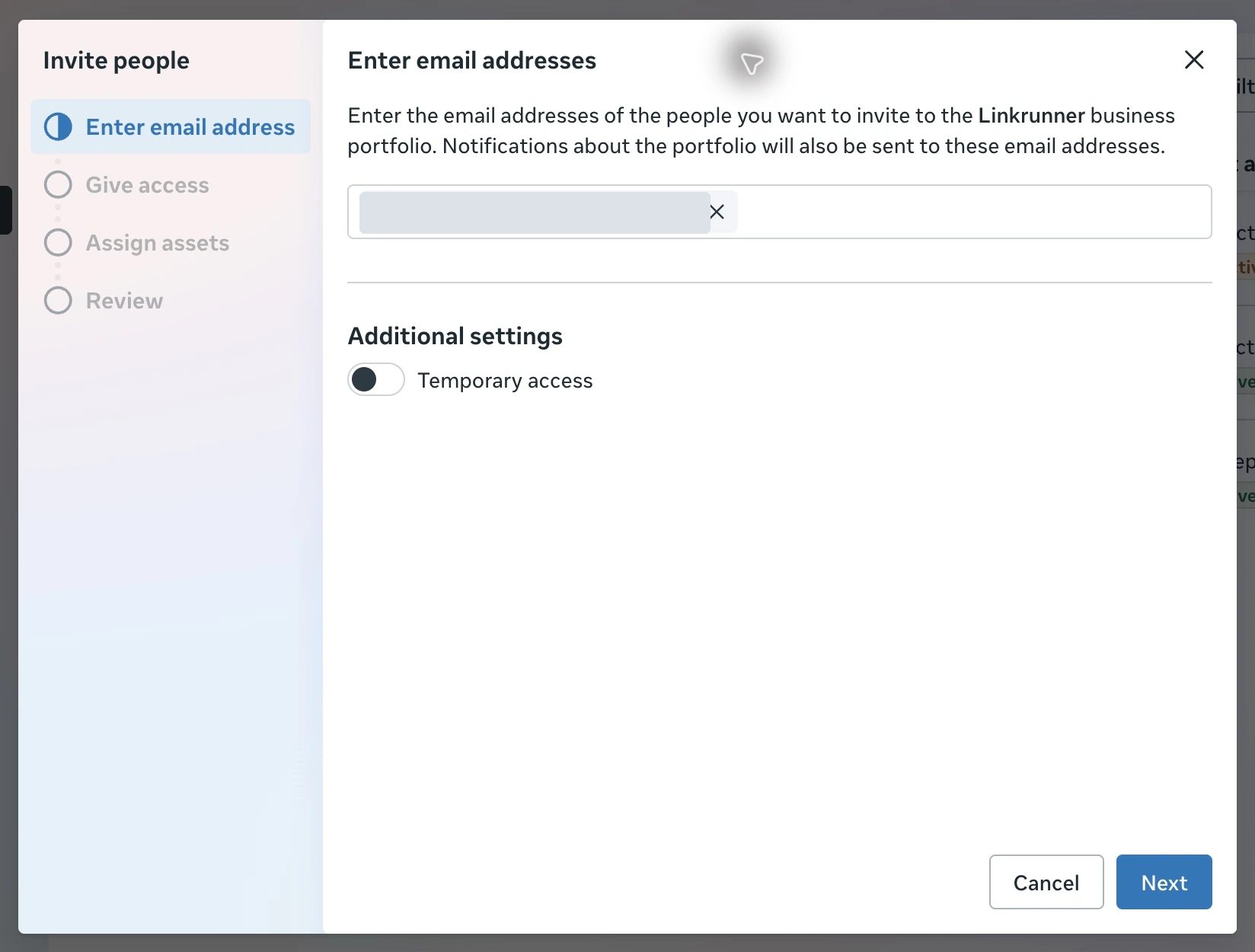
Enteraccess@linkrunner.io and confirm the address in the field. You can enable Temporary access if you want access to expire. Click Next.
3. Keep Basic access
Under Give access to the business portfolio, keep Partial access → Basic. Leave Full access → Manage off, then click Next.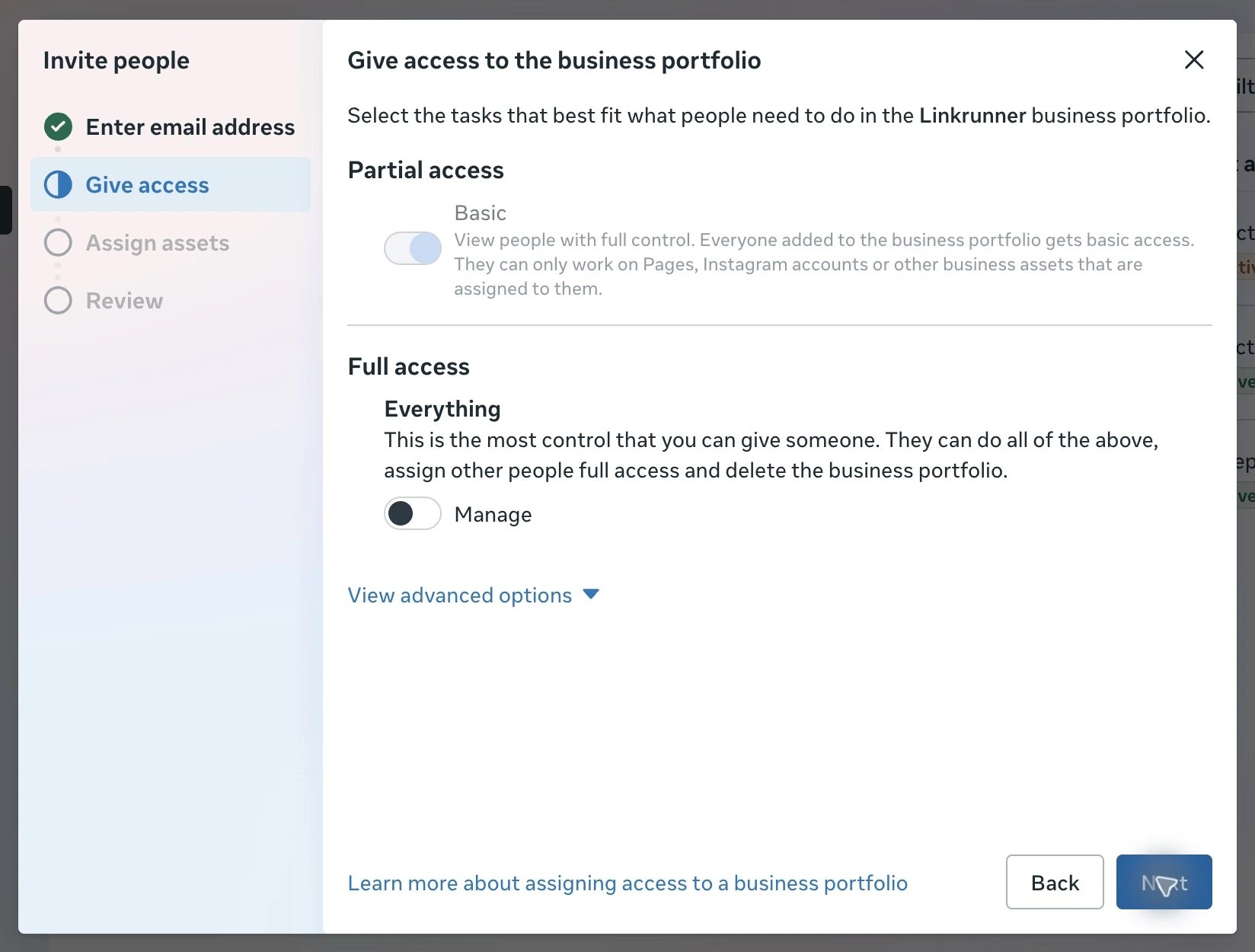
4. Share the affected ad account
Under Assign business assets, select Ad accounts, choose the affected account, and enable View performance. Leave the campaign-management and full-access options off. Click Next.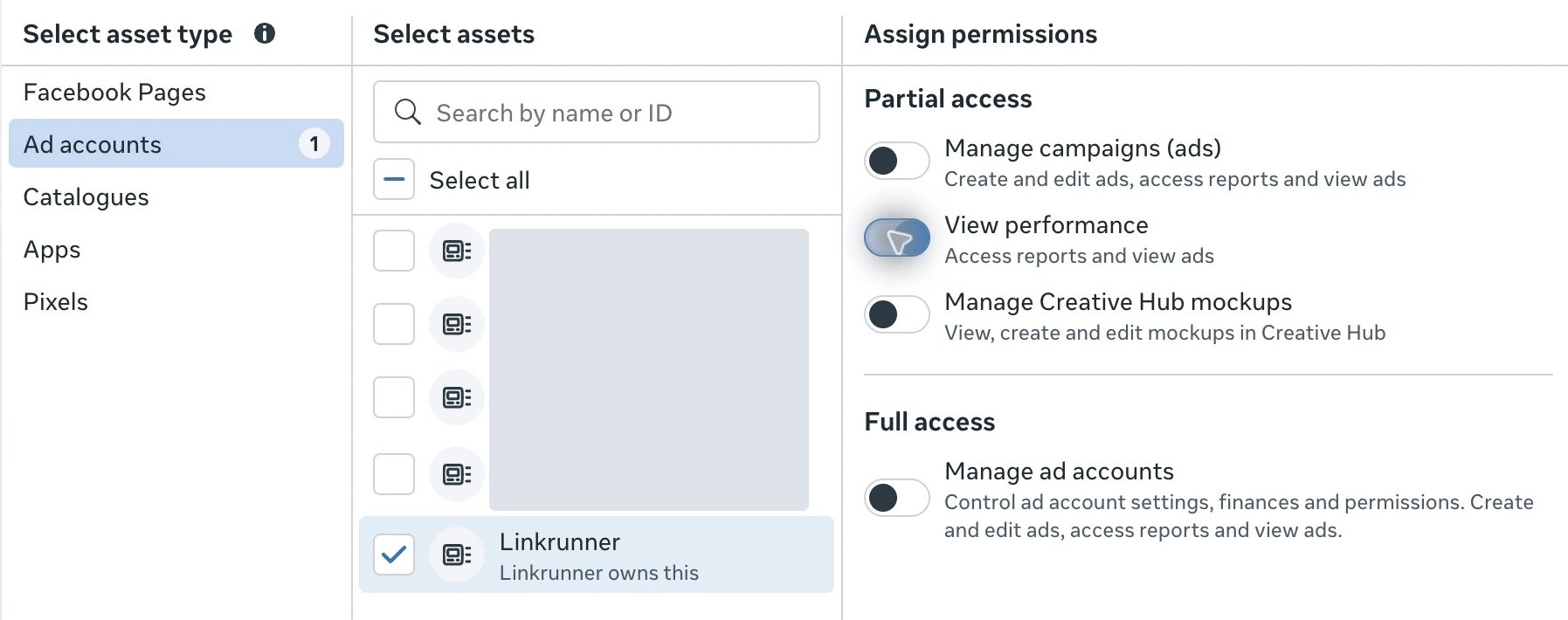
Share an app or dataset when needed
Ad account access does not automatically grant access to your app or dataset. After Linkrunner joins the portfolio, use the relevant asset’s Assign people button and select the person associated withaccess@linkrunner.io.
App analytics
Go to Settings → Accounts → Apps, select your app, and click Assign people. Select Linkrunner’s support user, enable View insights, then click Assign. Meta also enables Test app with this selection. Leave Develop app and Manage app off.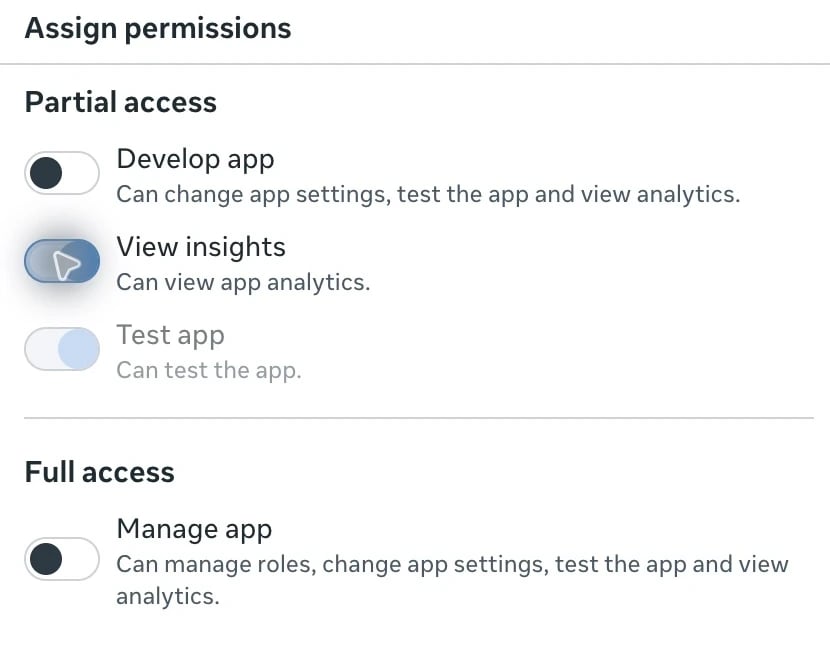
Dataset or pixel events
Go to Settings → Data sources → Datasets and pixels, select the affected dataset or pixel, and click Assign people. Select Linkrunner’s support user, enable Use events dataset, and click Assign. Leave Manage events dataset off. This permission includes viewing data and analytics, and using the dataset for conversion ads. Meta does not offer a separate view-only option in this dialog.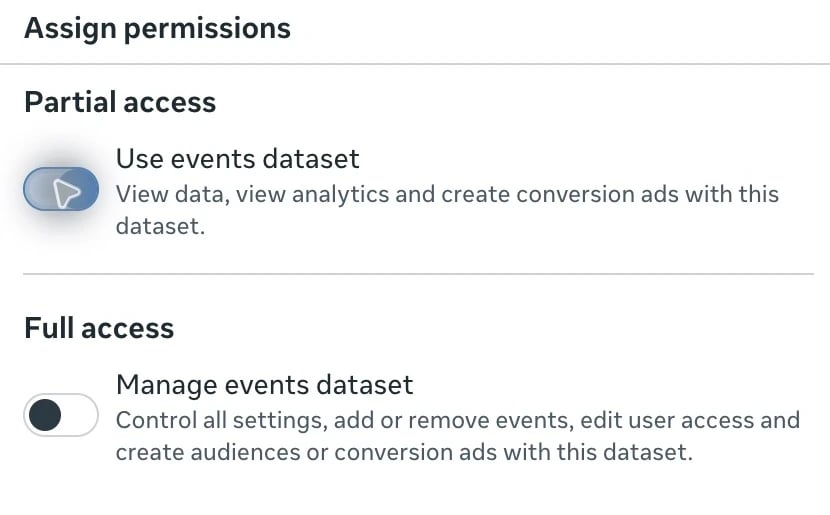
Remove access after support
Go to Settings → Users → People, find the person associated withaccess@linkrunner.io, and choose More → Remove from business portfolio. Confirm the removal.
Troubleshooting
- Invite people is disabled: Ask someone with full control of the portfolio to send the invitation.
- Meta says the person is already invited: Find the existing entry under People and review its assigned assets instead of sending another invitation.
- An asset is missing: Check that you selected the portfolio that owns or has access to that asset.
- Apps says a developer account is needed: Contact Linkrunner support so they can complete the developer-account requirement before you assign the app.