

Overview
Linkrunner ships a remote Model Context Protocol (MCP) server. Connect it to a supported AI assistant, then ask questions about your project’s data directly from chat:- “How did my campaigns perform last week?”
- “Compare my Meta vs Google performance for the last 7 days.”
- “Which campaigns should I cut based on ROAS?”
- “Why did installs drop yesterday?”
- “How much of my growth is organic?”
- “Where do users drop off between install and checkout?”
- “How much did we spend on Meta last week, by campaign?”
- “Which Google ad groups are paused right now?”
- “What targeting does our retargeting ad set use?”
- “Compare Meta’s reported spend with Linkrunner’s installs for yesterday.”
- “Create a Meta campaign for the Diwali sale pointing at our sneakers page.”
- “Pause every campaign with no installs in the last 30 days.”
- “Save a funnel for install, sign up, then purchase.”
Prerequisites
- A project on Linkrunner that you have access to.
- The Admin or Member role on that project. Influencers cannot mint MCP tokens.
- A supported client: Claude Code, Claude on Desktop or web, Codex CLI, or ChatGPT web.
- Editing tools run as the person who created the token, using that person’s project permissions. A role that cannot edit in the dashboard cannot edit through the connector either.
Setup
1. Generate a token
- Open the Linkrunner dashboard and switch to the project you want to connect.
- Click MCP in the sidebar.
- Choose what the token may do:
- Read Linkrunner data is always on.
- Make changes in Linkrunner lets the assistant use the editing tools listed under What the connector can change. Turn it off for a read-only token.
- Read connected ad accounts lets the assistant read your connected Meta and Google accounts. See What the connector can read from your ad accounts.
- Click Generate Token.
- The dashboard shows a one-time Server URL with the token already embedded as a query parameter. Copy it now. The full URL will not be shown again.
2. Connect your client
Choose your client in the dashboard to see its setup instructions. The token is part of the Server URL, so no separate authentication step is needed.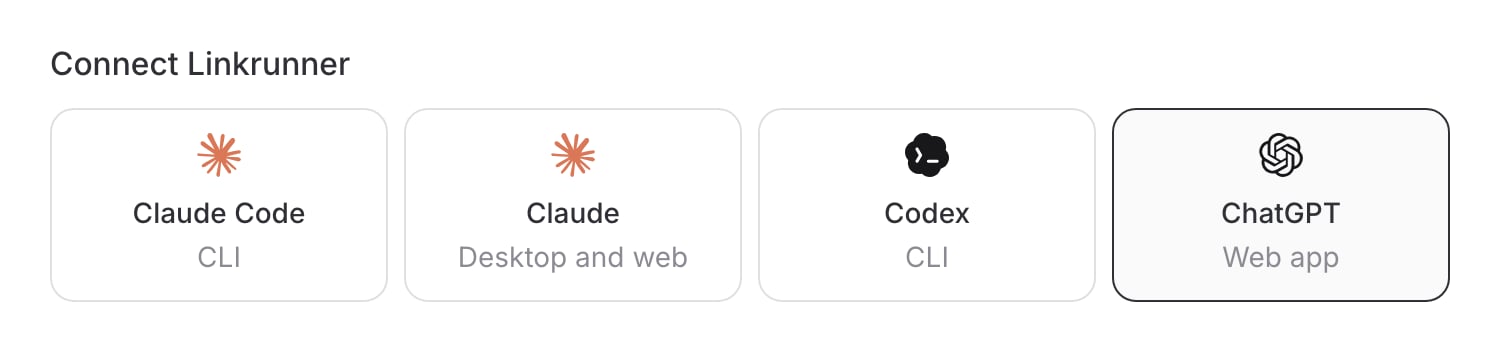
- Claude Code
- Claude Desktop and web
- Codex CLI
- ChatGPT web
Copy the command under Register the Linkrunner MCP server and run it in
a terminal:Start a new Claude Code session and run
/mcp to verify the connection.You only need one connection per client and project. If you manage several
Linkrunner projects, generate a token for each project and add a separate
connection with a clear name. Tokens are scoped to a single project.
3. Try it
Open a new chat or CLI session, make sure Linkrunner is enabled, and ask one of the starter prompts above. The assistant fetches data through the connector and answers in plain language.What you can ask
The connector exposes the following tools. Your assistant picks them automatically based on your question.
Your assistant reads these tools’ descriptions and decides which to call. You
don’t need to invoke them manually.
list_campaigns, get_channel_performance, and get_organic_performance
return only the metric groups your assistant asks for (installs, spend,
retention, custom events, and so on). A group that wasn’t requested is absent
from the response rather than reported as zero, so the assistant never
mistakes “not fetched” for “measured zero”. Ask for a metric by name and it
will fetch it.What the connector can read from your ad accounts
Tokens created with Read connected ad accounts get six more tools. They read from the Meta Marketing API and the Google Ads API using the ad accounts already connected to the project under Settings, and nothing else. They cannot change anything on Meta or Google.
The catalogs behind these tools come from the networks themselves: Google’s
own field schema and Meta’s official Marketing API field lists. Every name the
assistant passes is checked against them before a request is made, so it cannot
ask for a field that does not exist. A wrong name comes back with suggestions
instead of a failed call. Almost everything the two reporting APIs expose for
reading is reachable this way.
Which source answers which question
Linkrunner stays the source of truth, and connecting an ad account does not change any answer you already get. It adds to them.
The network’s own conversion counts are still available, but always under a
network_reported label. Your assistant quotes them as the network’s claim
(“Meta reports 12 purchases”) rather than as the count. When the two sides
disagree, it explains why (attribution window, view-through, SKAN delay,
cross-network deduplication, or a campaign that is not linked) instead of
picking one.
A few things to know when you read network numbers:
- They are the ad network’s numbers. Meta and Google count conversions with their own attribution windows and view-through rules. Linkrunner’s installs and sign-ups are measured differently. Your assistant reports the two side by side and will not merge them.
- Currency and timezone come from the ad account, which may differ from your project’s display currency.
- The last three days are provisional. Networks keep adjusting spend and conversions for a few days, so recent numbers can move.
- Meta has no single “conversions” number. Your assistant reads the actions Meta reports (app installs, purchases, leads and so on) and names the one it is quoting.
- Google’s “Conversions” column is not installs. It adds up every conversion action the account bids on (installs, trials, purchases). When comparing installs, the assistant uses only Google’s install conversion actions (the DOWNLOAD category, such as Android first open) and names the action it used.
- Answers may come from a short cache. Closed date ranges are cached for a day, open ranges for ten minutes, and object lists for five minutes. The assistant mentions the age when it matters.
- Reads are budgeted. Each token gets a daily allowance of live reads, and Linkrunner reserves part of its Google Ads quota for attribution. When a limit is hit, the assistant gets a wait time and a cached copy if one exists, instead of an error loop.
- Meta connections expire roughly every 60 days. If your assistant reports that the connection has expired, reconnect Meta under Settings.
list_ad_accounts for campaign setup but cannot be queried.
A few Google reports need a specific resource rather than a breakdown. Country
uses geographic_view, age and gender use age_range_view and gender_view,
and search queries use search_term_view. The assistant picks these through
query_ad_network when you ask.
What the connector can change
Ask in plain language (“create a campaign for the Diwali sale”) and your assistant picks the right tool. Describe what you want changed, and confirm the summary it gives you before it writes.Campaigns
A deep link has to be a full URL on one of your own tracking domains, for
example
https://links.yourbrand.com/product/sneakers. An external URL is
rejected. Ask your assistant to list your domains if you are not sure which to
use.
Campaigns cannot be deleted through the connector. Pause them with
edit_campaign instead.Funnels
Domains and store listings
delete_store_listing is refused while any campaign still points at the
listing, and the error names the campaigns. Remove it from those campaigns
first.
Webhooks
Postback event mappings
An ad network’s built-in defaults also appear in
list_postback_event_maps.
They are always active and cannot be changed or removed. To override one, add
your own mapping for the same event.
Built-in prompts
The connector includes three starter prompts. Clients that support MCP prompts show them in their prompt picker:- Daily briefing: yesterday’s performance summary in 1-2 paragraphs.
- Weekly review: this week vs last week, with anomalies and a keep/cut/scale recommendation list.
- Cut list: the worst-performing active campaigns, with reasoning.
Managing tokens
Click MCP in the sidebar to see all active tokens for the project. For each token you can see:- A masked preview of the token.
- The date it was created.
- The user who created it.
- The last time it was used (helps spot stale tokens).
Security
- Tokens are scoped to a single project. They cannot read or change other projects you are a member of, even when the same person created the token.
- Editing tools run as the person who created the token and apply that person’s project role, so the connector cannot do anything that person could not do in the dashboard.
- Every change made through the connector is recorded with the action, the token, the person who created it, and what was changed. Every ad-account read is recorded the same way, with the account, the query type and the date range, but never the returned data.
- Ad-account access is read-only and opt-in per token. The Meta and Google credentials stay on Linkrunner’s servers; the connector never receives them, and they are removed from every response and log.
- An ad-account token can only reach accounts connected to its own project. Passing another project’s account is refused.
- The connector cannot delete campaigns, funnels, domains, or projects, cannot manage members, and cannot disconnect an ad-network account. Those stay in the dashboard.
- The webhook URL is never fully readable.
get_webhookreturns the host but hides the path, because a Slack webhook path is a credential in itself. - SDK private keys, billing settings, and admin actions are not exposed.
- Tokens are revocable from the dashboard at any time.
- Per-project token cap of 10 limits the blast radius if one leaks.
If you only want someone to read, turn off Make changes in Linkrunner when
you generate their token. A read-only token does not even list the editing
tools, so the assistant cannot attempt a change with it.
Troubleshooting
The client says “Couldn’t reach the MCP server.” The token may have been revoked, or the URL may be malformed. Generate a new token, copy the full URL exactly, and reconnect Linkrunner. The client does not show Linkrunner tools. Make sure Linkrunner is enabled in the current chat or session. Open the client’s app, tool, or connector menu and turn it on. New chats do not always inherit connector state from previous chats. Numbers don’t match the dashboard. The connector reads the same data the dashboard does. If you see a mismatch, check that you and the assistant are using the same date range and timezone, and that any filters (network, platform) match. Linkrunner’s ingestion is real-time, so there’s no lag to account for. Generating a token returns “Maximum of 10 active tokens reached.” You’re at the per-project cap. Revoke an unused token from the same settings page before creating a new one. The assistant says your deep link was rejected. A deep link has to be a full URL on one of your own tracking domains. An external address such ashttps://example.com/promo is refused, and so is a
bare path such as /promo. Ask the assistant to list your domains and rebuild
the URL on one of them.
Saving a webhook fails with “Endpoint needs to return a status code of 200”.
Linkrunner only stores an endpoint that answers 200 or 201 to the sample
payload, and it must answer directly rather than redirecting. An endpoint that
returns 202 or 204 cannot be saved.
The assistant says the token does not have the ad-accounts capability.
The token was generated without Read connected ad accounts. Generate a new
token with it turned on and re-add the connector. Capabilities cannot be added
to an existing token.
The assistant says the Meta or Google connection has expired.
The stored ad-network credential is no longer valid. Open Settings, reconnect
the account, and ask again. Meta connections expire on their own roughly every
60 days.
The assistant says it has to wait before reading the ad account again.
A rate limit or daily allowance was reached, either on the ad network or on the
token. The assistant is given a wait time and uses a cached answer when one
exists. Ask again after the wait, or narrow the question so fewer live reads
are needed.
Ad-network spend does not match the spend Linkrunner shows.
The two are expected to differ. Ad-account tools return what Meta or Google
report for the ad account, in the account’s currency and timezone. Linkrunner’s
campaign spend is synced periodically and shown in your display currency. Ask
your assistant for both and it will label which is which.
The assistant cannot rename a custom channel.
Renaming needs the channel’s internal id, which the assistant only sees right
after it creates or edits a campaign. In a later chat it has no way to look the
id up. Rename the channel in the dashboard instead.
What this is not
- Not a full write API. The connector can make the changes listed above, and nothing else. Use the Linkrunner data API for programmatic writes.
- Not a way to delete things. Campaigns, funnels, domains, and projects can only be deleted from the dashboard.
- Not a way to edit ads. The ad-account tools read from Meta and Google; they cannot pause a campaign, change a budget, or edit targeting there.
- Not a generic SQL/Postgres bridge. It calls the same endpoints the dashboard uses, with the same access controls.
- Not a substitute for webhooks. Use webhooks for real-time install and signup notifications.