

Meta
Prerequisites
- You have created a Custom Audience in Meta Ads Manager.
Steps
- Open Ads Manager and click Create.
- Select the right campaign objective.
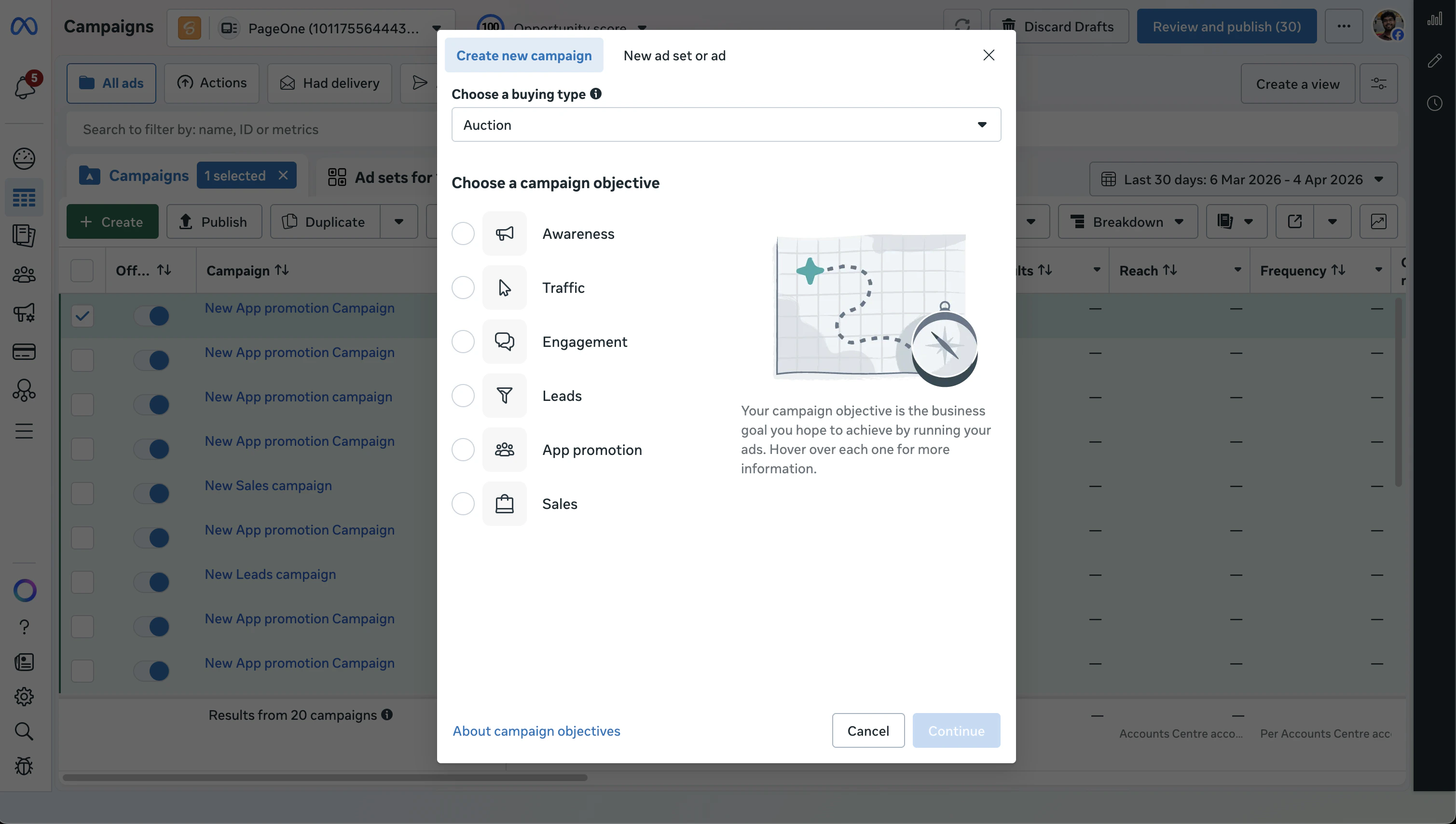
- Set the campaign name.
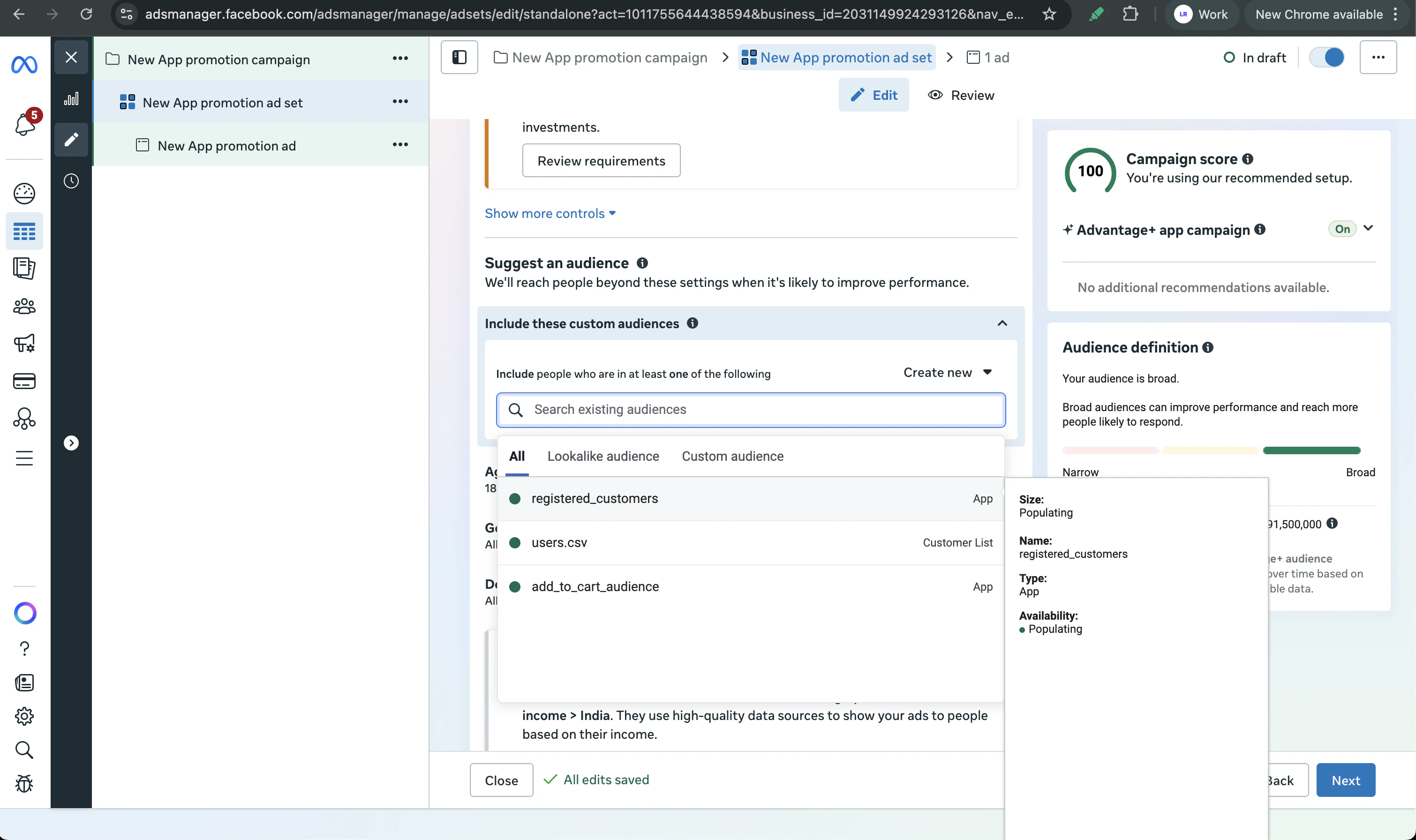
- At the ad set level, scroll to the Audience section.
- Under Include these custom audiences, search for and add the custom audiences you created in Audience Manager.
- Configure the rest of your ad set (placements, budget, schedule) and add your creatives.
- Review and publish the campaign.
Prerequisites
- You have created an audience segment in Google Ads Audience Manager.
Steps
- In Google Ads, click New campaign.
- Pick a campaign goal and subtype.
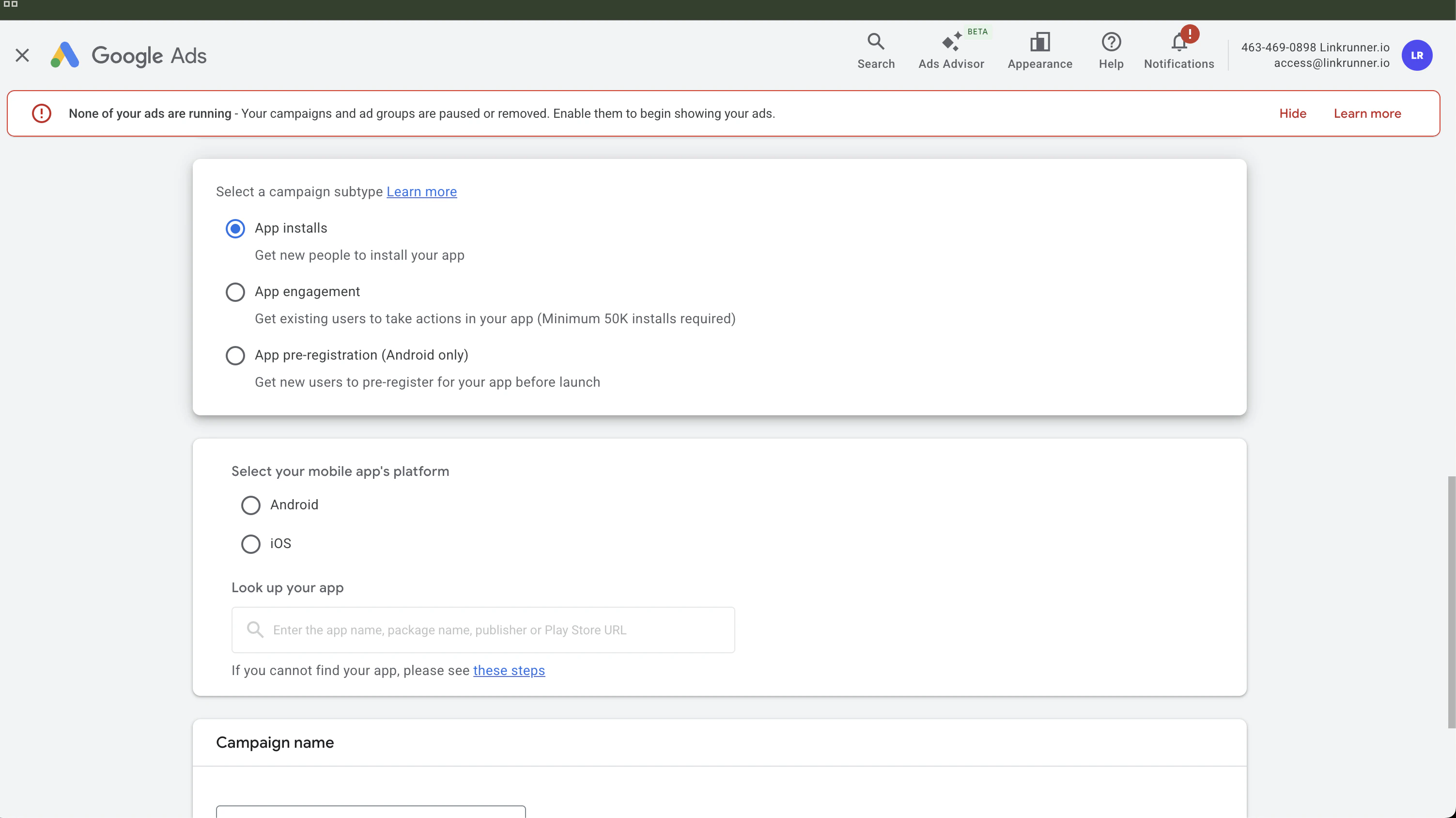
The App engagement subtype is only available for apps with 50,000+ installs.
- Select your app platform and choose the app.
- Set budget, bidding, locations, and campaign dates.
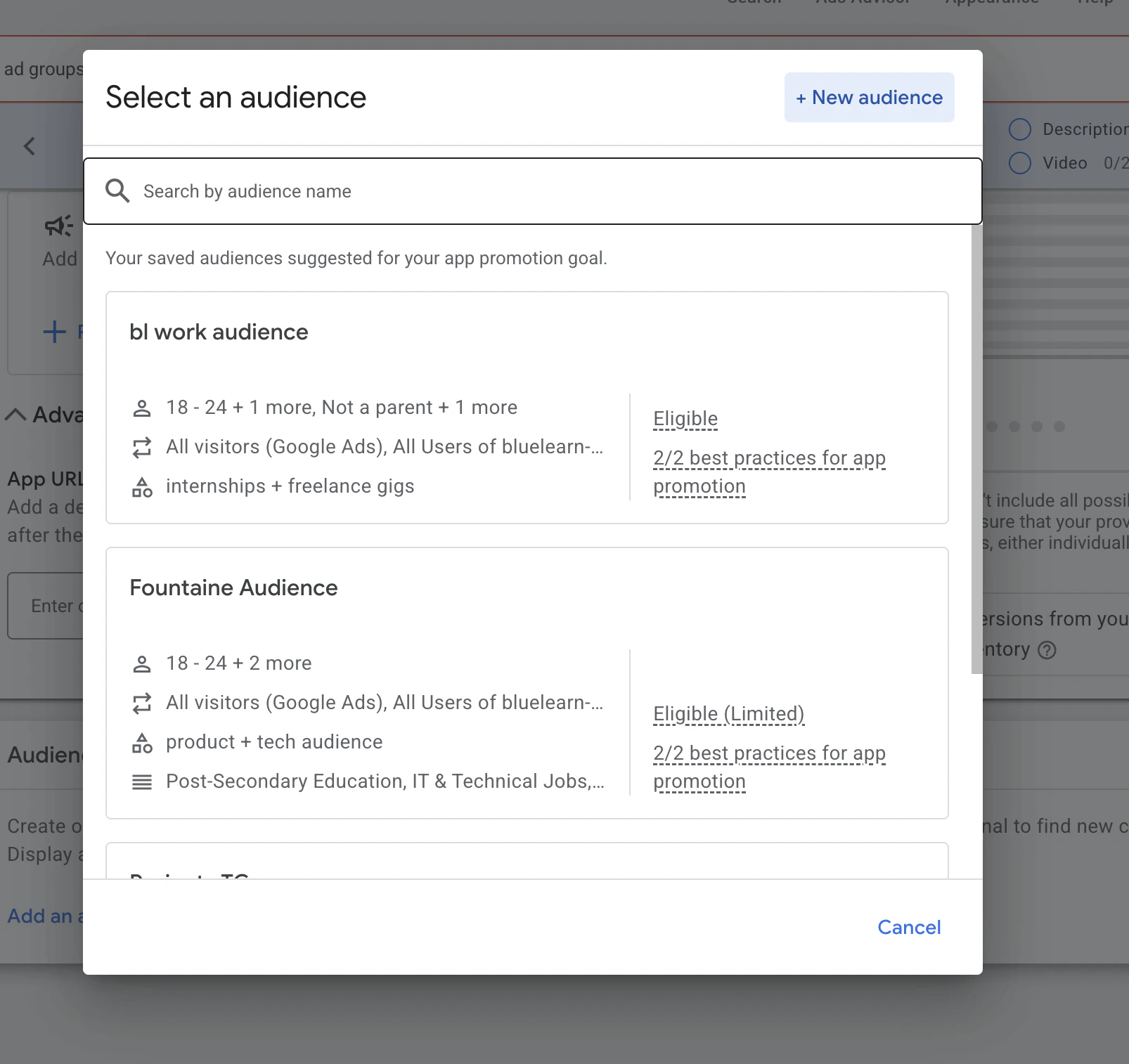
- At the ad group level, scroll to the Audience signal section.
- Click Add an audience signal and select your saved audience list or audience segment.
- Add creatives and assets.
- Review campaign settings and launch.