

Where to use a link
Create one link for each place, so you can compare them.Running ads on Meta, Google or another ad network? Those campaigns come in through the network’s integration, not a link you create here. See Ad networks.
Before you start
- Set up your Linkrunner subdomain, such as
get.yourapp.com. - To open a specific screen in your app, set up deep linking first.
1. Open Create Link
In the dashboard, go to App Campaigns and click Create Link.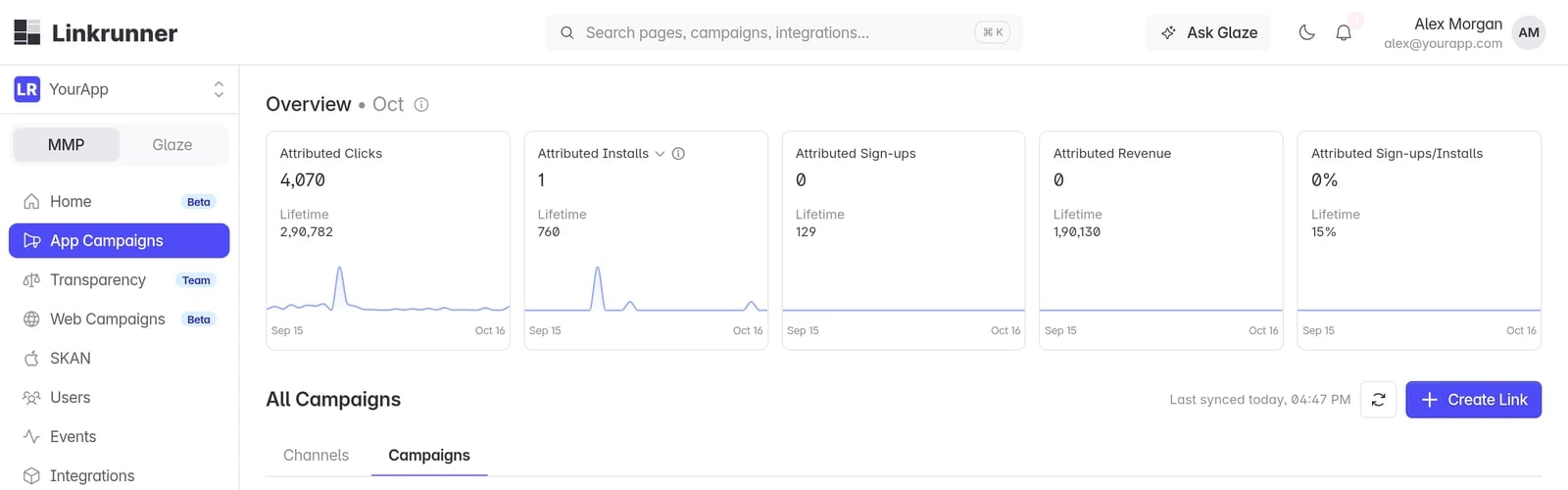
2. Name the link
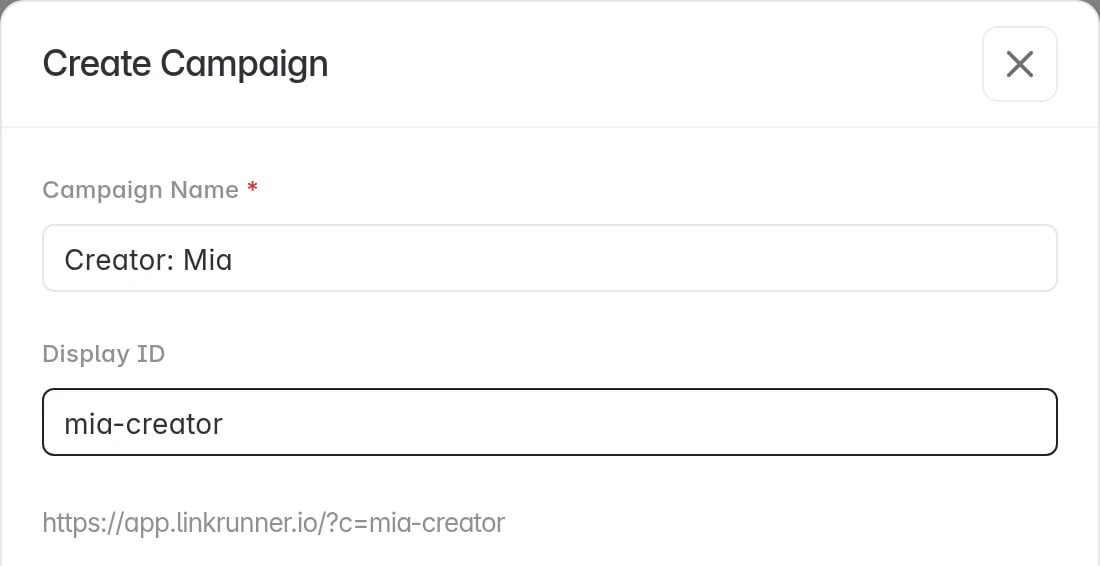
Enter a Campaign Name. This is the only required field. Display ID is optional. It is the ID at the end of your link (?c=mia-creator), and the full link shows right under it. Use letters, numbers, -, _ and .. Leave it empty and Linkrunner creates a random 6-character ID.
3. Open a screen in your app (optional)
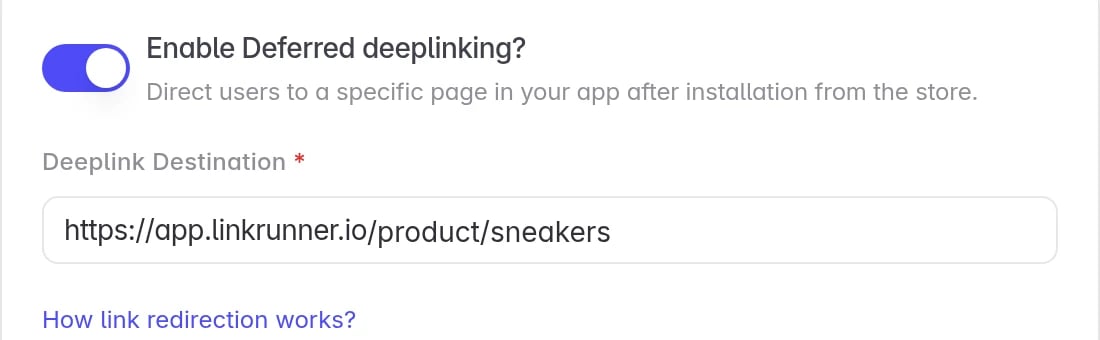
Turn on Enable Deferred deeplinking? and enter the page in Deeplink Destination. Use a link on your Linkrunner domain, for examplehttps://get.yourapp.com/product/sneakers.
People land on that page, even if they install your app first. Your app reads it from getAttributionData(). See Deferred deep linking.
4. Set the link preview (optional)
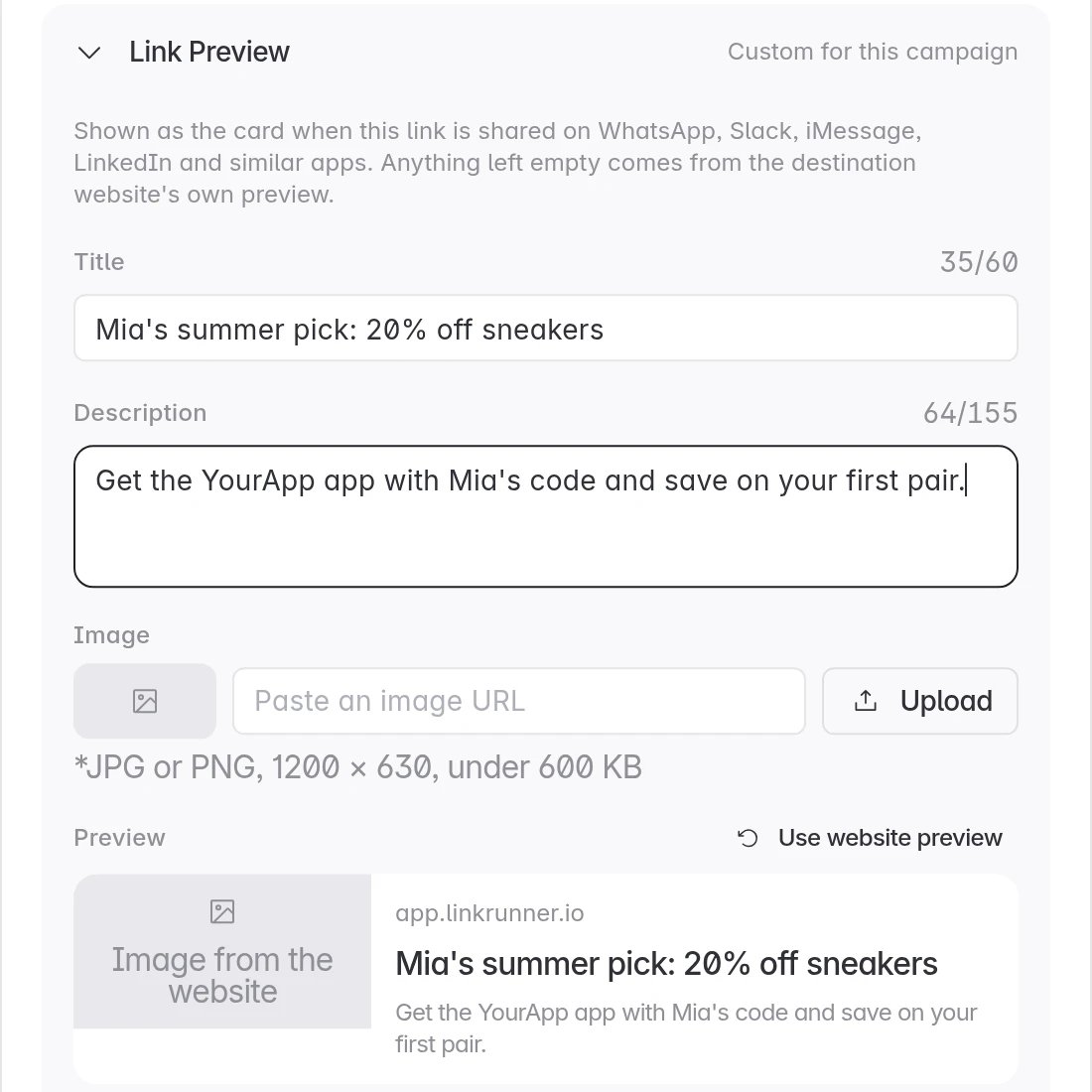
Open Link Preview to set the card people see when the link is shared on WhatsApp, Slack, iMessage or LinkedIn.
Anything you leave empty comes from your website’s own preview.
5. Choose where people go (optional)
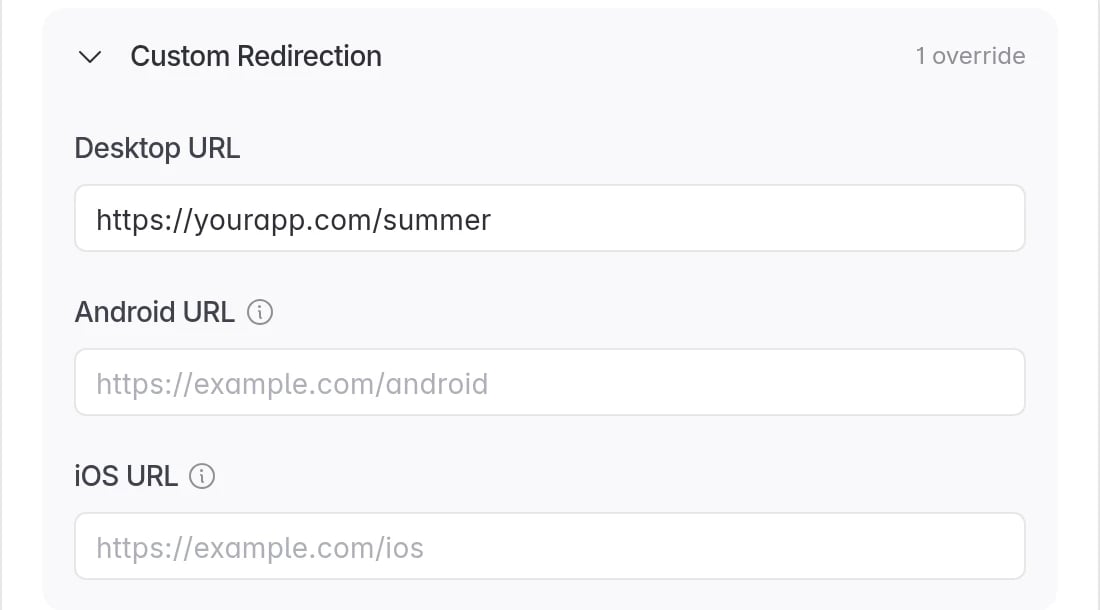
Open Custom Redirection to send people to a web page of your choice.
Leave a field empty to keep the normal route. See Link redirection.
6. Advanced options, then create
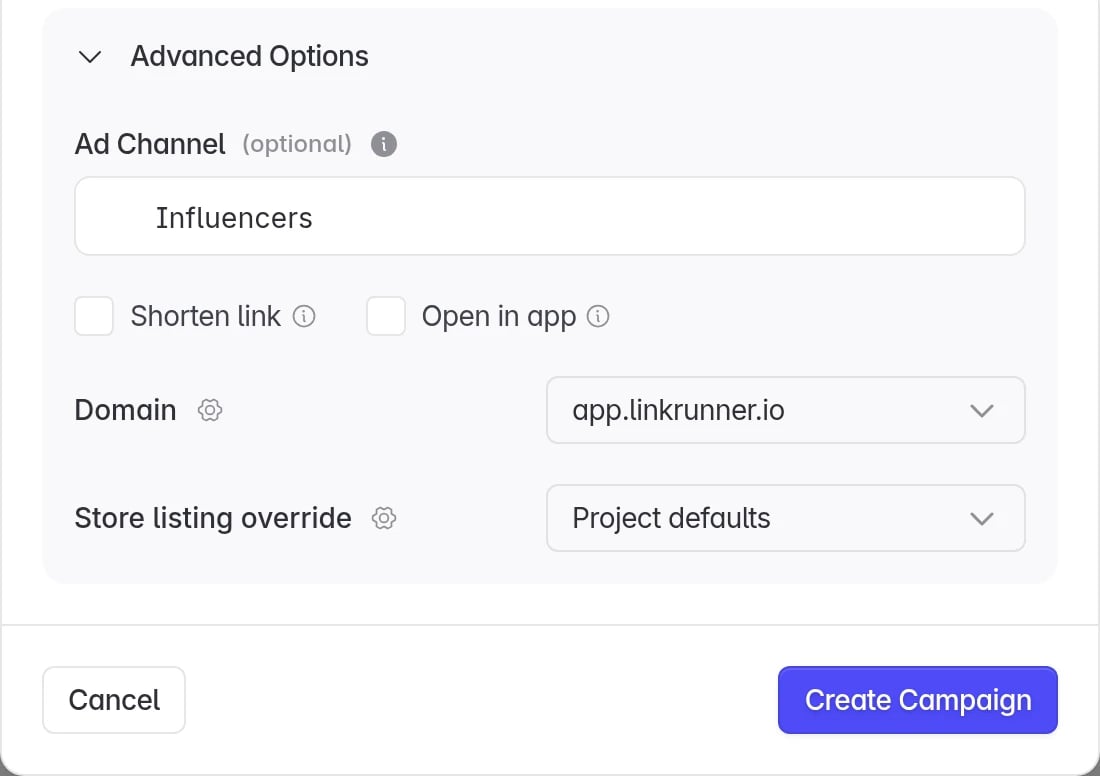
Open Advanced Options:- Ad Channel (optional). Pick a channel or type a new name, such as
Influencers, to group links together on the dashboard. - Shorten link. Serves the link in its short form.
- Open in app. Shows a small page that opens your app, or the store if it is not installed. This helps inside Instagram, Facebook and other in-app browsers. See Social media intermediary page.
- Domain. The link domain to use, if you have more than one.
- Store listing override. Send this link to a custom store page. See Custom store listing.
7. Share the link or QR code
Copy the Campaign link, or click Download QR Code for posters, packaging and events. The QR code has your app’s logo in the middle. Your link now has its own row in App Campaigns with its clicks, installs, sign-ups and revenue.What happens when someone taps it
- Linkrunner saves the click and sends the person to the right place: your app, the app store, the open-app page, or your website. See Link redirection.
- When they install and open your app, Linkrunner credits the install to your link.
- If you set a deep link, your app opens on that page. If the app is already installed, it opens there straight away.