

Appearance
Send website conversions to Meta
Send sign-ups and purchases from your website to Meta through the Conversions API, so Meta can optimize your ads for them.
When someone signs up or buys on your website, Linkrunner sends that event to your Meta dataset. Meta then counts it as a conversion for your ads and can show your ads to more people who are likely to do the same.
This page is for conversions that happen on your website. For ads that send people from a web page to install your app, see Meta Web to App.
1. Open the web event mapping
- Go to Integrations and open Meta Ads.
- Switch to Web at the top.
- Open the Web Event Mapping tab.
If the tab shows Connect a Meta account to add events, connect your ad account first. If it asks for CAPI credentials, click Set up CAPI. Both steps are in Meta Ads setup. The same dataset and access token serve your app and your website.
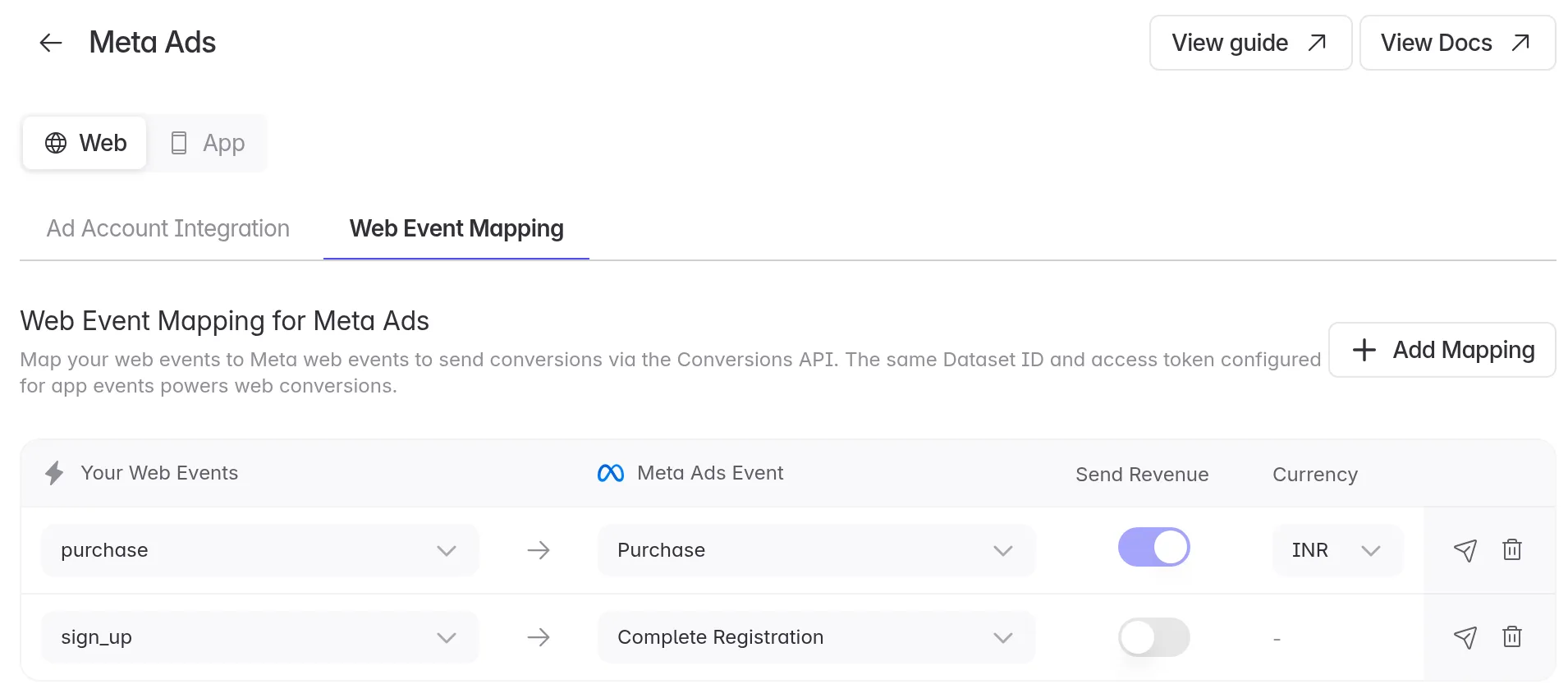
2. Add a mapping for each event
Click Add Mapping.
Under Your Web Events, pick your website event, such as
purchase. The list shows the events Linkrunner has received from your website.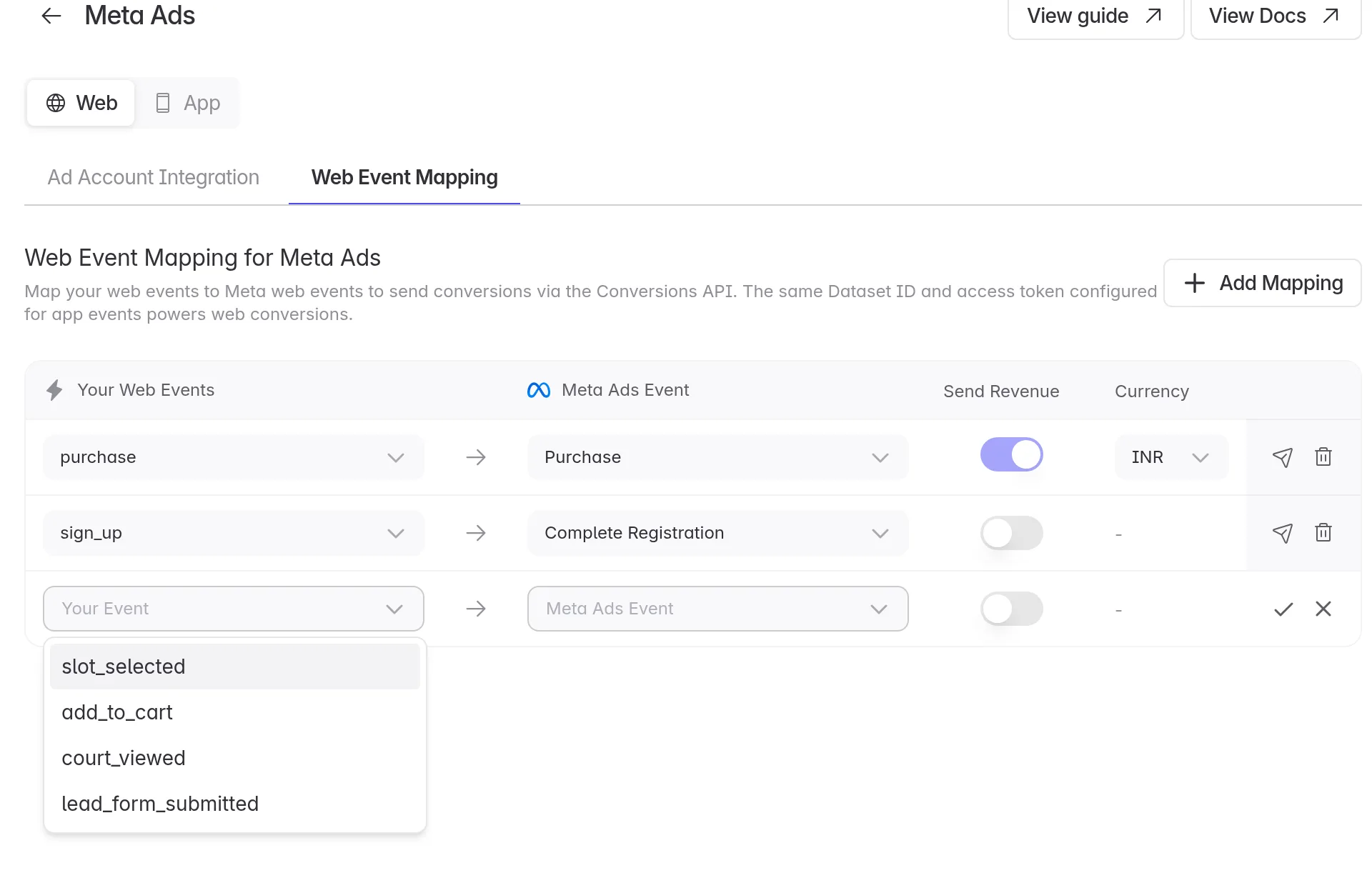
Under Meta Ads Event, pick the Meta event it stands for. To use an event that isn't listed, pick Custom Event and type its name.
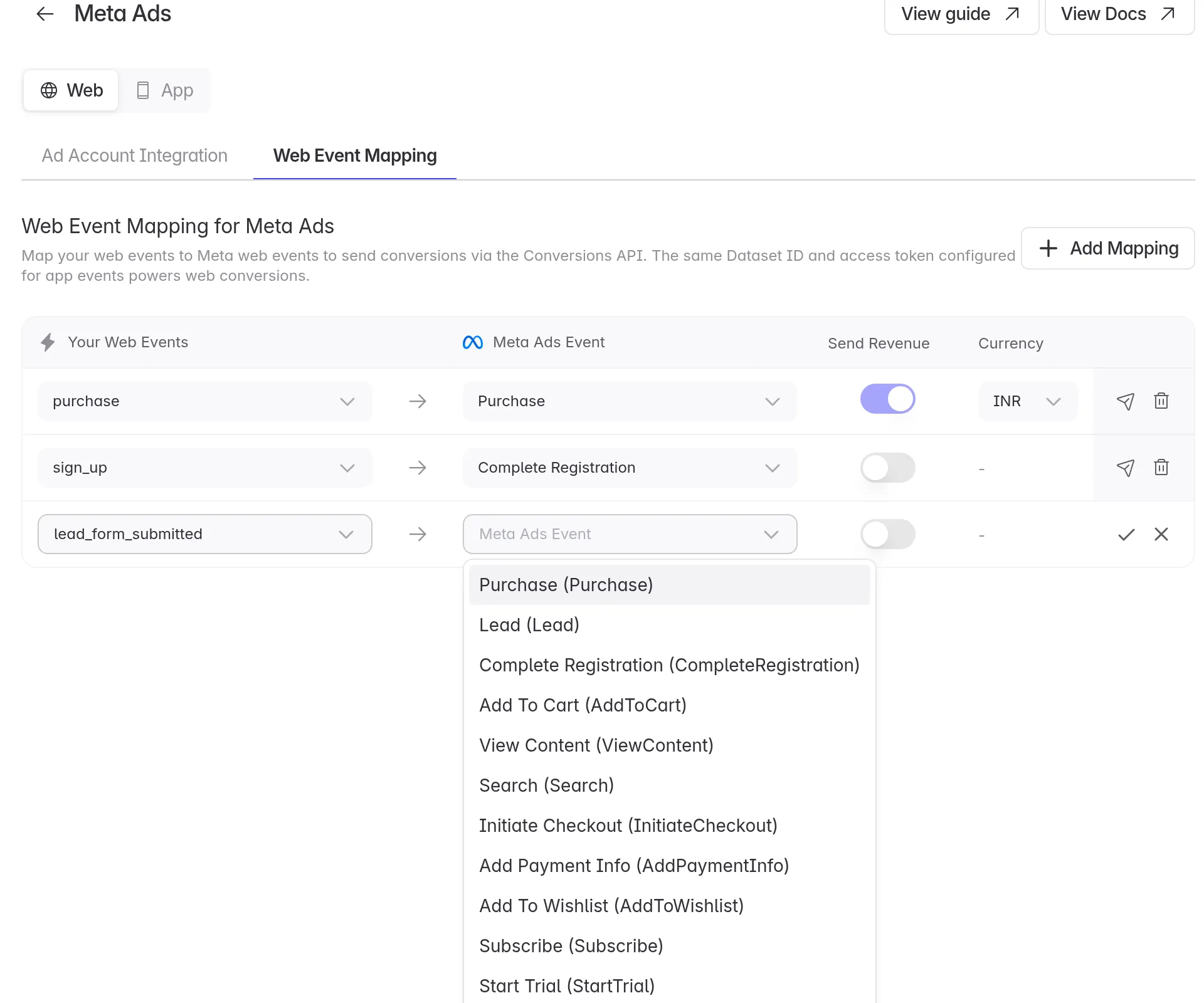
For purchases, Send Revenue is on, so Meta gets the value and can report your return on ad spend. Pick the Currency your website sends.
Click the tick to save the row.
Common mappings:
| Your web event | Meta Ads Event |
|---|---|
sign_up | Complete Registration |
purchase | Purchase |
add_to_cart | Add To Cart |
| A lead form | Lead |
trial_started | Start Trial |
Don't see your event in the list? Your website hasn't sent it yet. See Track sign-ups and purchases on your website.
3. Send a test event
Click the paper plane icon on a row. Linkrunner sends a test event to your Meta dataset. It can take up to an hour to show in Meta Events Manager.
What Meta receives
For each mapped event, Linkrunner sends:
- The event name, the time and the page it happened on.
- The Meta click ID (
fbclid) and the Meta browser cookies, when the visitor has them. - The visitor's IP address and browser.
- A hashed version of your user ID, when your website has called
identify. - The value and currency, when Send Revenue is on.
Linkrunner sends every mapped event from your website, not only the ones from Meta ads. Meta matches each one to its own ad clicks and views.
Things to know
- Events older than 7 days are not sent. Meta doesn't accept them.
- Events sent from your server are not sent to Meta. Meta needs the page the event happened on, which only the website has. Send purchases you want Meta to see from the website.
- Already sending the same event with the Meta Pixel? Meta may count it twice. Map a different event, or stop the Pixel sending that one.
- Several datasets. If your ad accounts use different datasets, Linkrunner sends each event to each of them.
Troubleshooting
Add Mapping is missing. Your Meta ad account has no CAPI credentials yet. Click Configure CAPI and add the dataset and access token. See Meta Ads setup.
The test event doesn't show in Events Manager. Wait up to an hour. Then check that the dataset in your CAPI settings is the one you are looking at in Events Manager.
The Web switch is missing. Your project has no Web SDK token yet. Turn on Web Campaigns, see Track your website in an app project.
Need help? Contact support@linkrunner.io