

Appearance
See which ads drive website sales
Compare your Meta and Google ads by the visitors, sign-ups and revenue they bring to your website.
The web view of Creatives shows each Meta and Google ad that sent visitors to your website, with its image or copy next to what those visitors did. Use it to find the ads worth more budget and the ones to pause.
1. Open web creatives
Go to Creatives in the sidebar and switch to Web at the top. Projects that only track a website open on Web.
2. Compare your ads
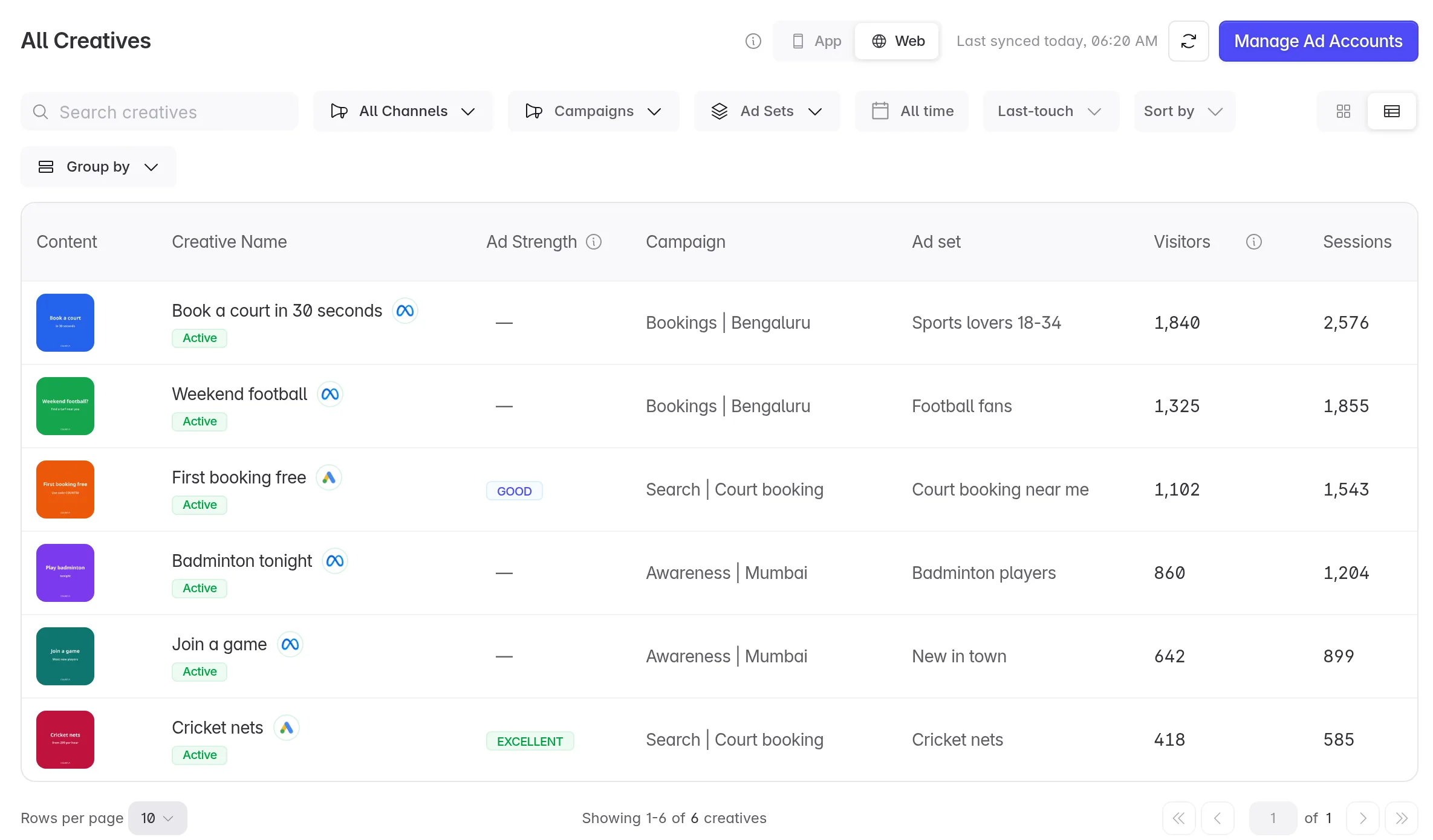
Each row is one ad:
| Column | What it shows |
|---|---|
| Content | The ad's image or video. |
| Creative Name | The ad's name, with its network and status. |
| Ad Strength | Google's rating of the ad. Google ads only. |
| Campaign, Ad set | Where the ad runs. |
| Visitors, Sessions, Page views | The traffic the ad brought to your website. |
| Sign-ups, Conversion | Sign-ups from those visitors, and the share of visitors who signed up. |
| Purchases, Revenue | What those visitors bought. |
Use the toolbar to search, filter by Channel, Campaigns or Ad Sets, pick dates, switch between Last-touch and First-touch, sort, or Group by campaign. The numbers match Web Campaigns for the same dates and attribution.
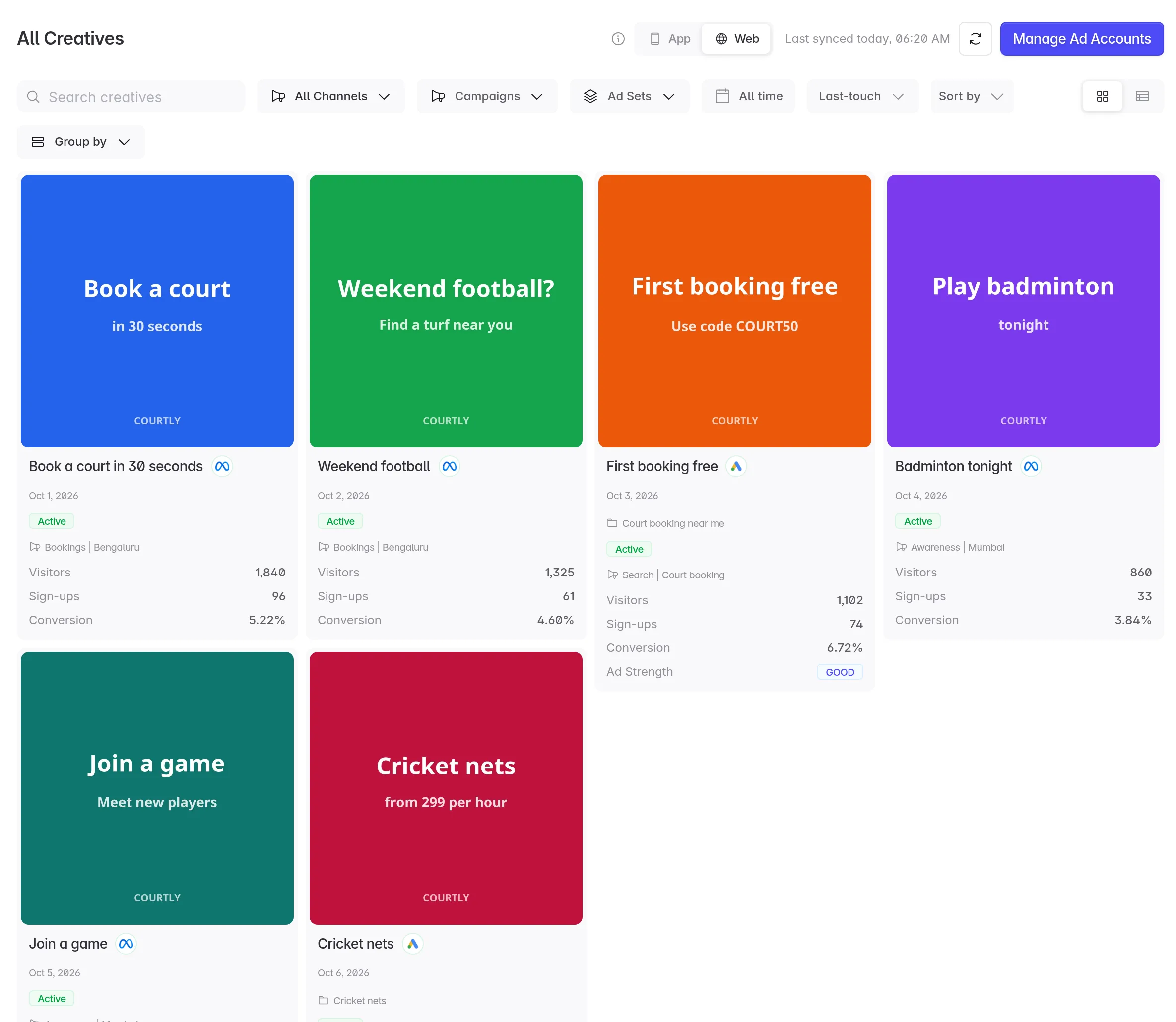
Click the grid icon to see the ads as cards, which is easier when you are comparing images.
3. Open an ad
Click an ad to see it in full, with its titles, ad copy, call to action, campaign and ad set. On the right are its traffic, sign-ups and purchases, with a daily chart. Flow shows how its visitors move from visit to sign-up to purchase.
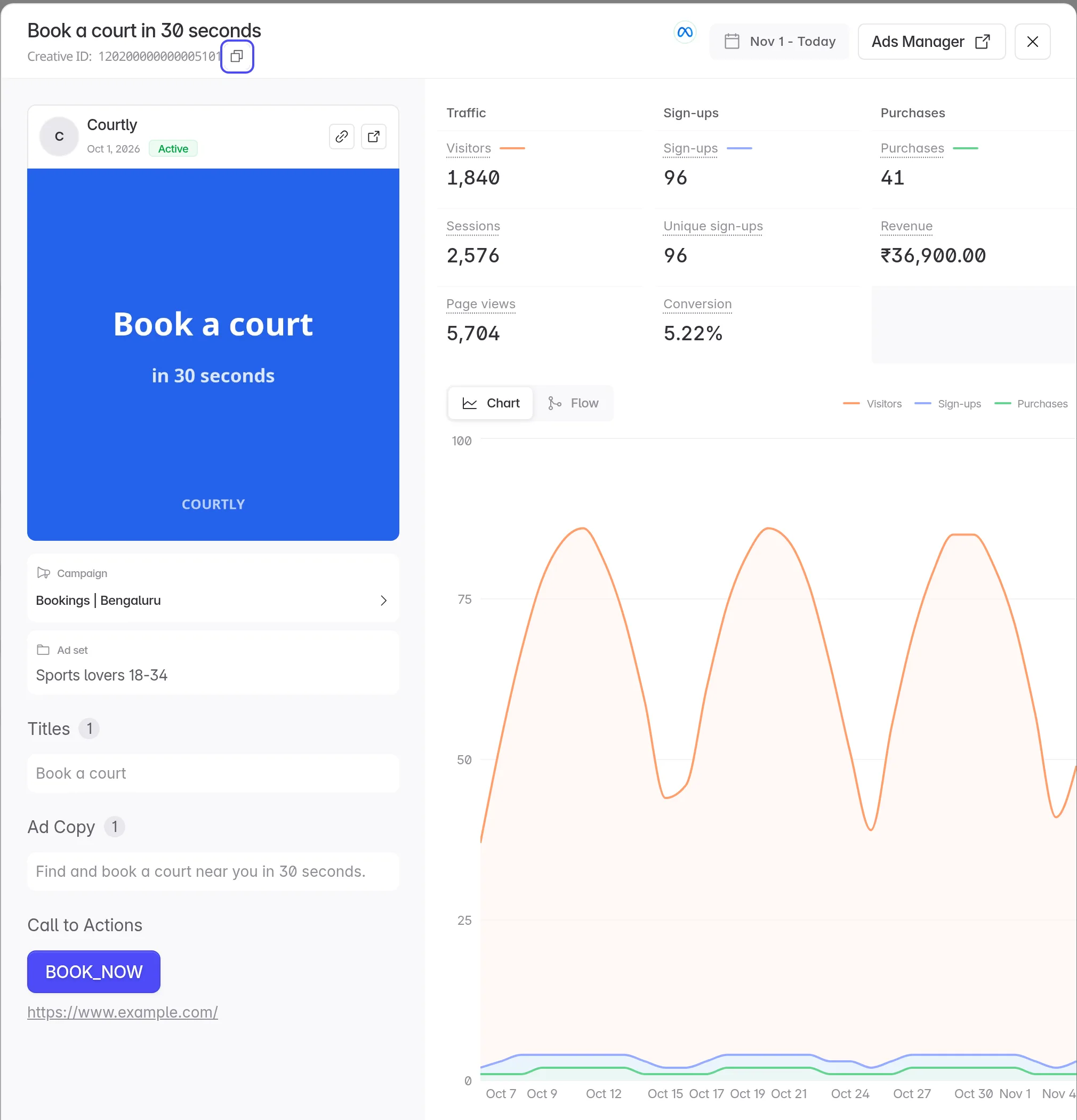
Click Ads Manager to open the ad in Meta or Google Ads, or click the campaign or ad set to see it on Web Campaigns.
How Linkrunner knows which ad a visit came from
The ad link must carry the ad's ID, in an ad_id or utm_content parameter. Add it with the network's own placeholder:
| Network | Add to the ad's URL parameters |
|---|---|
| Meta | utm_content={{ad.id}} |
| Google Ads | utm_content={creative} |
Meta ads without an ID in the link still count toward their campaign on Web Campaigns, but don't show here. For Google ads, Linkrunner can also find the ad from the Google click ID, which can take a few hours.
To show an ad's name and image, Linkrunner reads it from your connected Meta and Google Ads accounts. Connect every account that runs ads to your website in Integrations.
There is no spend or cost column here, because Meta and Google report web spend per campaign. See spend and ROAS by campaign on Web Campaigns.
Shopping ads
A Google Shopping ad has no image or copy of its own. Google builds each impression from a product in your Merchant Center feed. Linkrunner marks these ads Shopping ad, and the details list the products the ad group showed most, with their clicks and impressions over the last 30 days.
Troubleshooting
"N Meta ads aren't in a connected ad account". Linkrunner sees visits from these ads but can't load their names or images. They most likely run in another ad account, or were deleted. Click Manage Ad Accounts and connect the account that runs them.
"No web creatives yet". No visit has come from an ad link with an ad ID yet. Add the ad ID to your ad links as shown above.
The Web switch is missing. Your project has no Web SDK yet. See Track your website in an app project.
Need help? Contact support@linkrunner.io