

How it works
Every time a user is attributed by Linkrunner, we automatically send a request to Braze to update the corresponding user’s profile with custom attributes:lr_campaign- The campaign identifierlr_ad_network- The ad network source
Example
- User ID
24came from campaign link:https://app.linkrunner.io/?c=AXb1c2 - In Braze, for user profile with ID
24, you’ll seelr_campaignset toAXb1c2andlr_ad_networkset to an ad network source
Prerequisites
Steps to setup
1
Create API Key in Braze and Configure in Linkrunner
First, you need to create an API key in your Braze dashboard with the required permissions.
-
In your Braze dashboard, navigate to Settings > Setup and Testing > APIs and Identifiers > API Keys
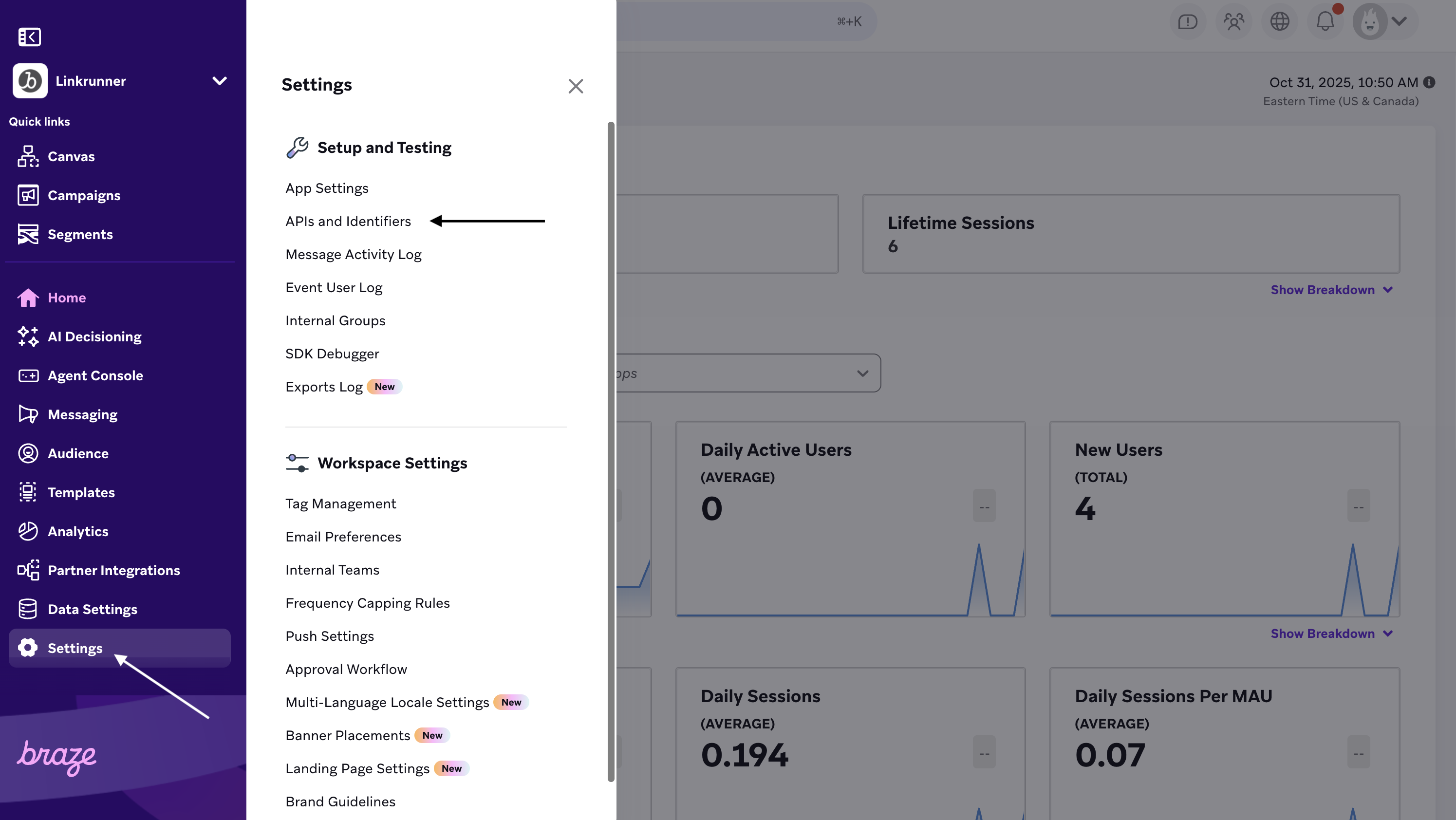
- Click Create API Key
-
Under permissions, select the following under User Data:
users.trackusers.export.ids
- Save the API key
-
Copy the API Key and REST Endpoint from the Braze dashboard
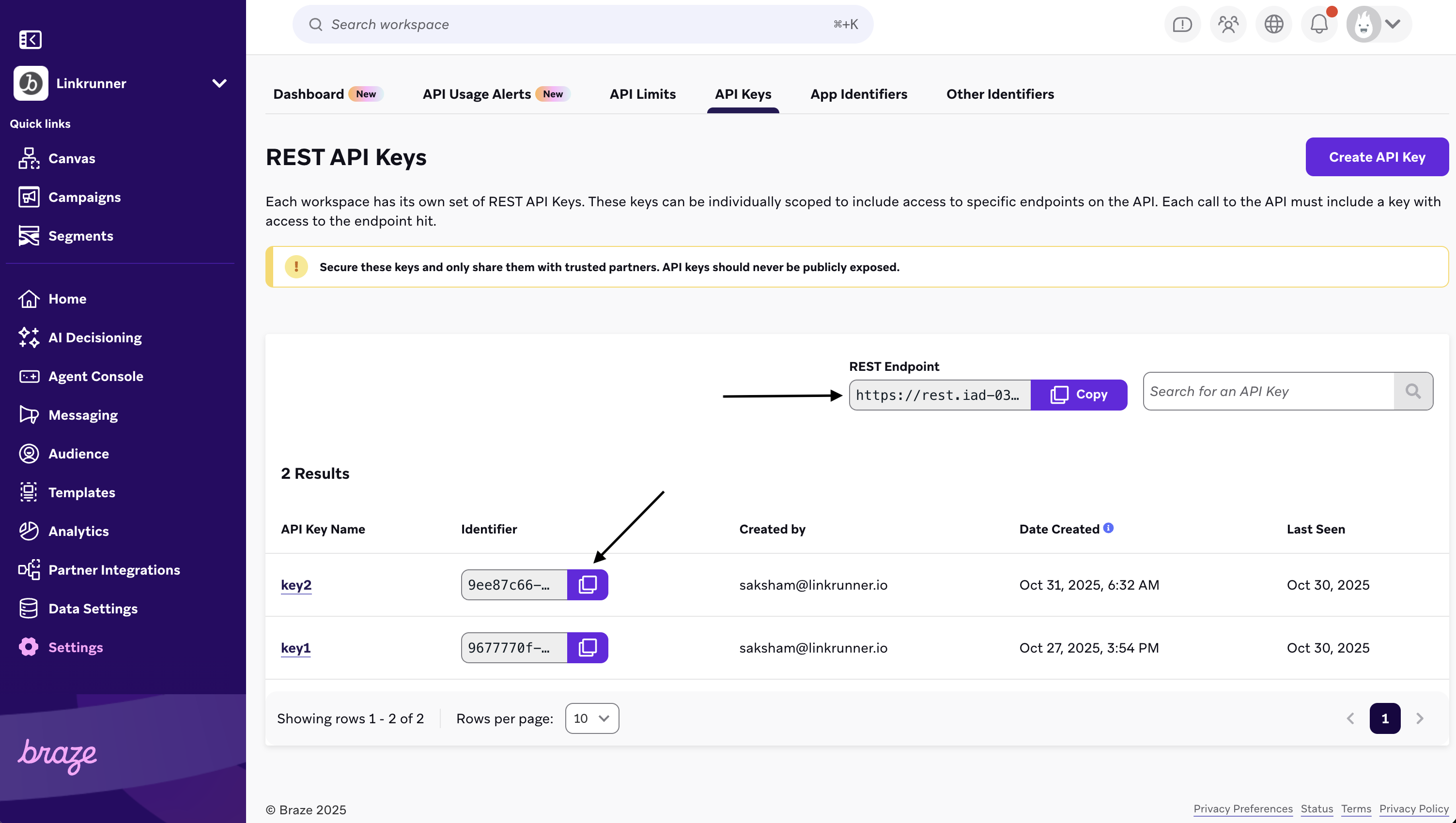
- In Linkrunner, navigate to Integrations from the left-hand panel
- Under Analytics, click Configure for Braze
-
Enter your API Key and REST Endpoint (e.g.,
https://rest.iad-01.braze.com)
2
Map User Identifiers in SDK
To properly link users between Linkrunner and Braze, you need to pass the correct identifier in the
signup function.Important: If you are using the
changeUser function of the Braze SDK, pass the same user ID in the userData parameter of the Linkrunner signup function. If you are not using changeUser, pass the brazeDeviceId instead.- Android (Kotlin)
- iOS (Swift)
- React Native
- Flutter
3
Sync with Braze (Optional)
Use the Sync feature in the following scenarios:
- First time after adding your Braze credentials
- If you see discrepancies in attribution data on Braze profiles
Viewing Attribution Data
After the integration is complete, you can view the attribution data in Braze:- Navigate to a user profile in the Braze dashboard
- Look for the Custom Attributes section
- You’ll see
lr_campaignandlr_ad_networkattributes with the corresponding values
- Create segments based on acquisition source
- Personalize messaging based on campaign origin
- Analyze user behavior by acquisition channel