

How does it work?
When a new install occurs, Linkrunner sends the touchpoint details (media source and campaign ID) to GA4.Minimum SDK versions
React Native
rn-linkrunner
2.6.3Flutter
linkrunner
^3.6.3iOS
3.7.1Android
3.5.3Steps to setup
1. Set GA4 Integration in Linkrunner
In the Integrations tab, under Analytics, click Configure under Google Analytics. Firebase App ID and a Measurement Protocol API secret will be required. These are different for iOS and Android. To retrieve the Firebase App ID and Measurement Protocol API secret:-
Open Admin (settings icon) from the bottom-left of the Google Analytics interface.
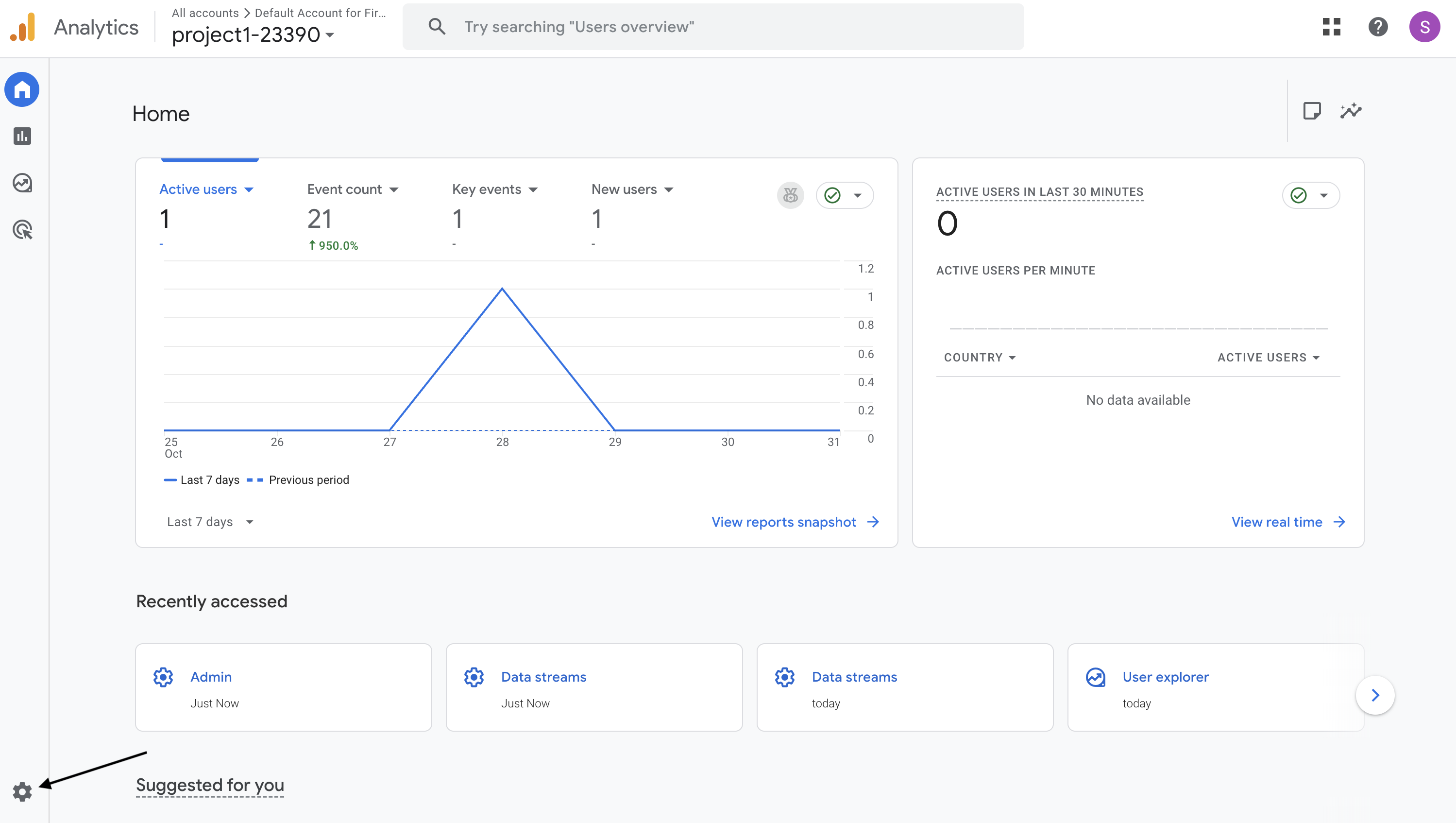
-
Under Property → Data collection and modification → Data streams, click your app data stream (iOS or Android).
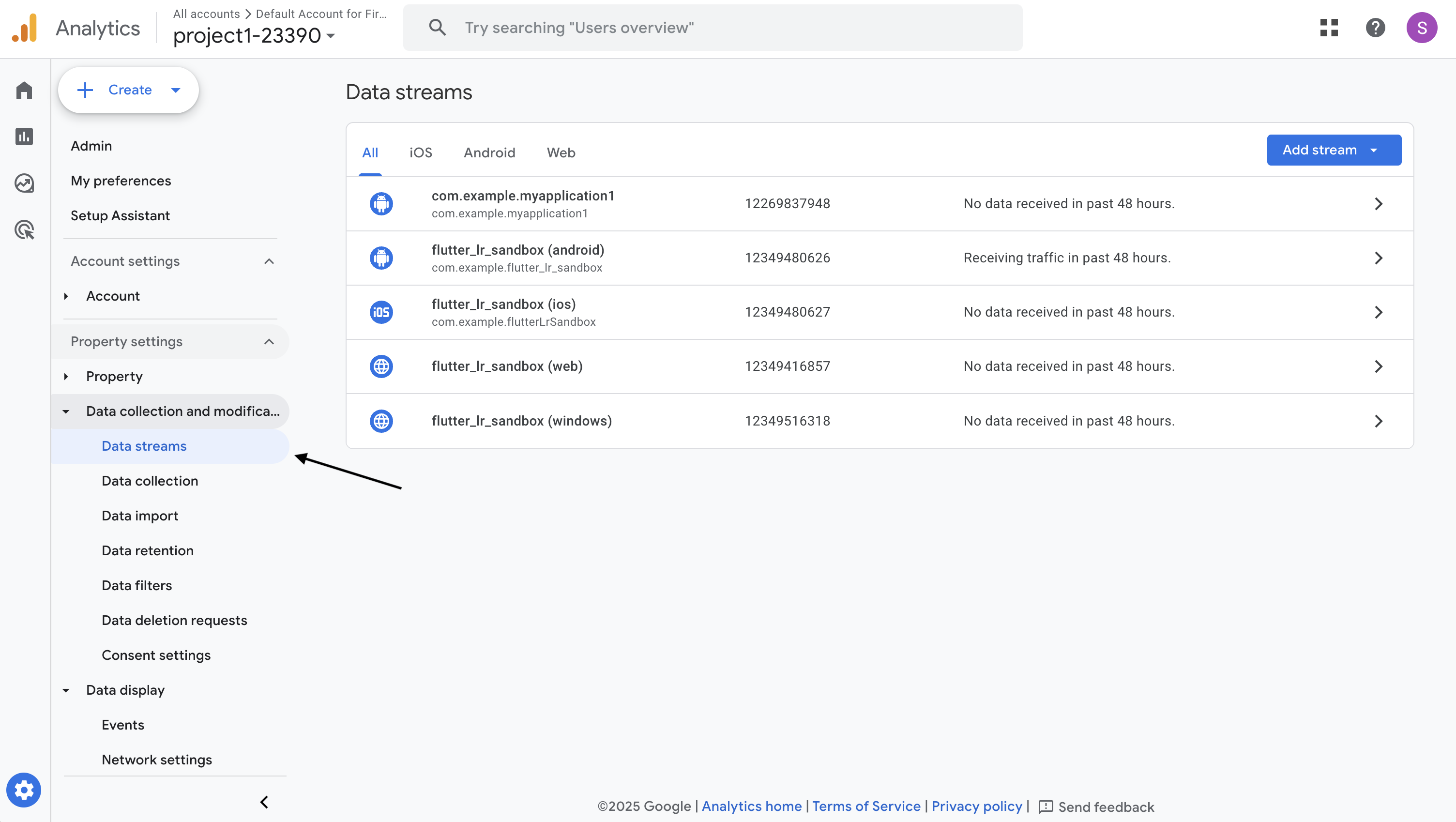
-
In the App stream details panel, copy the Firebase App ID.
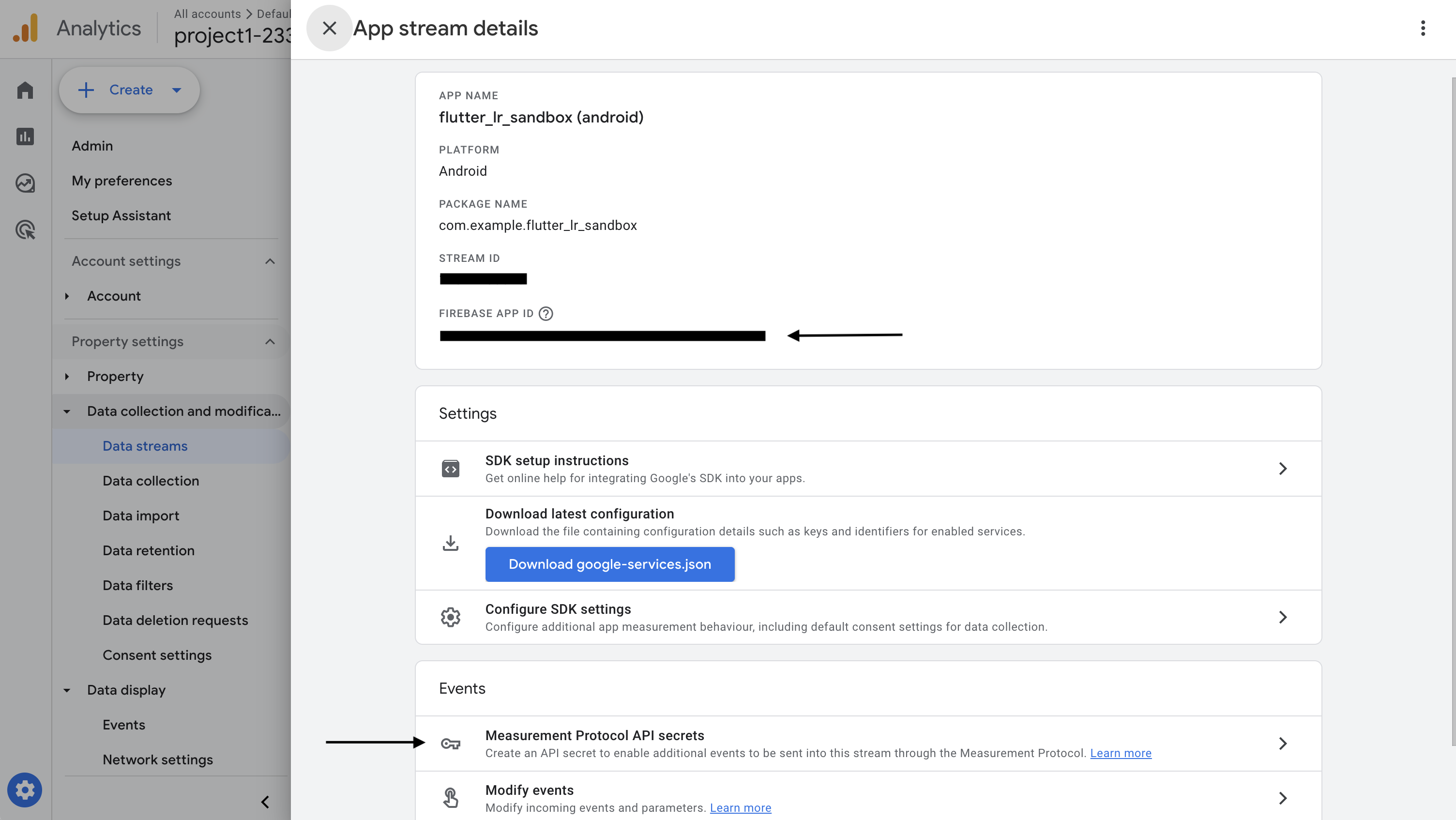
-
Under Events, click Measurement Protocol API secrets.
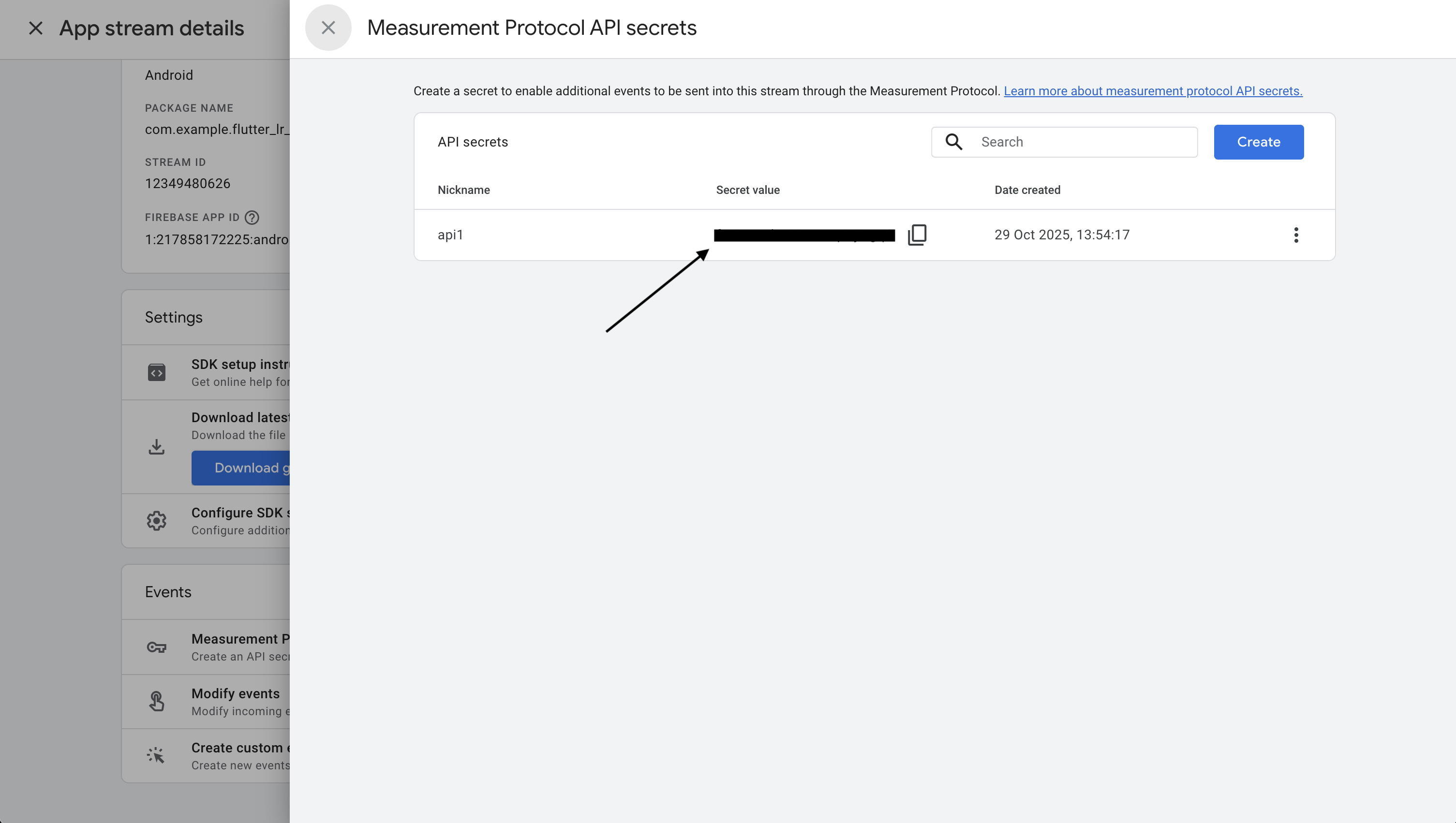
- Create (or reuse) an API secret and copy its value.
The Firebase App ID and API secret will be different for your iOS and Android apps, so repeat these steps for each platform.
2. Retrieve app instance ID in Linkrunner SDK
The app instance ID uniquely identifies a specific installation of a Firebase app. This value needs to be retrieved from the Firebase SDK. After collecting this ID, pass it tolinkrunner.signup so that Linkrunner can associate GA4 app instance IDs with installs and campaigns.
Use the following examples to pass the app instance ID:
- Android (Kotlin)
- iOS (Swift)
- React Native
- Flutter
3. Retrieve GA4 session ID in Linkrunner SDK
The GA4 session ID uniquely identifies a session of a Firebase app. Similar to the app instance ID, this value is retrieved from the Firebase SDK and should be passed tolinkrunner.signup so that session-level engagement can be connected to installs and campaigns.
Use the following examples to pass the session ID (for example, ga_session_id or gaSessionId, depending on the SDK’s naming convention):
- Android (Kotlin)
- iOS (Swift)
- React Native
- Flutter
4. Validate the GA4 Integration
To validate that data is flowing correctly between Linkrunner and GA4:- Use BigQuery Export to explore the raw event data with all associated parameters.
- Using GA4 Explorations.
- The Traffic acquisition report helps you understand where your app visitors are coming from. You can find this under Reports > Lifecycle > Acquisition > Traffic acquisition. For more information on the Traffic acquisition report, see the Google documentation.
BigQuery data is visible as soon as the event is received by GA4, while it can take 24–48 hours for data to reflect in GA4 reports. Read more here.