

How it works
Unlike other analytics integrations that push data from Linkrunner, RevenueCat uses a webhook-based approach:- RevenueCat sends webhook events to Linkrunner whenever a subscription or revenue event occurs
- Linkrunner automatically matches these events with attributed users
- RevenueCat events are automatically mapped to Linkrunner revenue types
- Events are categorized into three status types based on payment outcome
Prerequisites
Steps to setup
1
Navigate to Integrations
In your Linkrunner dashboard, click on Integrations from the left-hand panel. Under the Analytics section, find RevenueCat and click Configure.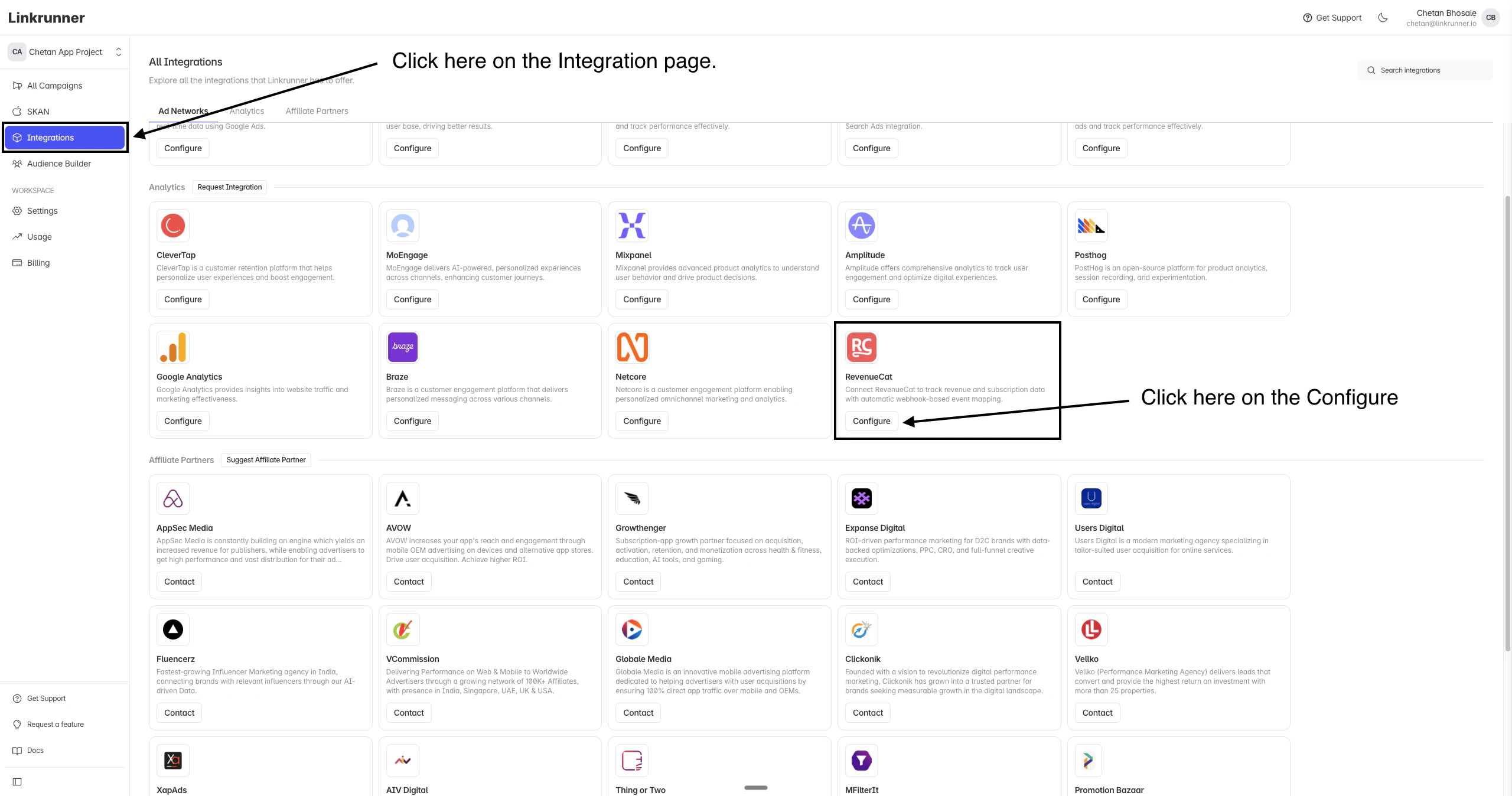
2
Copy the Webhook URL
In the RevenueCat configuration panel, you’ll see the Webhook URL. Copy this URL — you’ll need to add it to your RevenueCat dashboard.The webhook URL is: 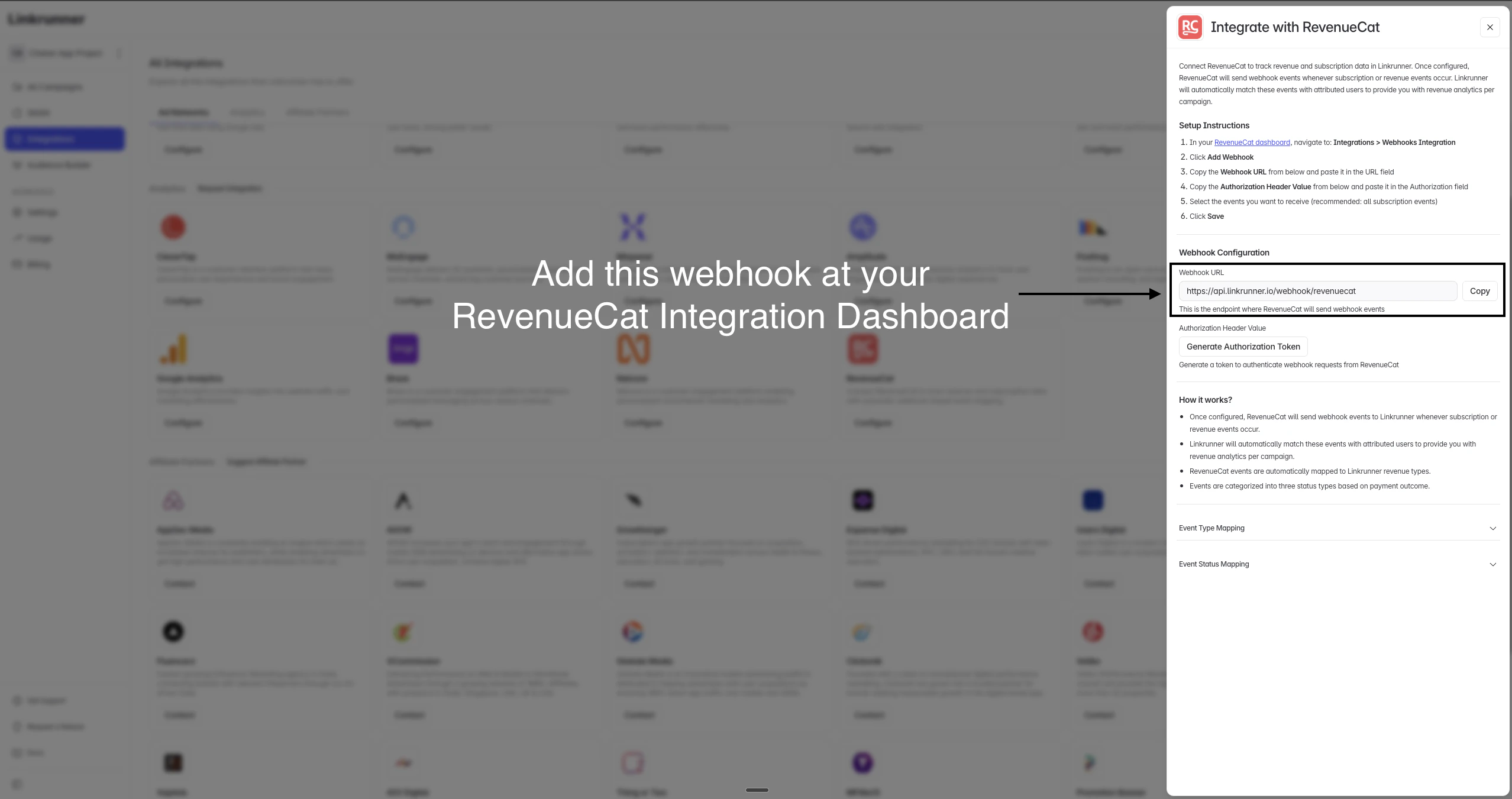
https://api.linkrunner.io/webhook/revenuecat3
Generate an Authorization Token
Click Generate Authorization Token in the Linkrunner configuration panel. Copy the generated token — you’ll need this for the authorization field in RevenueCat.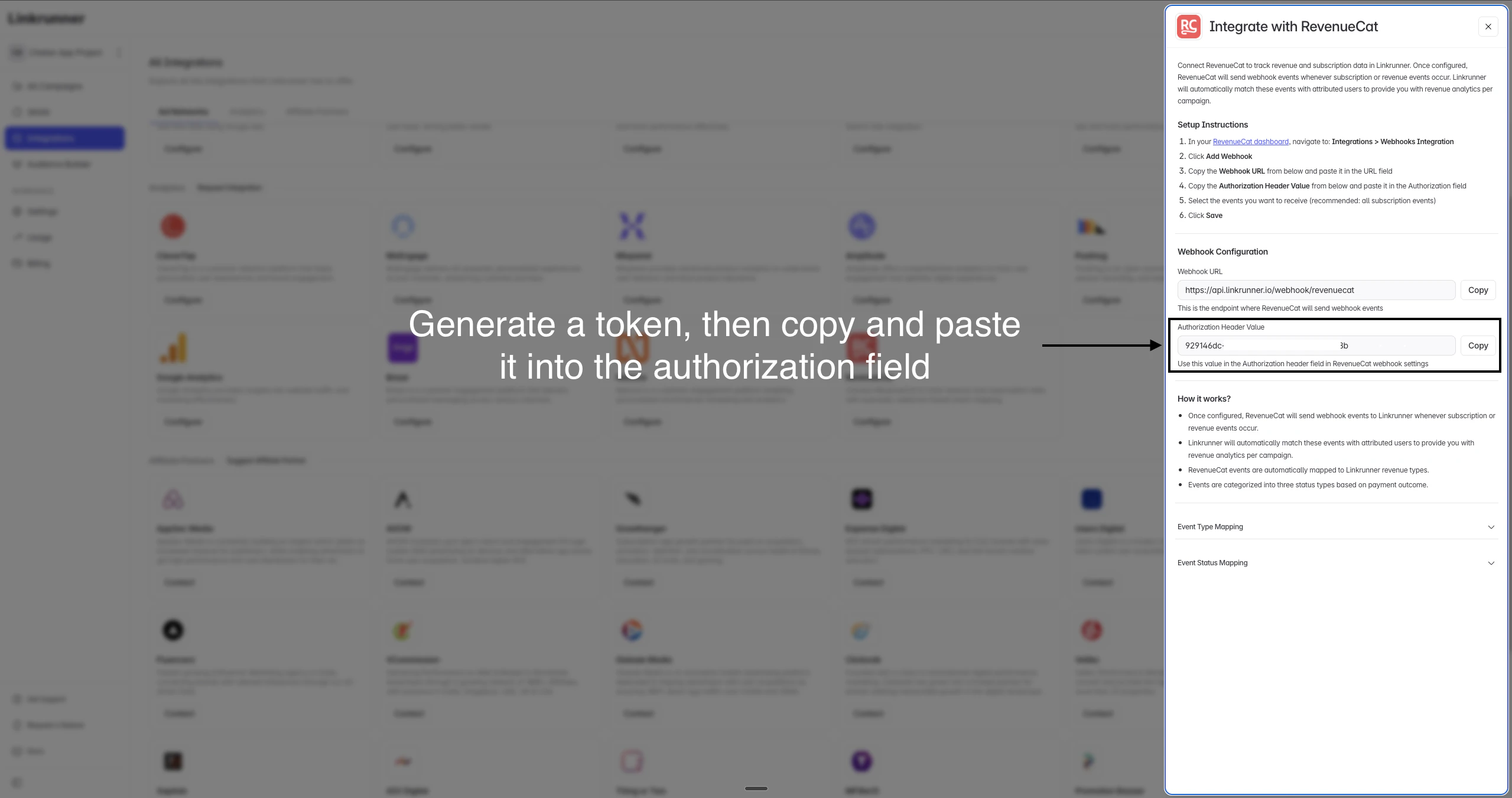
4
Configure Webhook in RevenueCat
Now head to your RevenueCat dashboard to set up the webhook: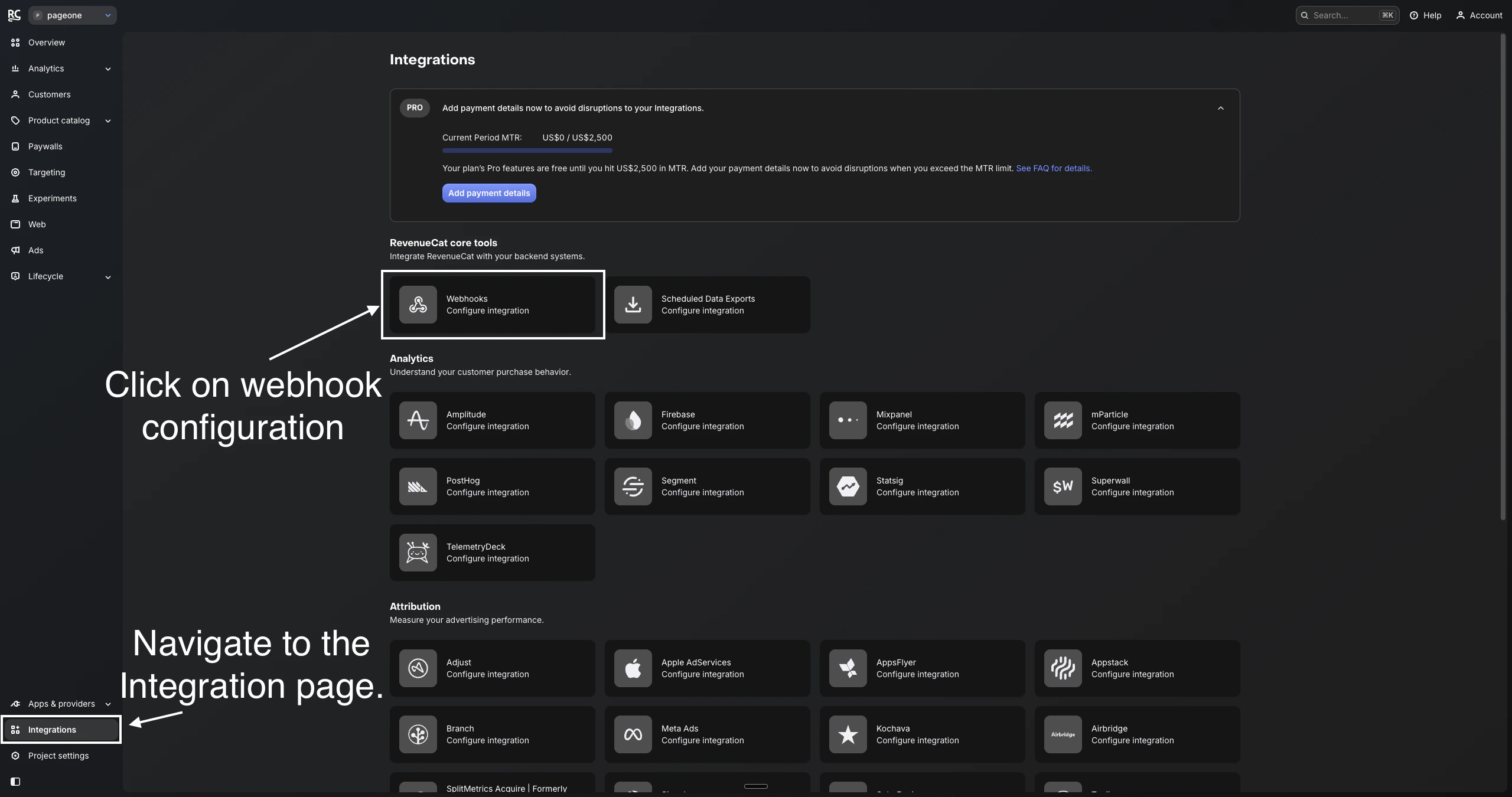
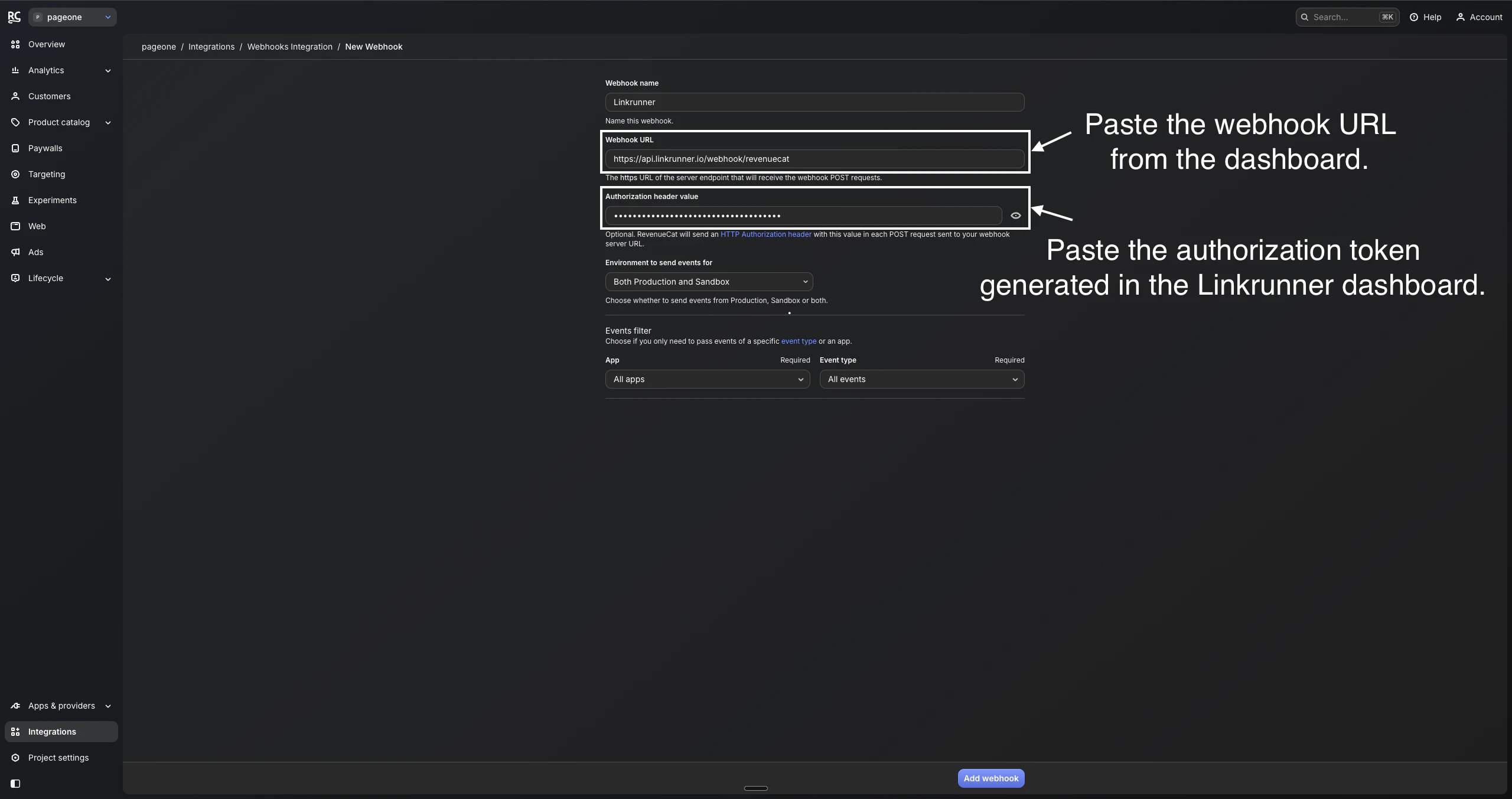
- In your RevenueCat dashboard, navigate to the Integrations page from the left sidebar
- Under RevenueCat core tools, click on Webhooks to configure the integration
- Click Add Webhook and fill in the following details:
- Webhook name:
Linkrunner - Webhook URL: Paste the webhook URL copied from the Linkrunner dashboard
- Authorization header value: Paste the authorization token generated in the Linkrunner dashboard
- Environment to send events for: Select Both Production and Sandbox (recommended)
- Events filter: Select All apps and All events (recommended)
- Webhook name:
- Click Add webhook to save
Event Type Mapping
RevenueCat events are automatically mapped to Linkrunner revenue types. For subscription events, Linkrunner readsperiod_type and is_trial_conversion from the webhook payload to keep trial activity separate from real payments:
FIRST_PAYMENT always means a real paid transaction. If your app offers a free trial, the trial start arrives as TRIAL_STARTED and the trial-to-paid conversion arrives as FIRST_PAYMENT. Use TRIAL_STARTED for trial-optimization events (for example, mapping to Meta’s StartTrial) and FIRST_PAYMENT for purchase events.
Event Status Mapping
Events are categorized into three statuses based on the payment outcome:Viewing Revenue Data
After the integration is complete, Linkrunner will automatically:- Match incoming RevenueCat events with attributed users
- Map events to the corresponding Linkrunner revenue types
- Provide revenue analytics per campaign in your Linkrunner dashboard