

Appearance
Web Campaigns for Affiliate Partners
Send traffic to a customer's website, get credit for the sign-ups and purchases it brings, and receive a postback for each one.
Web campaigns work like your app campaigns, but the conversion happens on the customer's website instead of in their app. You send a click to a web link, the visitor signs up or buys on the website, and Linkrunner sends a postback to your endpoint with your click ID.
What you need
- The customer connects you for Web campaigns. A customer chooses App campaigns, Web campaigns or both when they connect you, and can change it later. Until Web campaigns is on for you, Web Campaigns does not show in your sidebar for that customer. See Credit a web link to an affiliate partner for the customer's steps.
- Your postback URLs are saved. Website conversions use your Event Postback URL unless you add a separate one. See Postbacks for website conversions.
- At least one website event is mapped. Linkrunner sends a website conversion only for an event that is mapped to you. See Map web events.
Create a web link
Open the customer's project from the project picker, go to Web Campaigns and click Create Campaign.
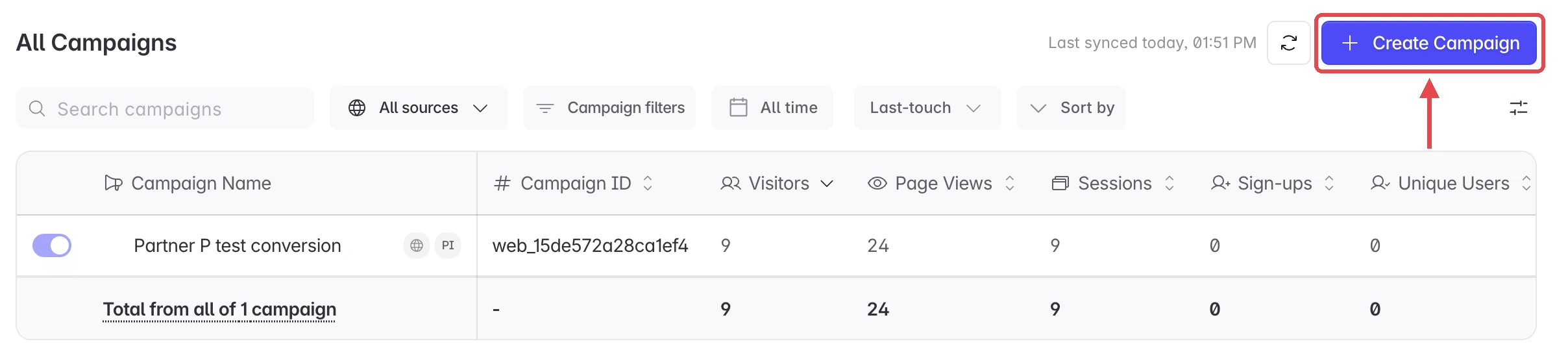
Fill in Name and UTM Source, and the other UTM fields you use, then click Create. Every link you create is credited to you, and Linkrunner gives it its own utm_id.
The link ends with lr_click_id= followed by your click ID macro, for example lr_click_id={click_id}. Linkrunner uses the click ID macro from your tracking link template, so it matches what your platform already fills in.
Your platform must replace the macro with a real click ID on every click, the same way it does for app links. The customer's website keeps that click ID with the visit, and Linkrunner returns it to you on the postback.
Keep the link exactly as it is, especially utm_id and lr_click_id. A conversion from a click without your click ID gets no postback, and a changed utm_id counts the visit somewhere else.
What you see on Web Campaigns
You see only the web campaigns credited to you, with their visitors, page views and sessions. Sign-ups show unless the customer hides them from you, which applies to app and web campaigns alike. Spend and revenue stay hidden, as they do for app campaigns. Custom events show only when the customer has shared them with you.
Postbacks for website conversions
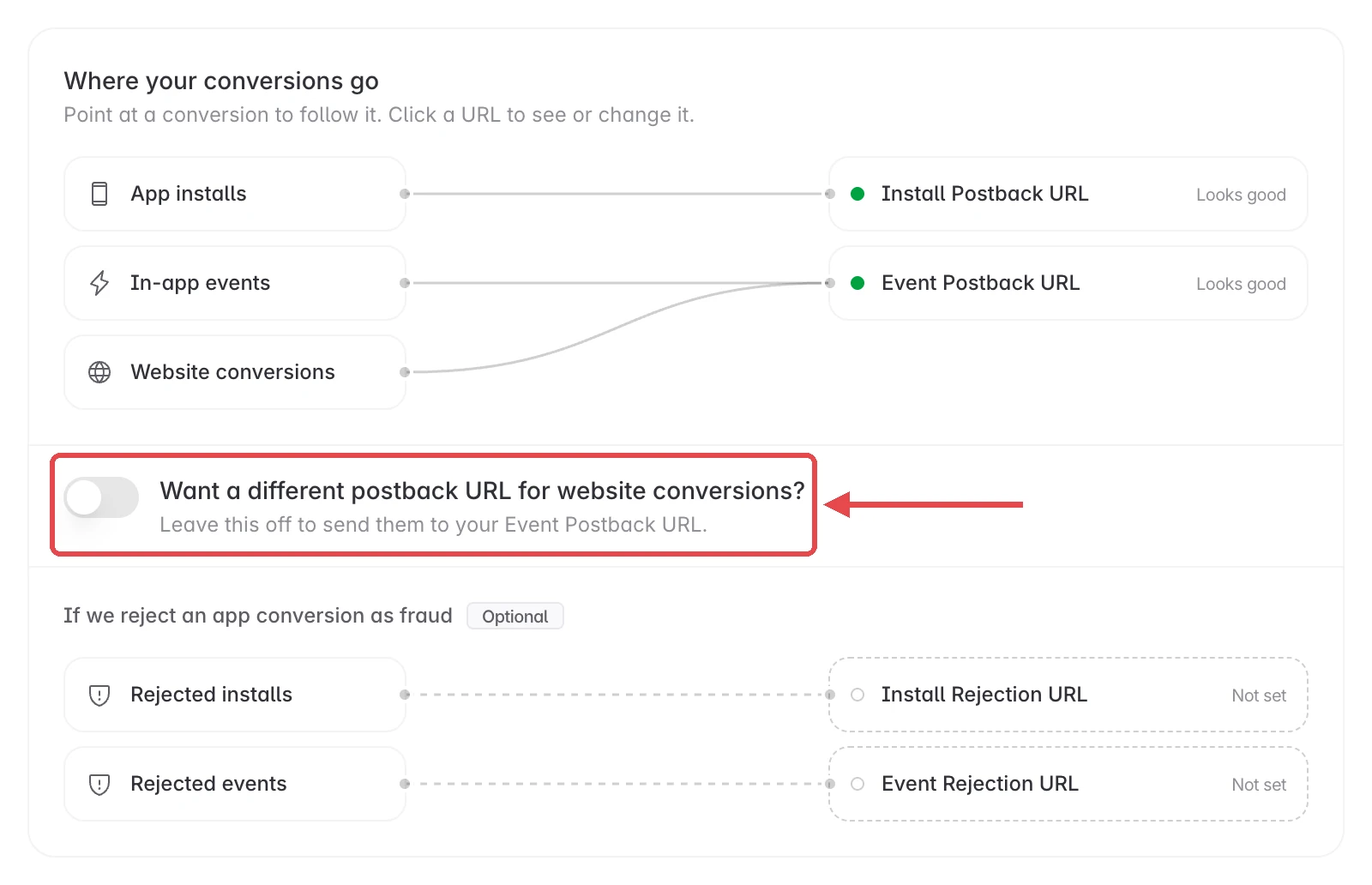
A website conversion is a sign-up or purchase on the customer's website, credited to one of your web links. Linkrunner sends it to your Event Postback URL by default.
To send website conversions somewhere else, open Settings → Postback URLs and turn on Want a different postback URL for website conversions?
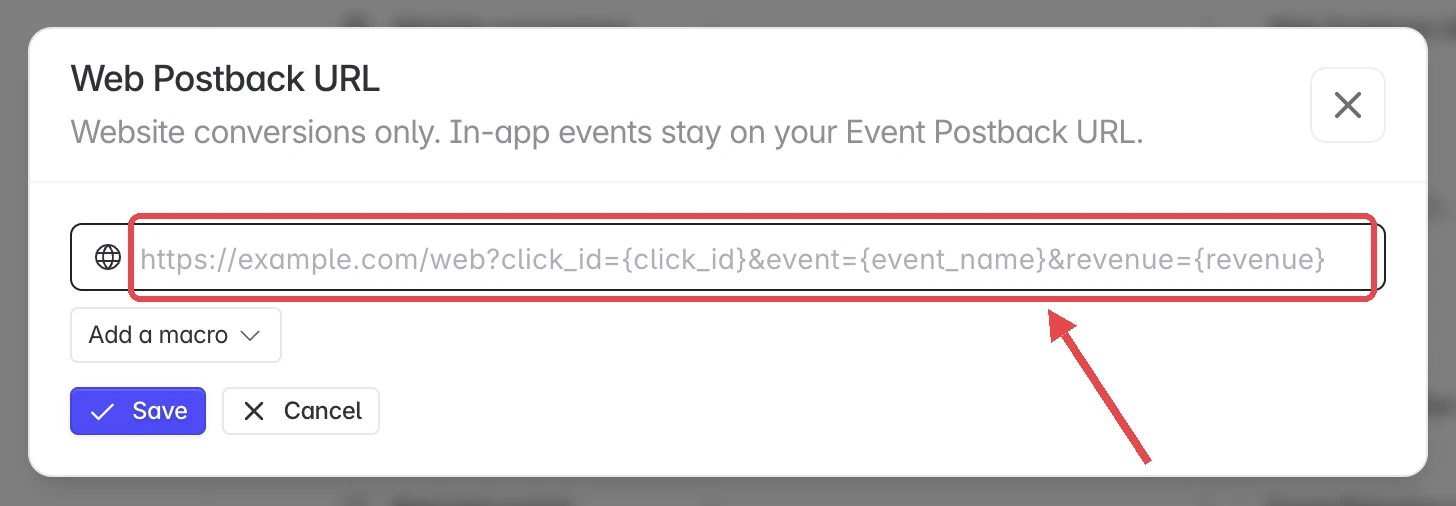
Enter your Web Postback URL and click Save. Website conversions then go to it, and in-app events stay on your Event Postback URL.
To stop using it, turn the switch off and confirm. Website conversions go back to your Event Postback URL.
Tell website and app conversions apart
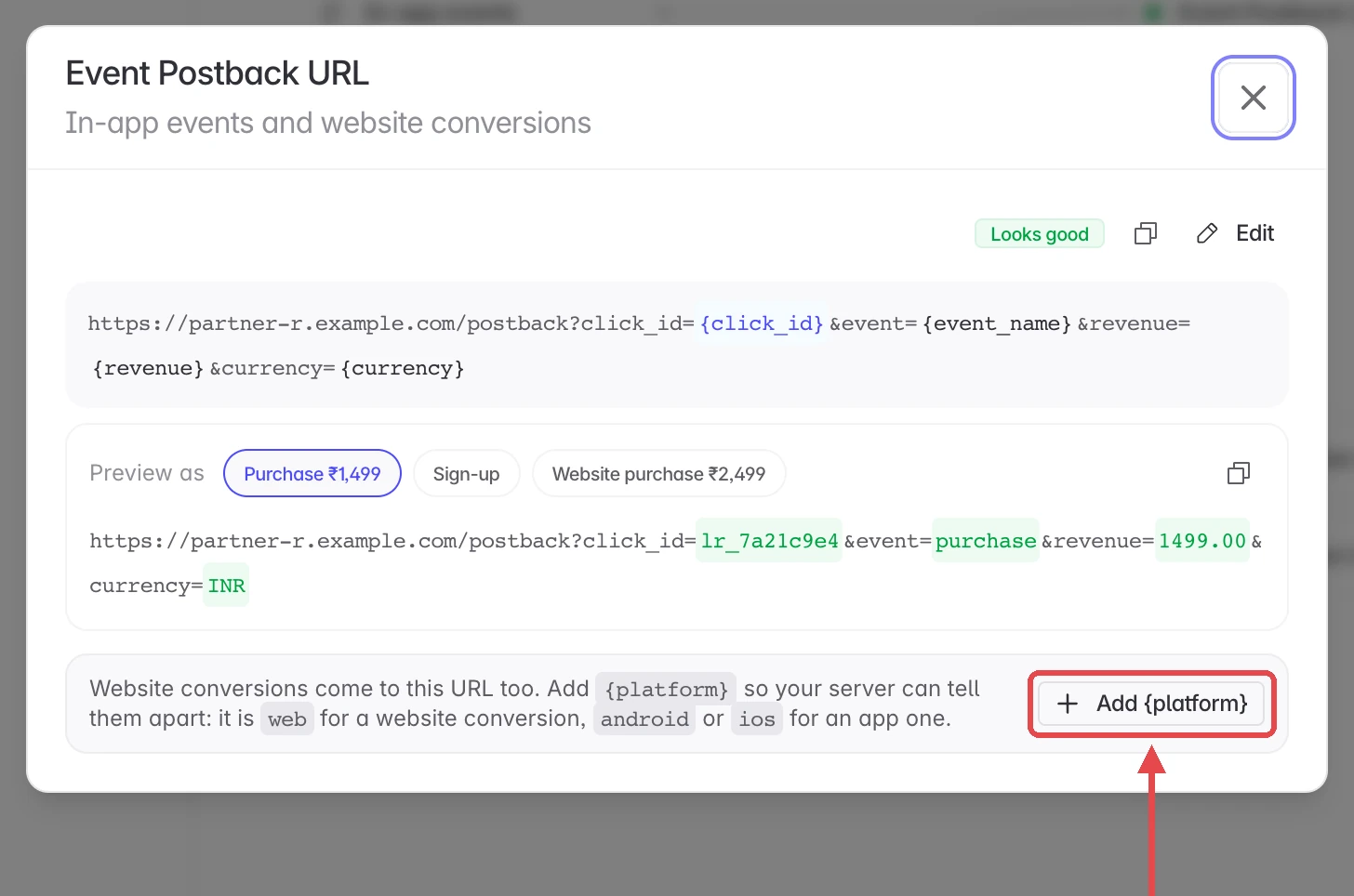
When website conversions share your Event Postback URL, add {platform} to it. It is web on a website conversion, and android or ios on an app one.
Open your Event Postback URL from the map. If it has no {platform} yet, click Add {platform}, then Save.
For the macros a website conversion fills in, see Macros on website conversions.
Map web events
Go to Event Mapping. Under Web events, click Add Mapping, pick one of the customer's website events and choose the name it is sent to you as.

You can map only the website events the customer has shared with you. A web mapping applies to this customer only. See Web events for each column.
Test it
- Replace the macro in your web link with a test value, such as
lr_click_id=test_click_1. - Open the link in a browser, then sign up or buy on the customer's website with a mapped event.
- Open Postback Logs. If you're connected for app and web campaigns, pick Web. The conversion shows with your test click ID and what your endpoint answered.
Limits
- No install postbacks. A website visit is not an app install, so web links get postbacks for mapped website events only.
- No rejection postbacks. Fraud Control rejections apply to app conversions only.
- Last touch. A conversion is credited to your web link when it was the visitor's last campaign touch before they converted.
Need help? Contact support@linkrunner.io