

Appearance
Change What a Partner Receives
Change or remove the event rules that decide what an affiliate partner receives for your app
Each affiliate partner has an event mapping for your app. It lists which of your events are sent to the partner, what they are called, and whether they carry revenue. You can change any rule for your own app, including rules the partner set up.
Only project admins can change rules. Members see the table but cannot edit it.
Open the partner's rules
Go to Integrations → Affiliate Partners and click Configure on the partner. The Event mapping for <partner> table lists what is sent.
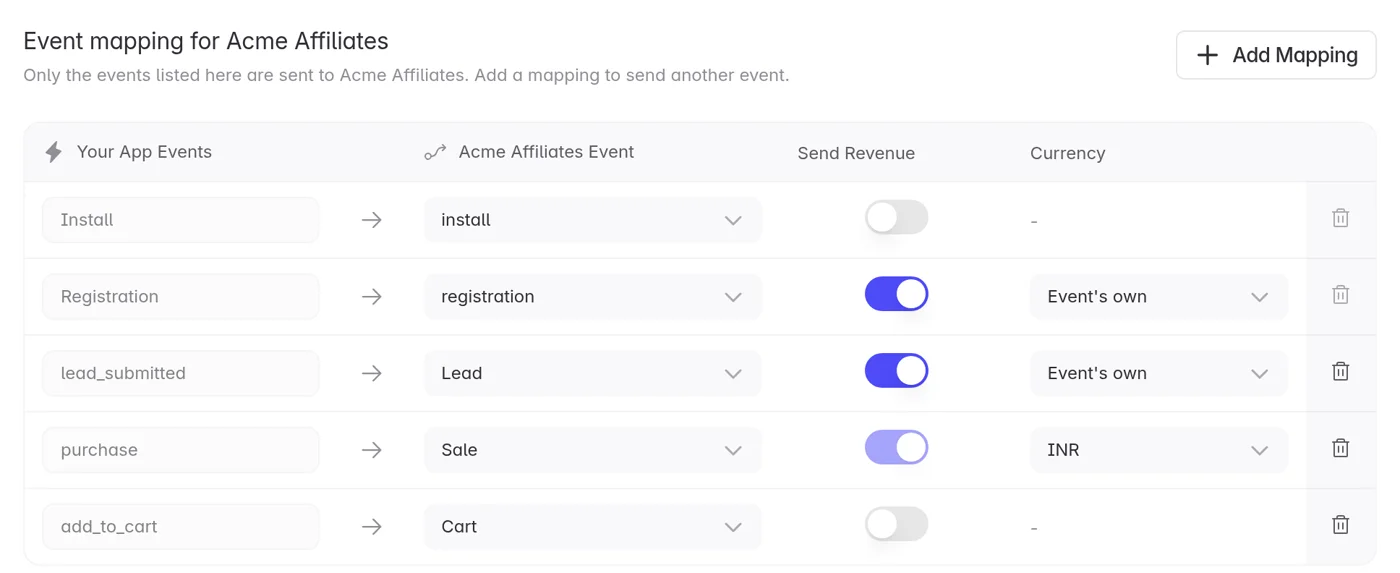
Hover a rule to see who set it up.
What you can change
For any rule, including the partner's own, you can change:
- The partner's event name. The name the event arrives under.
- Send Revenue. Whether the amount comes with the event.
- Currency. The currency sent with the amount.
Changes save as soon as you make them.
What you can remove
You can remove a rule the partner set up only for your app. Click the bin icon and confirm.
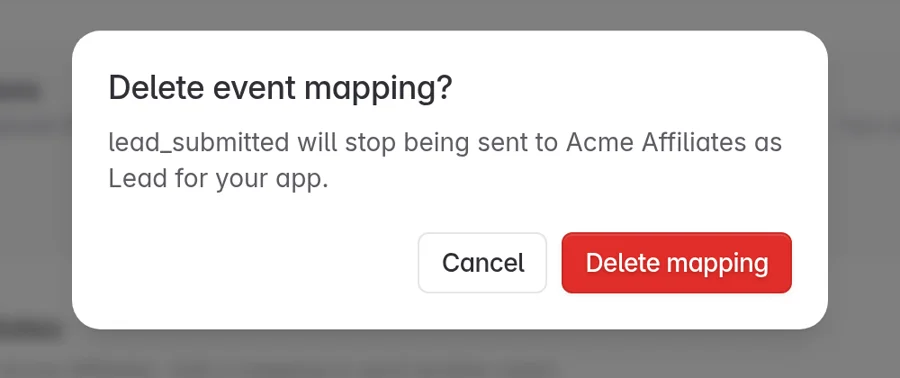
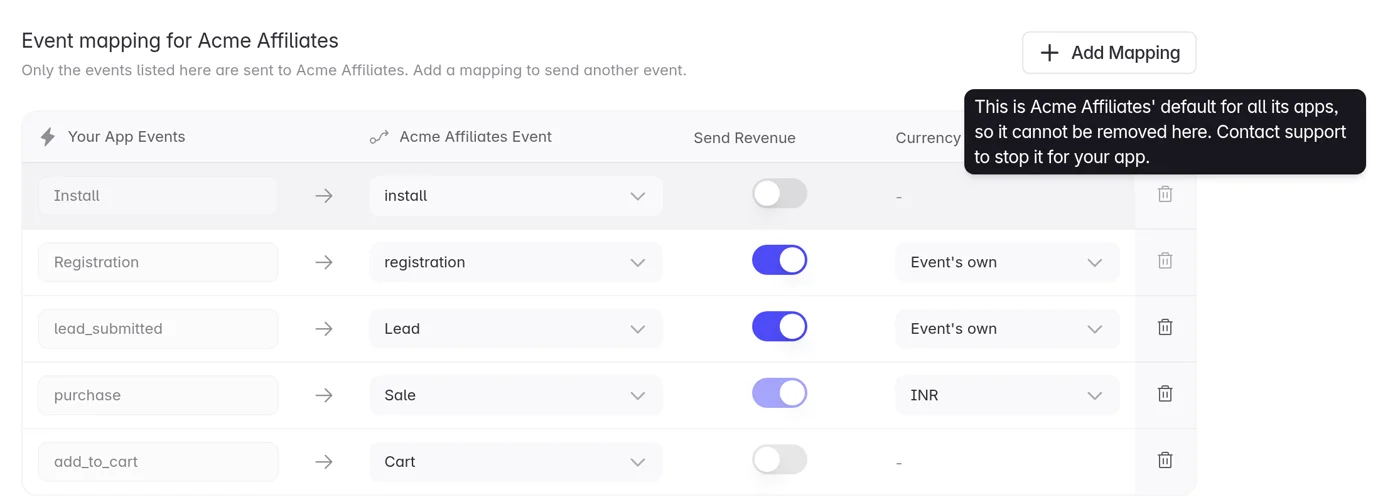
You can't remove Install, Registration, or the partner's catch-all event rule. These are the partner's defaults for all its apps. The bin is disabled. To stop one for your app, contact support.
Two more limits apply to the catch-all event rule, which sends every event under its own name:
- You can't rename it.
- You can't turn off Send Revenue while your app has payment events.
If removing a rule would send payment events without their amount, the screen refuses and explains why.
Defaults change for your app only
When you change one of the partner's defaults, the change applies to your app only. The partner's other customers are not affected. After that, your app no longer follows the partner's later changes to that default.
When changes take effect
Changes reach the partner within a few minutes.
The partner can still edit the rule from its own Event Mapping screen. Whoever saves last wins.
Troubleshooting
I can't edit or remove a rule
Only project admins can change rules. Ask an admin on your project.
The bin is disabled
The rule is one of the partner's defaults for all its apps. Contact support to stop it for your app.
I can't turn off Send Revenue
Either the rule is the catch-all event rule and your app has payment events, or the event is a payment event. Payment events always carry their amount.
A rule I changed has been reverted
The partner saved the same rule after you did. Whoever saves last wins. Change it again and tell the partner.
The partner still gets the old name
Changes take a few minutes. Check again shortly.
Need help? Contact support@linkrunner.io