

Where fraud shows up
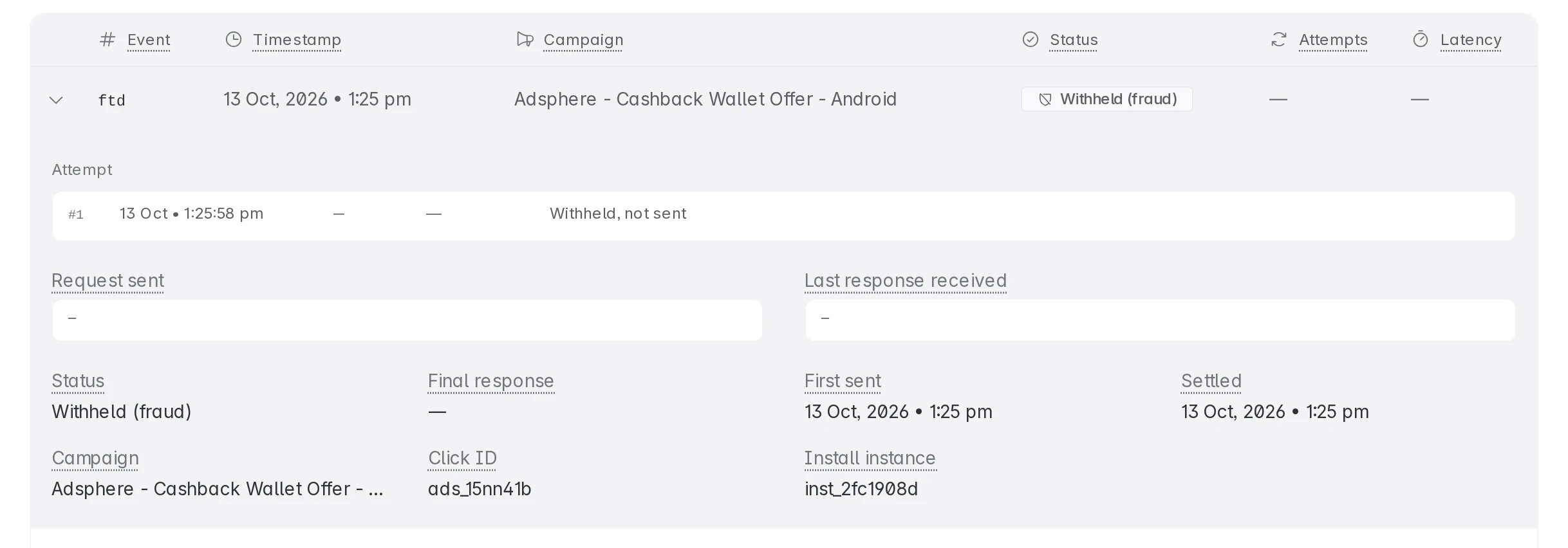
A rejected conversion has one of two statuses:
Both mean the same thing for payouts: do not pay out on the conversion. Your usual postback URL is never called for it.
1. List the rejected conversions
- Open Postback Logs from the left sidebar, or go to dashboard.linkrunner.io/affiliate/postback-logs.
- Pick the customer with the project picker at the top of the sidebar. The log shows one customer at a time.
- Open the status filter and pick Rejected (fraud) or Withheld (fraud).
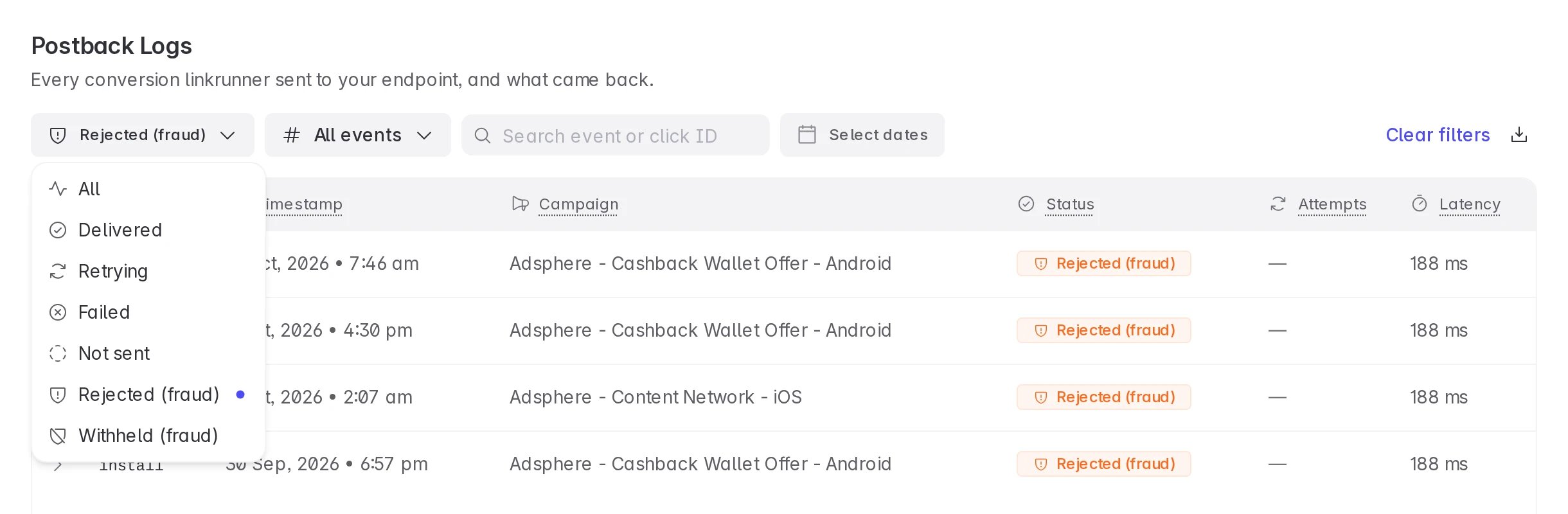
2. See why a conversion was rejected
Click a Rejected (fraud) row to expand it.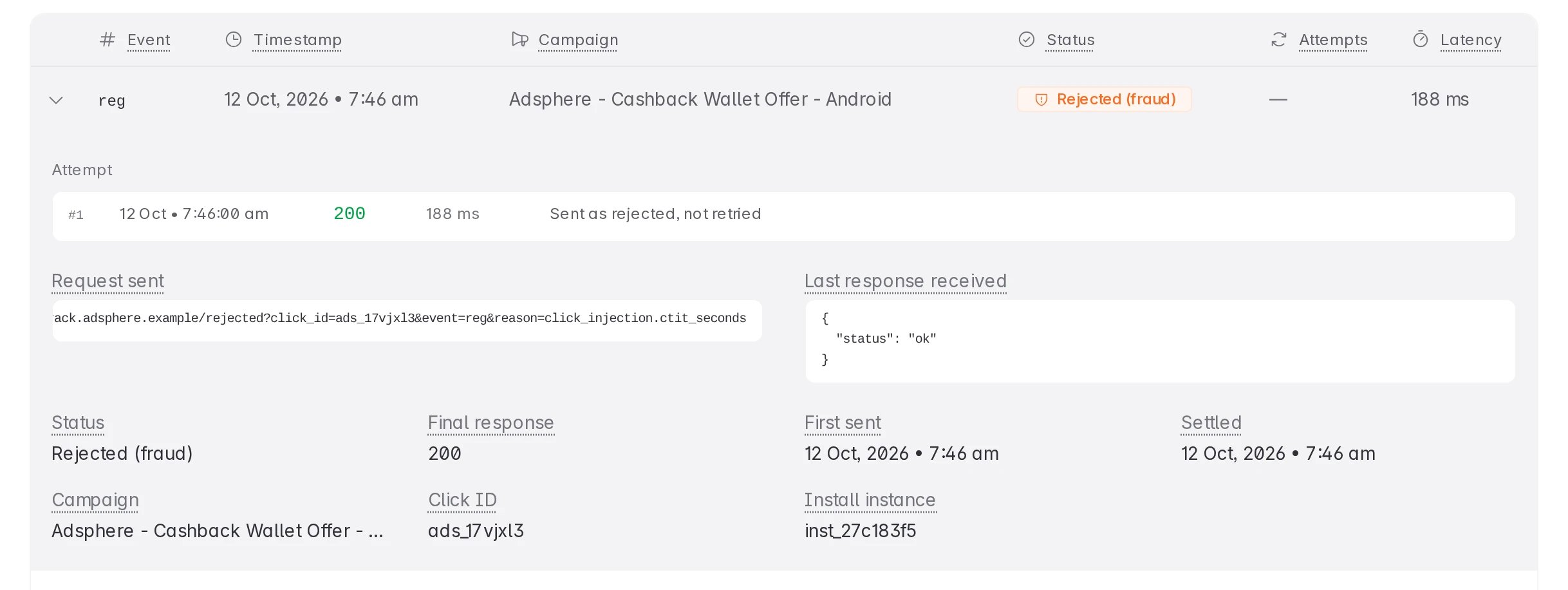
- Attempt. There is always one. Linkrunner never retries a rejection, whatever your endpoint answers.
- Request sent. Your rejection postback URL, with the reason codes in it. Scroll the box sideways to read the end of the URL.
- Click ID. The
tidyou sent on the click. Use it to find the conversion in your own system and in your publisher’s report. - Install instance. Share this ID with the customer or with Linkrunner support when you ask about one conversion.
<rule type>.<property>. For example, click_injection.ctit_seconds means a click injection rule matched on the time between the click and the install. See Reason codes for the full list.
Reason codes tell you what kind of fraud was found. They never include the customer’s rule name, its threshold, or anything else the customer wrote.
3. Get rejections on your own server
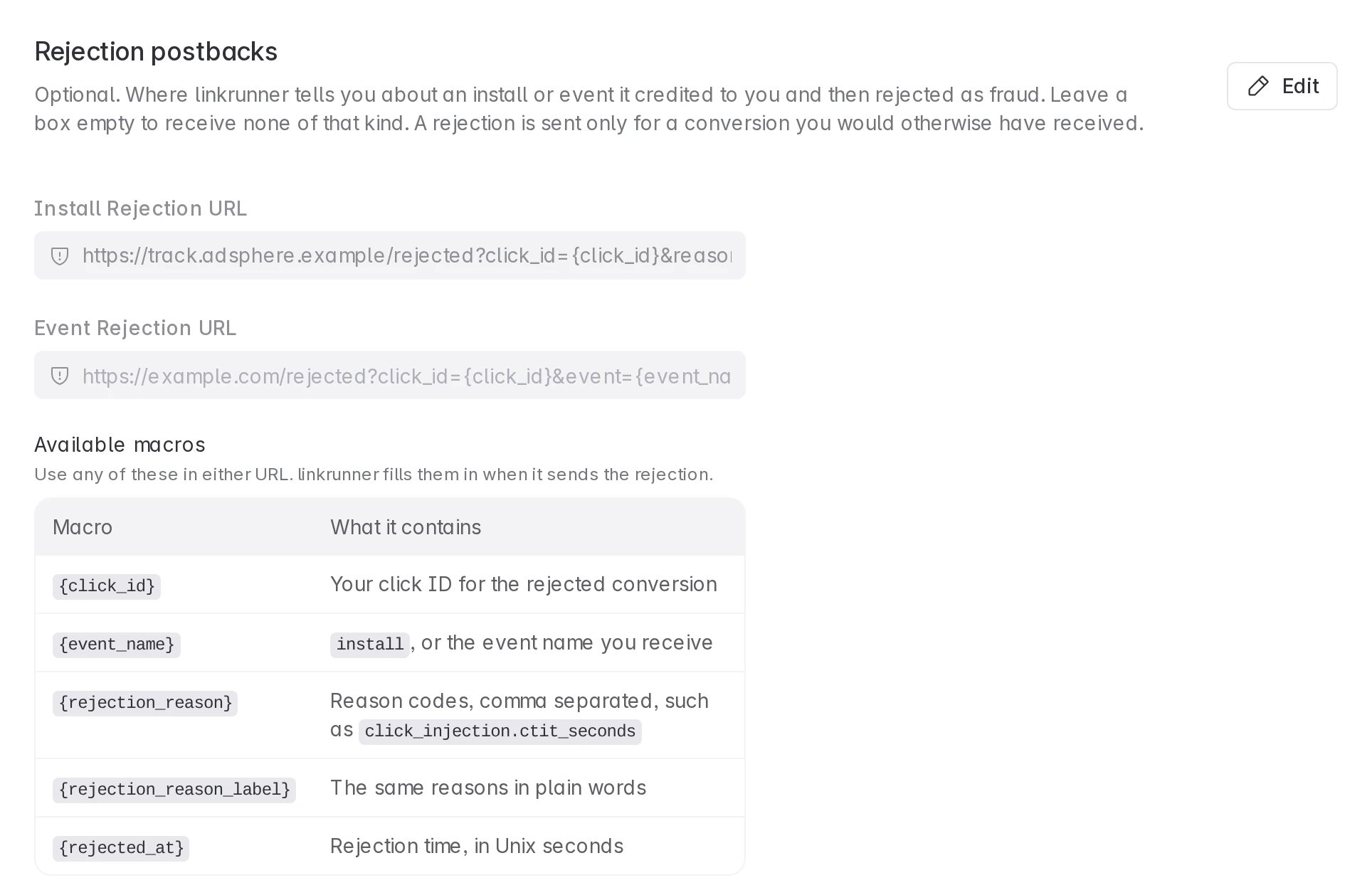
Rejection postbacks send each rejected conversion, with its reason codes, to your server. Use them to remove the conversion from your publisher payouts automatically.- Go to Settings → Postback URLs.
- Under Rejection postbacks, click Edit.
- Add an Install Rejection URL, an Event Rejection URL, or both. Use the macros listed on the page, for example
{click_id}and{rejection_reason}. - Click Save.
See it from the customer’s side
The customer sets the rules that reject your traffic, on their Fraud Control page. To see what that page looks like, open the demo dashboard and use Viewing as at the top right to switch to Customer: Linkrunner Playground, then open Fraud Control in the sidebar. Switch back with Partner: Adsphere Media. Reset demo in the same menu puts the sample data back the way it started. The Fraud Control docs explain how customers set up rules and what partners receive.Troubleshooting
I think a conversion was rejected by mistake
I think a conversion was rejected by mistake
Expand the row and note the click ID, the install instance ID, and the reason codes. Send them to the customer. Only the customer can change their Fraud Control rules.
All my rejections show Withheld (fraud)
All my rejections show Withheld (fraud)
You have no rejection postback URL for those conversions. Add one under Settings → Postback URLs → Rejection postbacks. Install rejections and event rejections have separate URLs, so check you added the one you need.
I cannot edit Rejection postbacks
I cannot edit Rejection postbacks
Rejection postbacks open once your partner application is approved. If your account is not active, they stay locked. Contact support.
My endpoint returned an error on a rejection
My endpoint returned an error on a rejection
Linkrunner does not retry rejections, so it will not be sent again. Use the Postback Logs row as the record: the click ID and reason codes are there.
A rejection arrived for an event I never mapped
A rejection arrived for an event I never mapped
It cannot. A rejection is sent only for a conversion you would otherwise have received, so your event mappings apply to rejections too.