

Appearance
Show or Hide Sign-ups for Partners
Choose whether each affiliate partner sees sign-ups on its own campaigns
Affiliate partners see clicks and installs on the campaigns attributed to them. Whether they also see sign-ups is your choice, per partner. Hide them when you pay partners on your own sign-up count, so they don't work from a different number.
| Partner | Sign-ups |
|---|---|
| Already connected before this setting existed | Shown, until you hide them |
| Connected after that, or disconnected and connected again | Hidden, until you show them |
When sign-ups are hidden, the partner doesn't see:
- The Sign-ups and Conversion columns on its campaigns, ad sets, creatives and keywords
- The Sign Ups figure, chart line and sign-up flow in the campaign details
It still sees clicks, installs and the events you share in its campaigns table. Disconnecting a partner resets this, so tell the partner before you connect it again. Postbacks don't change: if a partner receives sign-up postbacks today, it keeps receiving them.
Only project admins and managers can change what partners see.
Show or hide sign-ups for one partner
Open the partner
Go to Integrations → Affiliate Partners and click Configure on the partner's card.
Turn Show sign-ups on or off
Use the Show sign-ups switch at the top of the page. The change saves straight away.

A partner with sign-ups hidden shows Sign-ups hidden next to its name on the Affiliate Partners cards.
Show or hide sign-ups for all partners
Open Access for all partners
Go to Integrations → Affiliate Partners and click Access for all partners, next to the section title.
Choose Show or Hide
Pick Show or Hide under Sign-ups. The dialog tells you how many partners change straight away.
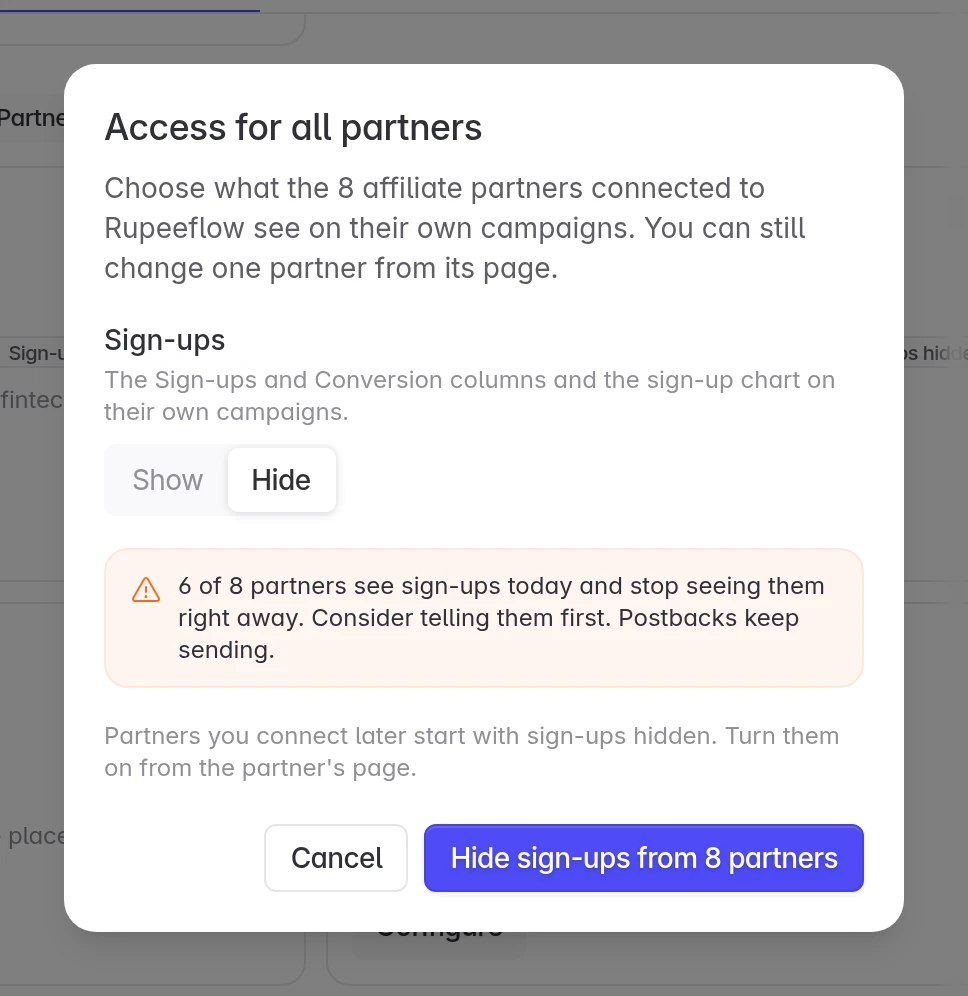
Confirm
Click Hide sign-ups from 8 partners or Show sign-ups to 8 partners. The count is the number of partners connected to your project.
This changes the partners connected now. Partners you connect later start with sign-ups hidden; show them from the partner's page.
Tell partners before you hide sign-ups. The column disappears from their dashboard the next time they load it.
Share events with a partner
Separately from sign-ups, you choose which in-app events a partner sees as counts on its campaigns. On the partner's page, click Share events (or Shared events with a count, once some are shared), pick the events and click Save. Partners never see revenue, other partners' campaigns or your users.
If a partner needs a sign-up number that matches yours, share the event your app sends at registration instead of showing sign-ups.
Need help? Contact support@linkrunner.io.