

Before you start
You need:- An approved agency workspace. See Set up your workspace.
- A customer who has engaged your agency on their project.
- Permission from that customer to create campaigns. Nothing is on until they turn it on (step 1).
1. Ask the customer to turn on link creation
The customer does this once, from their own dashboard. Send them these steps.1
Open Members
In their project, they go to Settings → Members and find your agency’s row.
2
Open your agency's access
They click the sliders icon on your row, next to the bin icon.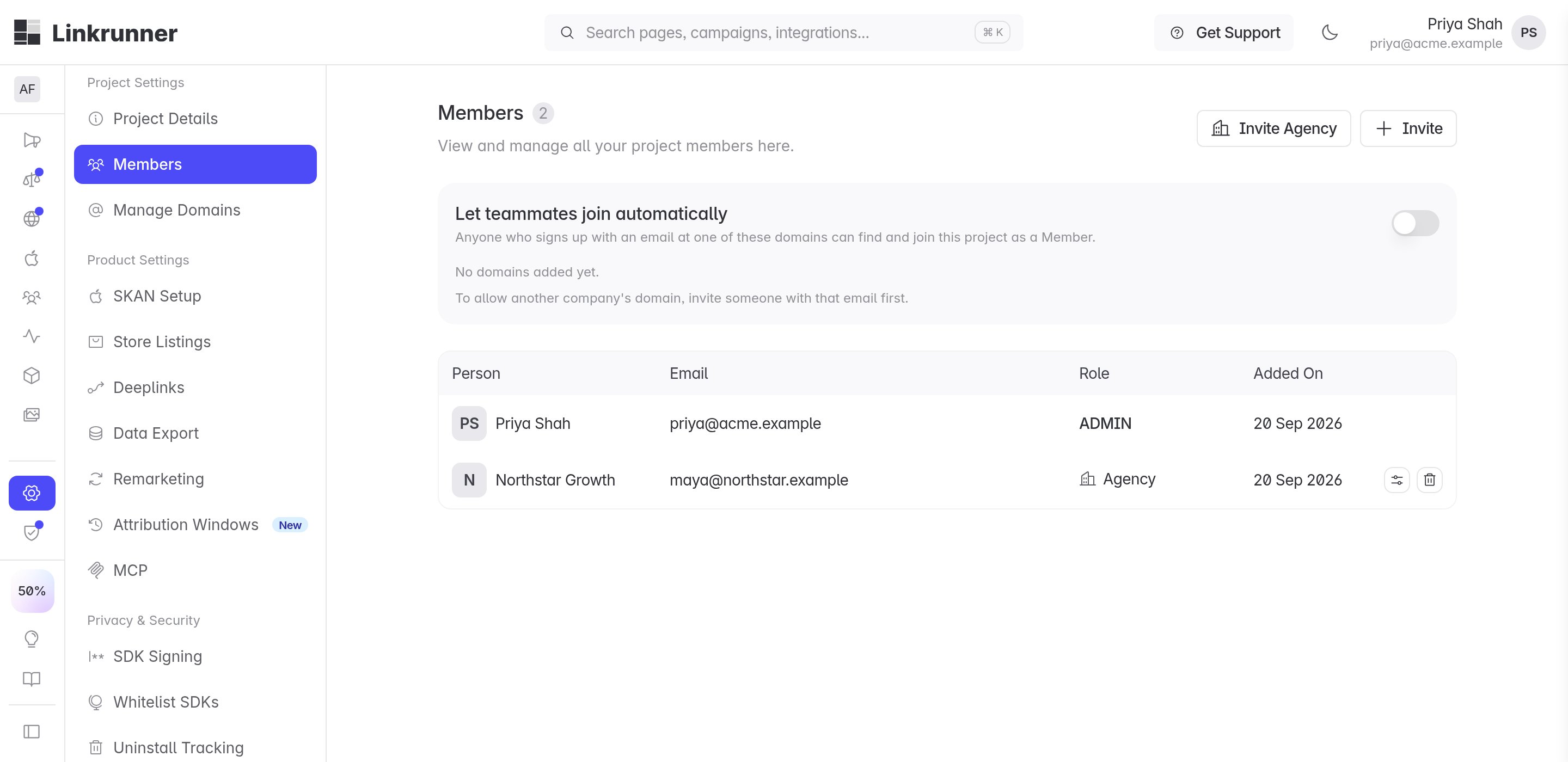
3
Turn on Campaigns → Edit
Under Campaigns, they turn on Edit. This also turns on Read. Then they click Save.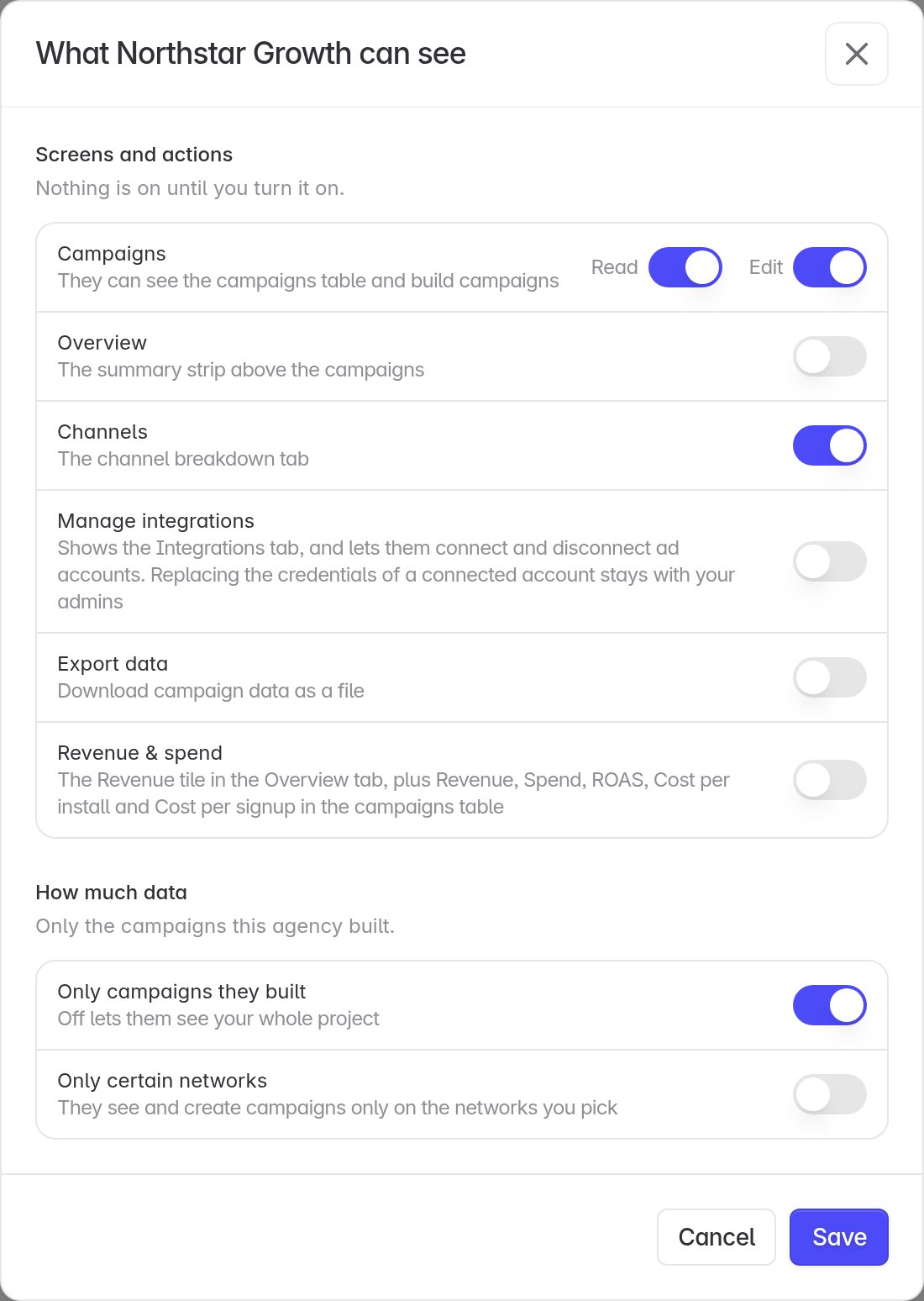
If the customer turns on Only certain networks, you can only create campaigns on the networks they pick, and every campaign must name one of them.
2. Open the customer’s project
1
Sign in
Open Linkrunner Dashboard and sign in with your agency account.
2
Select the customer
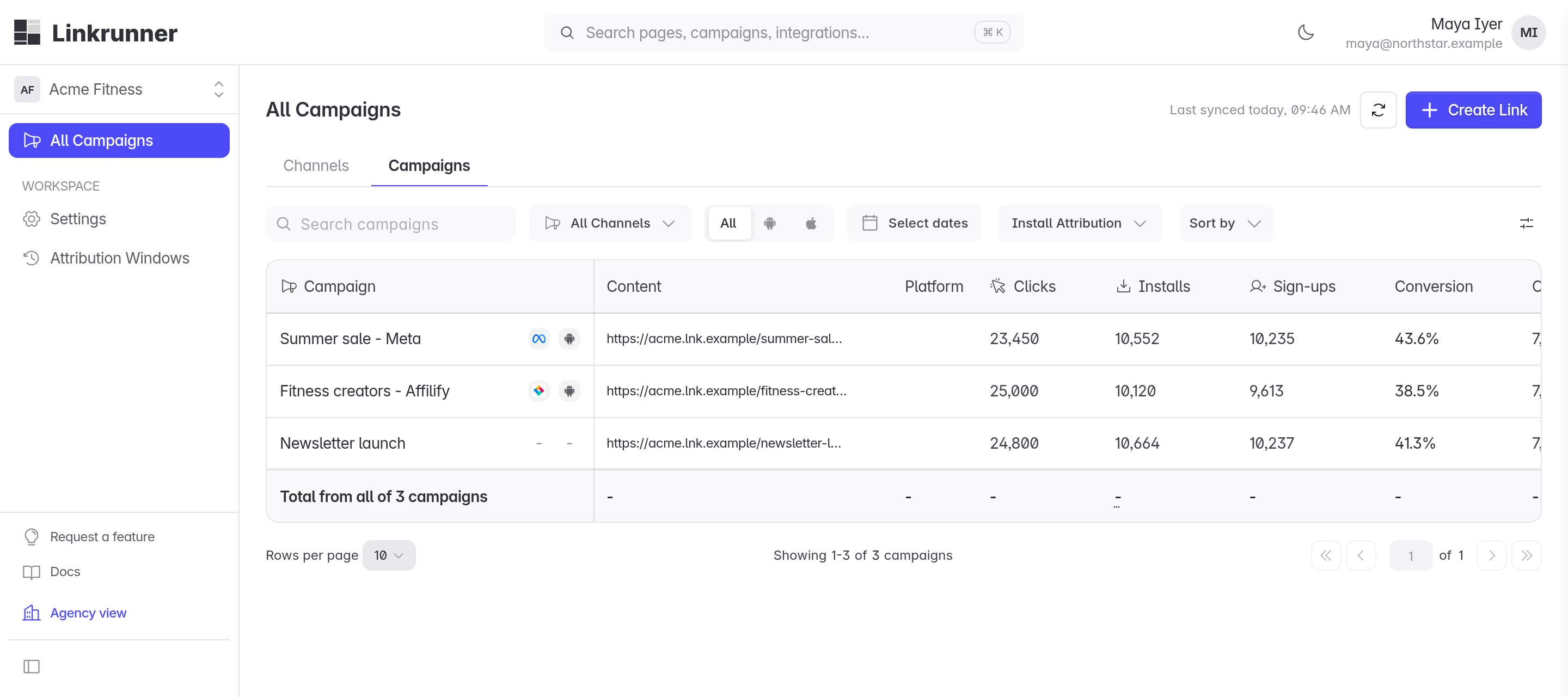
Use the project picker at the top of the sidebar to open the customer’s project.
3
Open All Campaigns
Select All Campaigns, then click Create Link.
3. Create the campaign
1
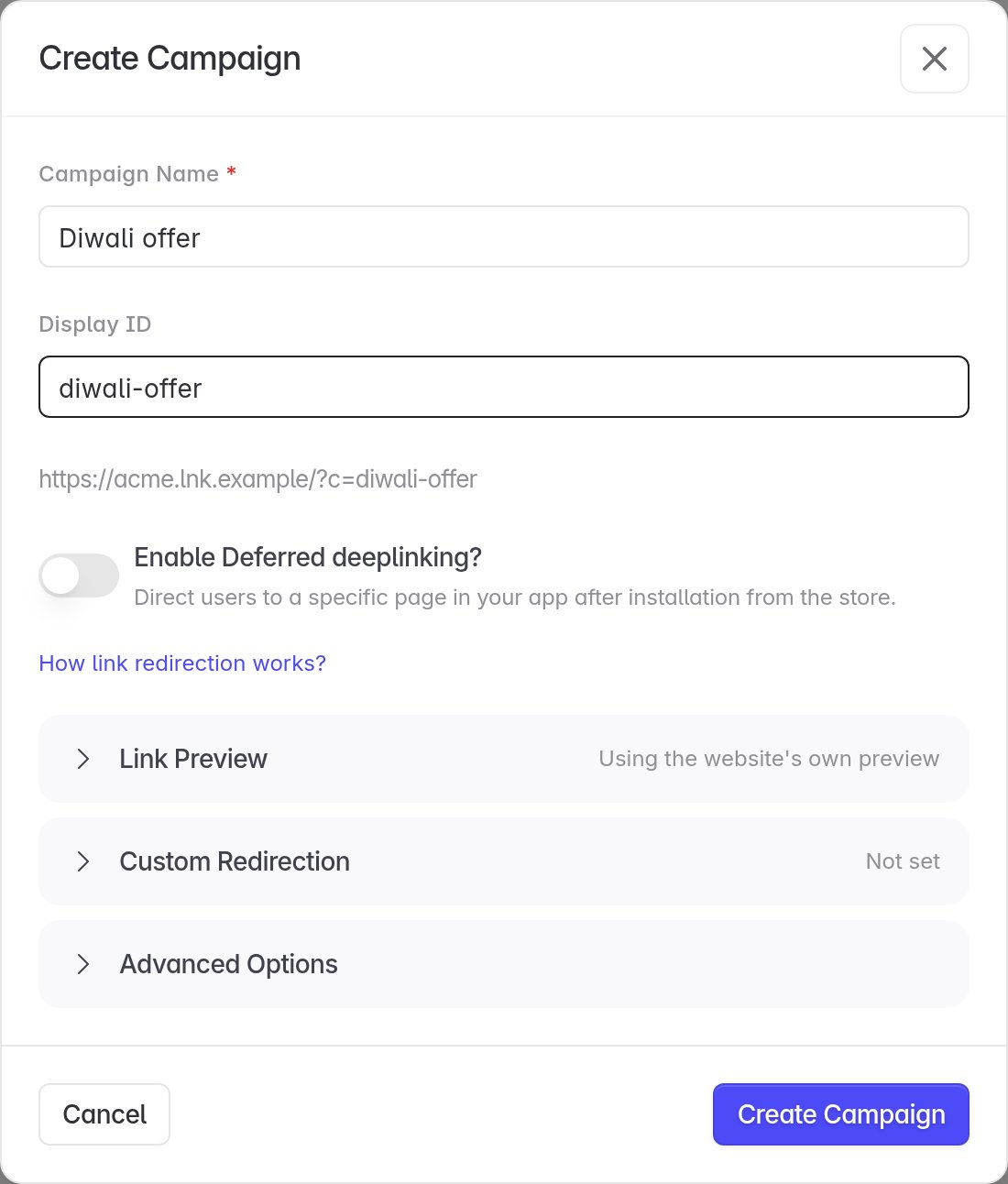
Name the campaign
Enter a Campaign Name that you and the customer will recognise.
2
Set a display ID
Add an optional Display ID. It becomes part of the link, so keep it short.
3
Choose link behavior
Turn on deferred deep linking if the campaign should open a specific screen after install. Use Link Preview and Custom Redirection only when the customer has asked for them.
4. Pick the ad channel
Open Advanced Options and pick the Ad Channel where the traffic will run, for example one of the customer’s connected partners.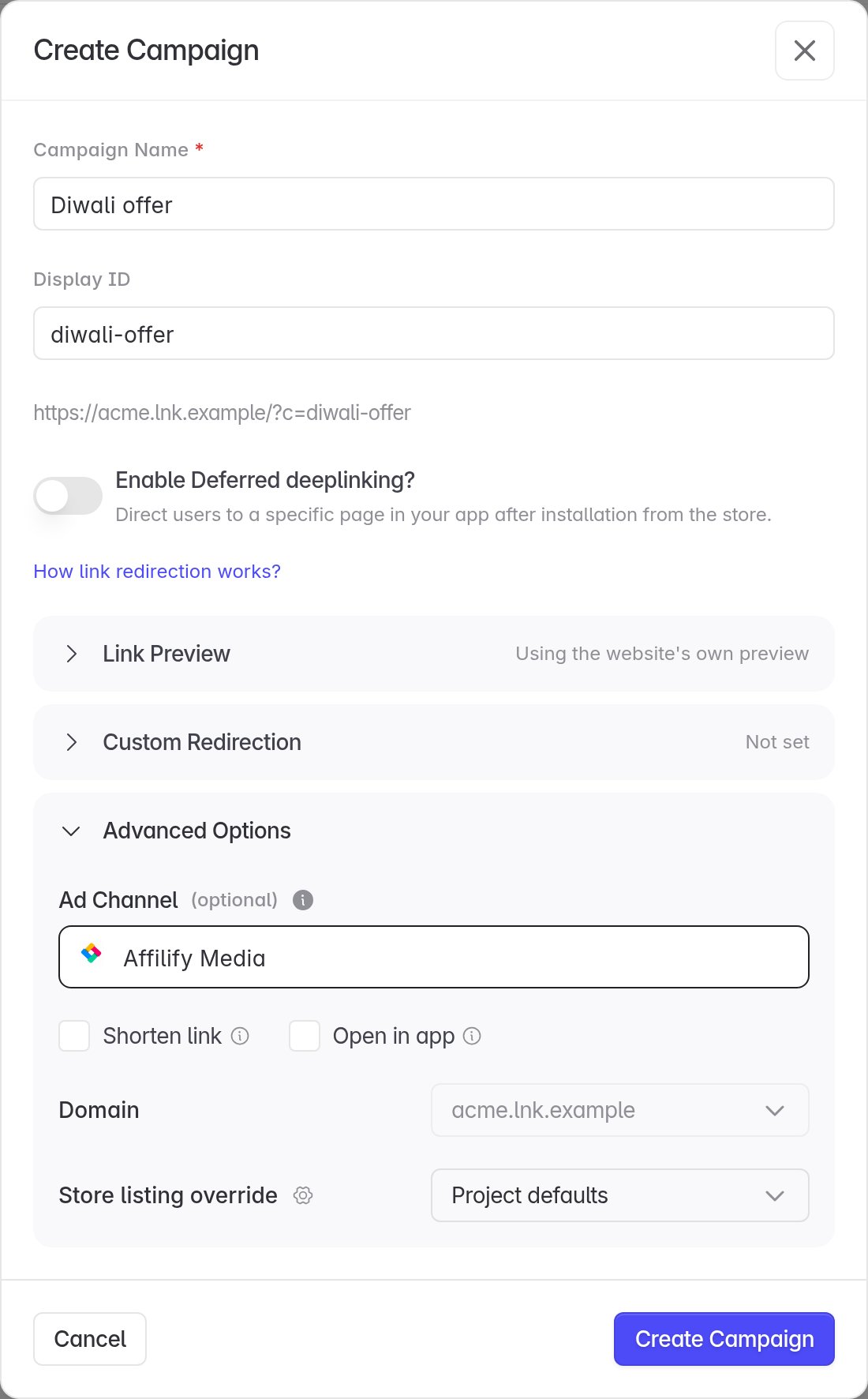
Meta, Google, Snapchat and LinkedIn need a connected ad account on the customer’s project. You can pick them only if the customer has also turned on Manage integrations for your agency.
5. Copy your link
Copy the Campaign link and use it in your ads, or download the QR code.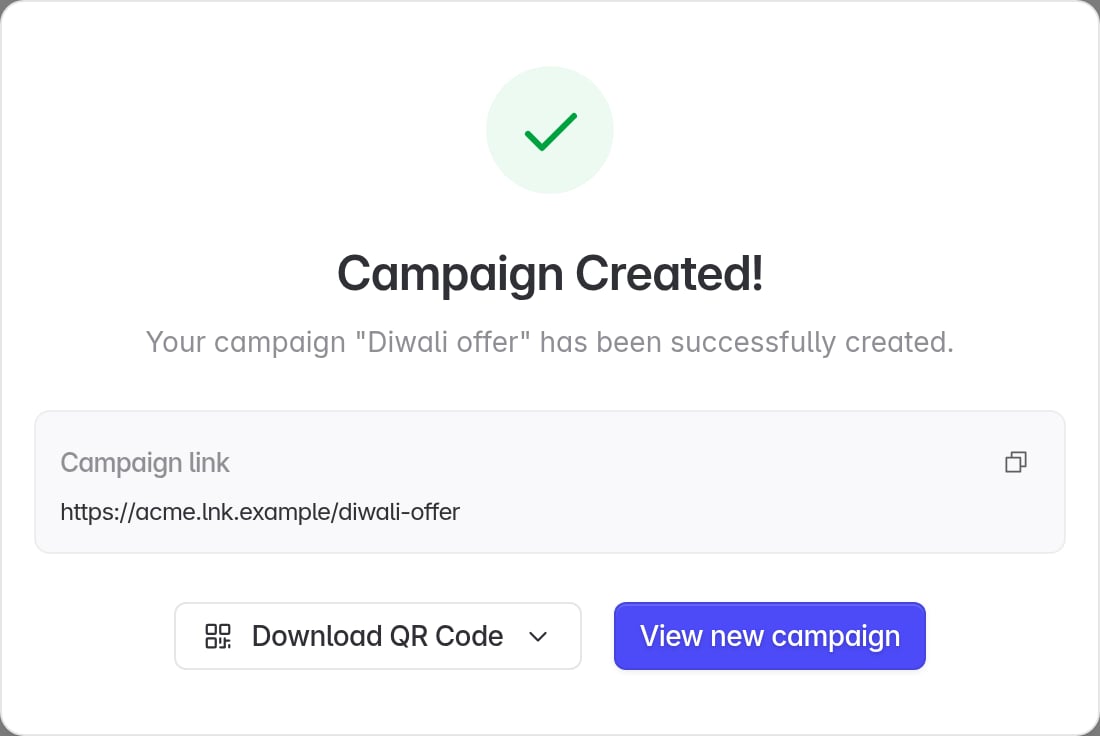
6. Test before launch
- Open the link on a phone and confirm it goes to the right store page or app screen.
- Install the app from the link and open it.
- Check that the click and install appear under the campaign in All Campaigns.
Troubleshooting
The customer has not let your agency create campaigns.
The customer has not let your agency create campaigns.
The customer's project does not appear
Your agency is not engaged on that project yet.
The customer's project does not appear
Your agency is not engaged on that project yet.
Ask the customer to invite your agency from Settings → Members → Invite Agency. A new agency also needs Linkrunner’s approval before any project appears.
"This customer has not granted your agency permission to create campaigns"
Link creation is switched off for your agency.
"This customer has not granted your agency permission to create campaigns"
Link creation is switched off for your agency.
Same fix as a missing Create Link button. Ask the customer to turn on Campaigns → Edit.
"Your access is limited to specific networks"
The customer limited you to certain networks.
"Your access is limited to specific networks"
The customer limited you to certain networks.
Open Advanced Options and pick one of the networks shown under Ad Channel. If the network you need is not listed, ask the customer to add it under Only certain networks.
You picked Meta, Google, Snapchat or LinkedIn without access to the customer's ad accounts.
You picked Meta, Google, Snapchat or LinkedIn without access to the customer's ad accounts.
"Ads account required"
The customer has not connected that ad network yet.
"Ads account required"
The customer has not connected that ad network yet.
The customer’s project has no connected account for that network. Ask them to connect it in Integrations, then try again.