

Using an AI coding agent? The Linkrunner skill for your platform already includes ICM setup — adding Google’s ODM SDK where needed and wiring See Linkrunner Agent Skills.
setConsent:What it is
Google App Campaigns lose iOS installs when there is no click identifier and no IDFA to match on, which is the normal state once a user declines App Tracking Transparency. Integrated Conversion Measurement (ICM) closes that gap. Google’s On-Device Measurement (ODM) SDK keeps the ad click context on the device and turns it into an encrypted value,odm_info. Linkrunner reads that value when the SDK initializes and sends it with the install, so Google can match the conversion without an identifier ever leaving the device.
Set this up if you run Google App Campaigns for your iOS app. Google’s SDK requires iOS 12 or later, and Google reports the improved coverage for users on iOS 14 and later.
On Android there is nothing to install. Google applies the same ICM improvements automatically through the App Conversion API, mainly for EEA users and users who opt out of device-level permissions.
ICM complements SKAdNetwork, it does not replace it. Keep your SKAdNetwork integration in place.
Prerequisites
ICM requires a supported Linkrunner SDK version and three setup steps. It stays inactive until everything is in place, and it fails quietly rather than loudly.Minimum SDK versions
Older versions do not collectodm_info or provide the consent API.
1
Create an iOS link ID in Google Ads
Link IDs are per platform. An Android link ID does not cover your iOS app, and without an iOS one Google has nowhere to send the conversion, so ICM produces nothing no matter what the app does.In Google Ads, go to Tools → Data Manager → Third-party app analytics, create a link ID with provider ID
9936233049, and select the iOS platform and your app.Then in Linkrunner, go to Integrations → Google Ads, open the three-dot menu on the Google Ads row, choose Setup Link IDs, and paste it into iOS Link ID. Click Save Link IDs.Full walkthrough with screenshots: Create Link ID for Android/iOS App.2
Add Google's ODM SDK to your iOS app
Linkrunner does not bundle it. The SDK is detected at runtime, so apps that skip ICM carry no extra dependency and no size increase.Your SDK’s installation section has the exact pod or package to add, along with any linker flags: iOS, React Native, Flutter, Expo, Unity.If your app already uses the Firebase iOS SDK 11.14.0 or later, the
FirebaseAnalytics pod brings it in and there is nothing to add.3
Report consent with setConsent
Google’s App Conversion API treats the consent parameters as required whenever their value is known, so an install that arrives with no consent state is matched with less information. Call
setConsent with your consent values before you initialize the SDK, and again whenever the user changes their choice.This applies on Android too, even though there is no ODM SDK to add there. See Consent signals below for what each parameter means, and Send Consent for what to report and how to collect it.getAttributionData.
Platform support
ODM is an iOS-only SDK. There is no Android equivalent and none is needed, because Android installs reach Google through the App Conversion API. That API reads the same consent signals, so
setConsent still matters on Android.Consent signals
setConsent takes three signals, each of which is granted, denied, or unknown. Linkrunner forwards them to Google with your installs and events.
A signal left
unknown is dropped from the request rather than sent as a denial, so Linkrunner never reports a choice your user did not make. Never map unknown to granted.
App Tracking Transparency is not a substitute: it governs IDFA access, not Google’s use of ad user data or personalization, and Linkrunner reports ATT status separately.
See Send Consent for what to report for users outside the EEA, and how to collect consent manually or from a Consent Management Platform.
Set it up
Android
Report consent for the App Conversion API
iOS
Add the ODM SDK and report consent
React Native
Add the pod and report consent
Flutter
Add the pod and report consent
Deferred deep links
An install that Google credits through ICM can open a specific screen on first launch, the same as any other Google install. You set the deep link on the Google campaign in Linkrunner, and your app reads it fromgetAttributionData(). There is no ICM-specific code to write.
1
Open the Google campaign
Go to Campaigns, filter by Google, and click the campaign. Campaigns where Google credited installs through ICM in the selected date range show an ICM tag next to the name.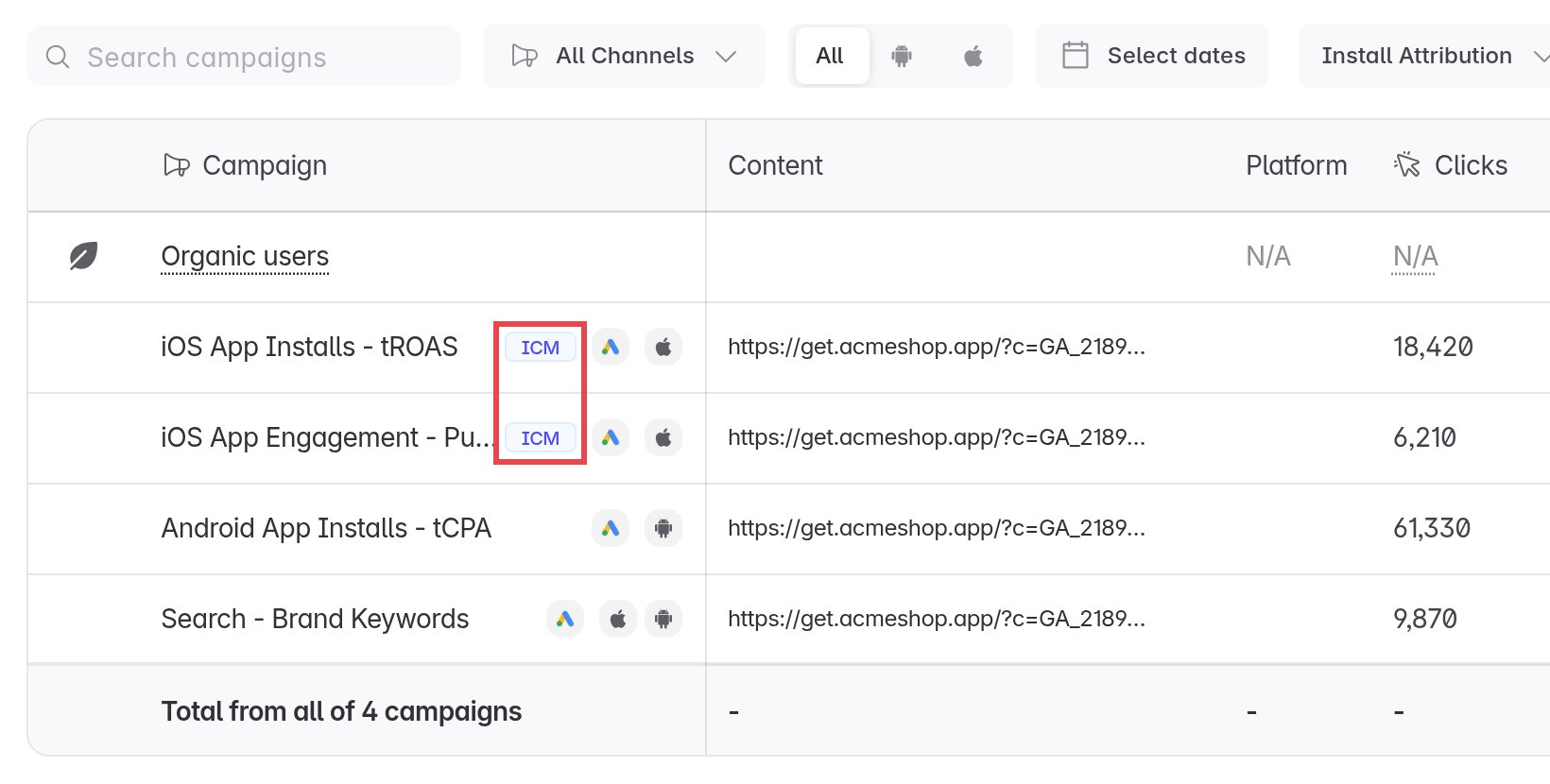
A Google campaign shows up in Linkrunner after its first attributed install. Add the deep link once it appears. Installs attributed before you save it do not get it.
2
Set the deep link destination
In the campaign panel, click Edit.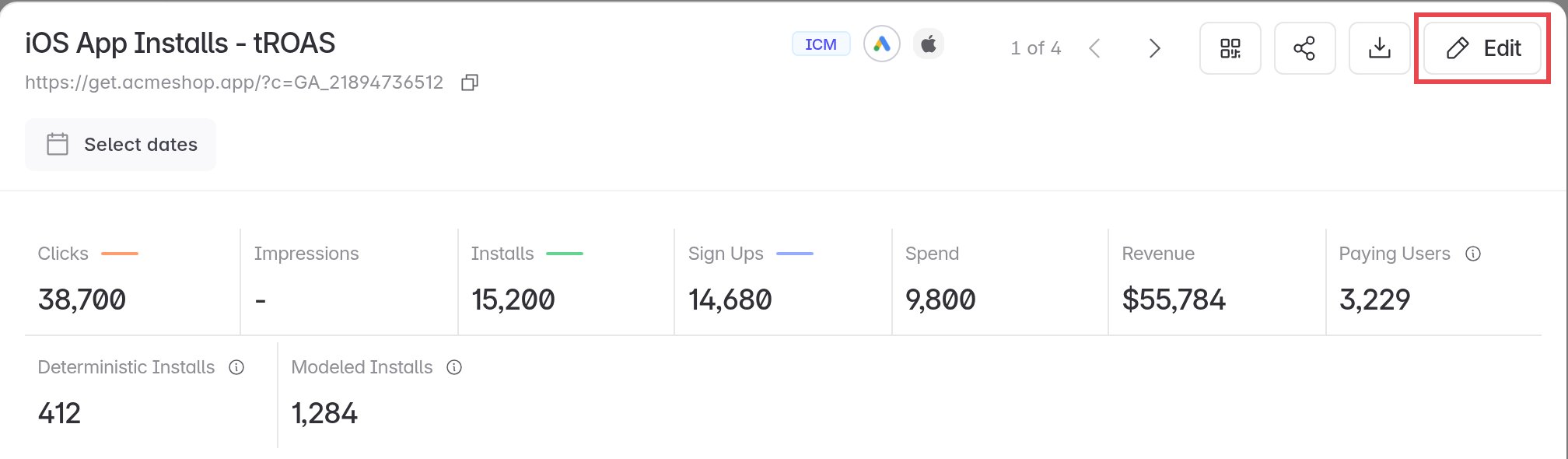
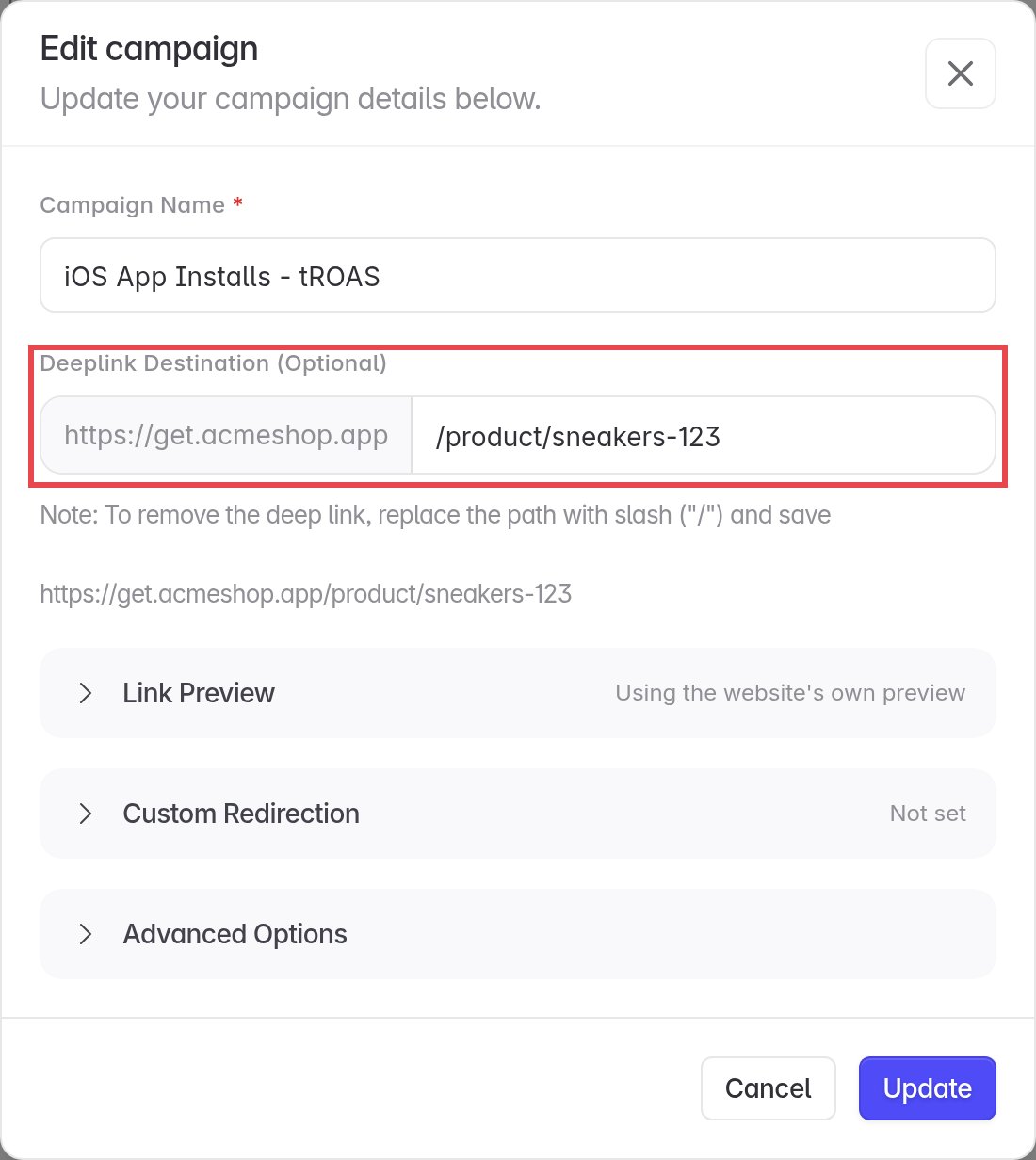
/product/sneakers-123) and click Update.3
Read it in your app
On first launch, call
getAttributionData() and route the user with the deeplink field. See Handle in your app.Upgrade from a pre-ICM SDK version
Update the Linkrunner SDK before adding Google’s ODM SDK or callingsetConsent.
- Android
- iOS
- React Native
- Flutter
- Expo
- Unity
Update the dependency in your app’s Sync Gradle, then follow the Google Ads consent setup. Android does not need the ODM SDK.
build.gradle:Capacitor and Cordova do not support ICM yet.