> ## Documentation Index
> Fetch the complete documentation index at: https://docs.linkrunner.io/llms.txt
> Use this file to discover all available pages before exploring further.
# Social Media Intermediary Page
> Why Linkrunner shows an intermediary page on social media platforms and how to customise it
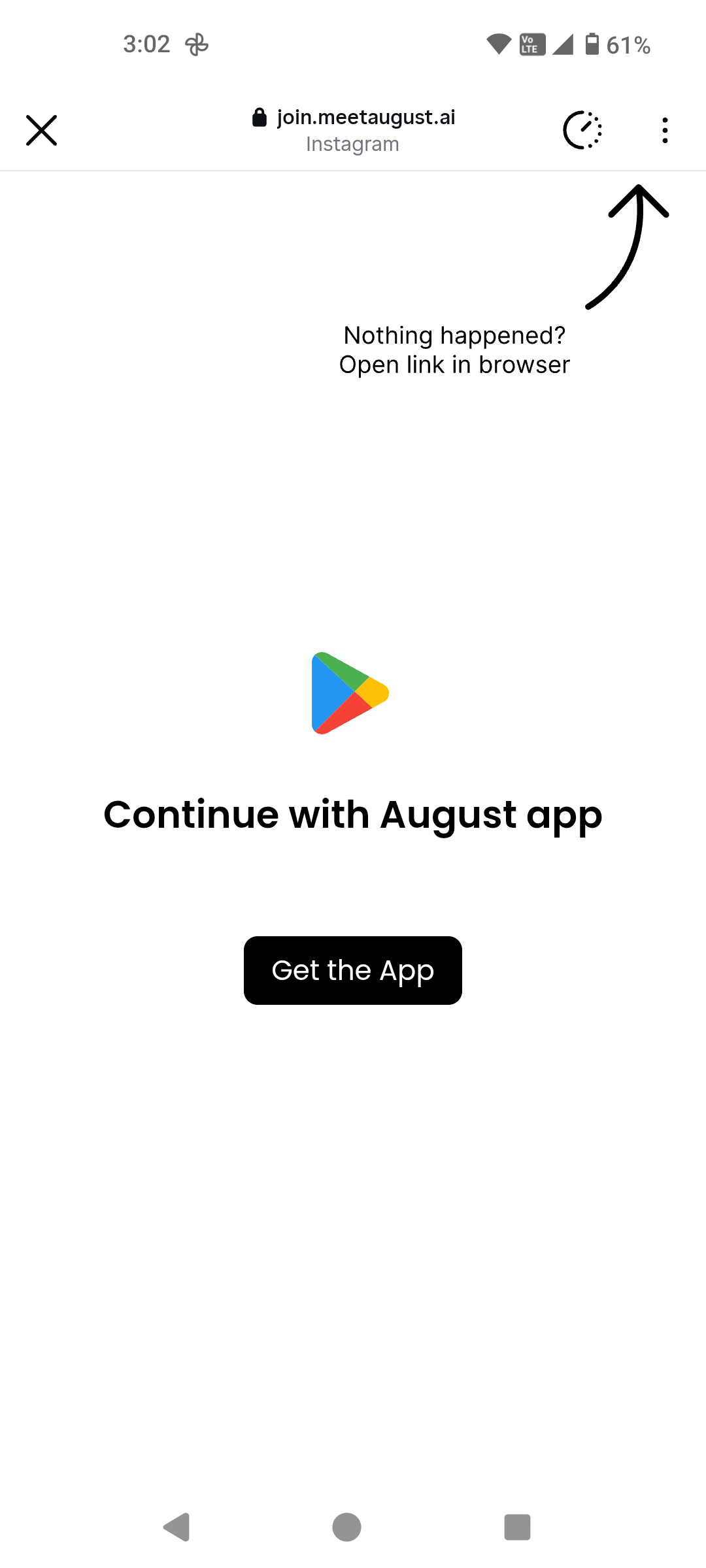
Wonder why you are seeing this page when you click on a Linkrunner link on Instagram or other social media platforms? This page explains why it exists and the problems it solves.
 ## The Problem
Social media platforms like Instagram block redirecting users outside of their app. If we were to remove this intermediary page, here's what would happen:
* **Instagram opens its own in-app browser** — Instead of opening the Play Store or App Store app, Instagram opens the store's *website* inside its built-in browser. This prevents users from actually downloading the app through the native store experience.
* **No redirect to an already installed app** — If a user already has the app installed, they won't be redirected into it. The in-app browser has no way to trigger the app to open.
* **Additional friction** — Users are stuck in a web view with no clear path to the store app or the installed app, leading to drop-offs.
## How Linkrunner Solves This
This intermediary page acts as a bypass mechanism. When a user taps a Linkrunner link on Instagram (or similar platforms), the intermediary page:
1. **Detects the environment** — It identifies that the user is coming from a social media in-app browser.
2. **Redirects to the native store app** — Instead of loading the store website, it triggers the actual Play Store or App Store app to open.
3. **Handles already-installed apps** — If the user already has the app installed, Linkrunner redirects them directly into the app via deep linking.
All of these cases are handled automatically by Linkrunner via this intermediary page — no extra setup required from your end.
## Customising the Page
We are happy to customise this intermediary page to match your brand. If you'd like a custom design, here's what we need:
* **A design reference** — Ideally a Figma link so we can match it precisely.
* **SVGs only** — Please ensure that no raster images (PNG, JPG, etc.) are used in the design. SVGs keep the page lightweight and fast-loading, which is critical since this page needs to load quickly before redirecting the user.
Page load speed is critical here — the intermediary page needs to load as fast as possible so users experience
minimal delay before being redirected. This is why we require SVGs instead of images.
***
To request a custom design for your intermediary page, reach out to us at [support@linkrunner.io](mailto:support@linkrunner.io).
## The Problem
Social media platforms like Instagram block redirecting users outside of their app. If we were to remove this intermediary page, here's what would happen:
* **Instagram opens its own in-app browser** — Instead of opening the Play Store or App Store app, Instagram opens the store's *website* inside its built-in browser. This prevents users from actually downloading the app through the native store experience.
* **No redirect to an already installed app** — If a user already has the app installed, they won't be redirected into it. The in-app browser has no way to trigger the app to open.
* **Additional friction** — Users are stuck in a web view with no clear path to the store app or the installed app, leading to drop-offs.
## How Linkrunner Solves This
This intermediary page acts as a bypass mechanism. When a user taps a Linkrunner link on Instagram (or similar platforms), the intermediary page:
1. **Detects the environment** — It identifies that the user is coming from a social media in-app browser.
2. **Redirects to the native store app** — Instead of loading the store website, it triggers the actual Play Store or App Store app to open.
3. **Handles already-installed apps** — If the user already has the app installed, Linkrunner redirects them directly into the app via deep linking.
All of these cases are handled automatically by Linkrunner via this intermediary page — no extra setup required from your end.
## Customising the Page
We are happy to customise this intermediary page to match your brand. If you'd like a custom design, here's what we need:
* **A design reference** — Ideally a Figma link so we can match it precisely.
* **SVGs only** — Please ensure that no raster images (PNG, JPG, etc.) are used in the design. SVGs keep the page lightweight and fast-loading, which is critical since this page needs to load quickly before redirecting the user.
Page load speed is critical here — the intermediary page needs to load as fast as possible so users experience
minimal delay before being redirected. This is why we require SVGs instead of images.
***
To request a custom design for your intermediary page, reach out to us at [support@linkrunner.io](mailto:support@linkrunner.io).