> ## Documentation Index
> Fetch the complete documentation index at: https://docs.linkrunner.io/llms.txt
> Use this file to discover all available pages before exploring further.
# Agency Campaigns for Affiliates
> Let your agency create campaigns for your affiliate partners, and see what you, the agency, and the affiliate each see
Your agency can run your affiliate partners for you. The agency creates each tracking link inside your project and picks the affiliate as its ad channel. Installs and events are credited to the affiliate, so their postbacks fire as usual, and the campaign is marked with the agency that built it.
| Who | What they do |
| - | - |
| **You (the customer)** | Connect the affiliates and the agency, and let the agency create campaigns. |
| **Agency** | Creates a campaign for each affiliate and shares the link with them. |
| **Affiliate** | Sends traffic to the link and receives postbacks for the installs and events credited to them. |
The examples on this page use **Acme Finance** (the customer), **Brightline Media** (the agency), and **Orbit Ads** and **Nova Rewards** (affiliates). All data is made up.
## 1. Connect your affiliate partners
Open **Integrations** and scroll to **Affiliate Partners**. Every affiliate on Linkrunner has a card here. Click **Connect** on each one you work with.
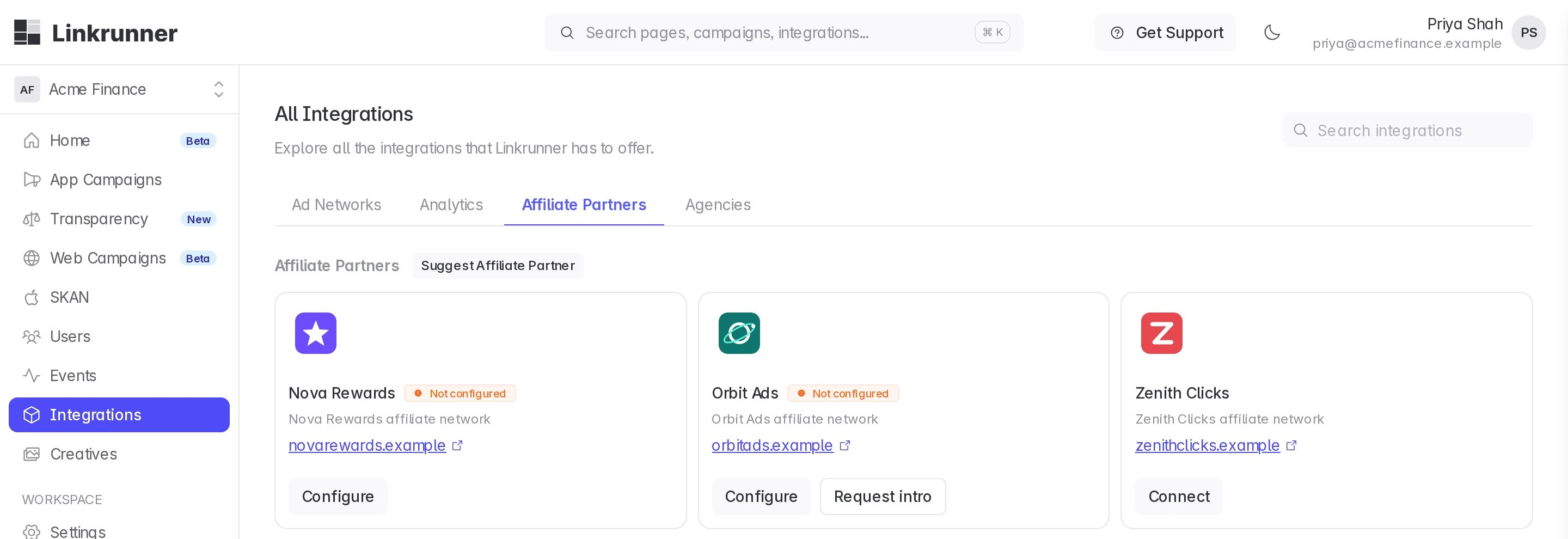 A connected card shows **Not configured** until the affiliate maps which of your events they receive. They do this from their own account, see [Event mapping](/affiliate-partners/event-mapping).
Your affiliate is not listed? Click **Suggest Affiliate Partner** at the top of the section, or ask them to [create an affiliate account](/affiliate-partners/create-account). Their card appears once Linkrunner approves it.
## 2. Engage your agency and let it create campaigns
Scroll down to **Agencies** and click **Connect** on your agency, or **Invite Agency** if they are not on Linkrunner yet. See [Invite an agency](/agency-partners/invite-an-agency).
A connected card shows **Not configured** until the affiliate maps which of your events they receive. They do this from their own account, see [Event mapping](/affiliate-partners/event-mapping).
Your affiliate is not listed? Click **Suggest Affiliate Partner** at the top of the section, or ask them to [create an affiliate account](/affiliate-partners/create-account). Their card appears once Linkrunner approves it.
## 2. Engage your agency and let it create campaigns
Scroll down to **Agencies** and click **Connect** on your agency, or **Invite Agency** if they are not on Linkrunner yet. See [Invite an agency](/agency-partners/invite-an-agency).
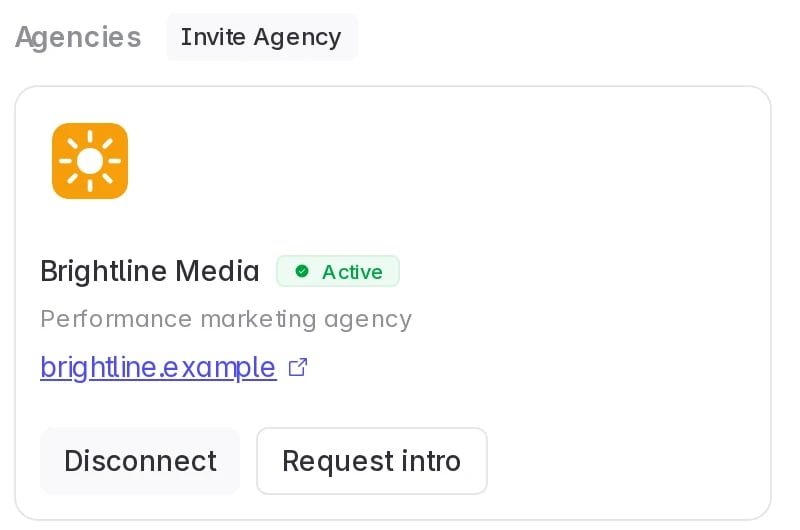 The access panel opens as soon as you connect. Turn on **Campaigns → Edit** so the agency can create campaigns, then click **Save**. See [Control agency access](/agency-partners/control-agency-access) for every switch.
## 3. The agency creates a campaign for the affiliate
The agency does this from their own Linkrunner account. Send them these steps.
Sign in to [Linkrunner Dashboard](https://dashboard.linkrunner.io), pick the customer's project from the project picker, open **All Campaigns** and click **Create Link**.
Enter a **Campaign Name** that names the affiliate, so everyone recognises it.
The access panel opens as soon as you connect. Turn on **Campaigns → Edit** so the agency can create campaigns, then click **Save**. See [Control agency access](/agency-partners/control-agency-access) for every switch.
## 3. The agency creates a campaign for the affiliate
The agency does this from their own Linkrunner account. Send them these steps.
Sign in to [Linkrunner Dashboard](https://dashboard.linkrunner.io), pick the customer's project from the project picker, open **All Campaigns** and click **Create Link**.
Enter a **Campaign Name** that names the affiliate, so everyone recognises it.
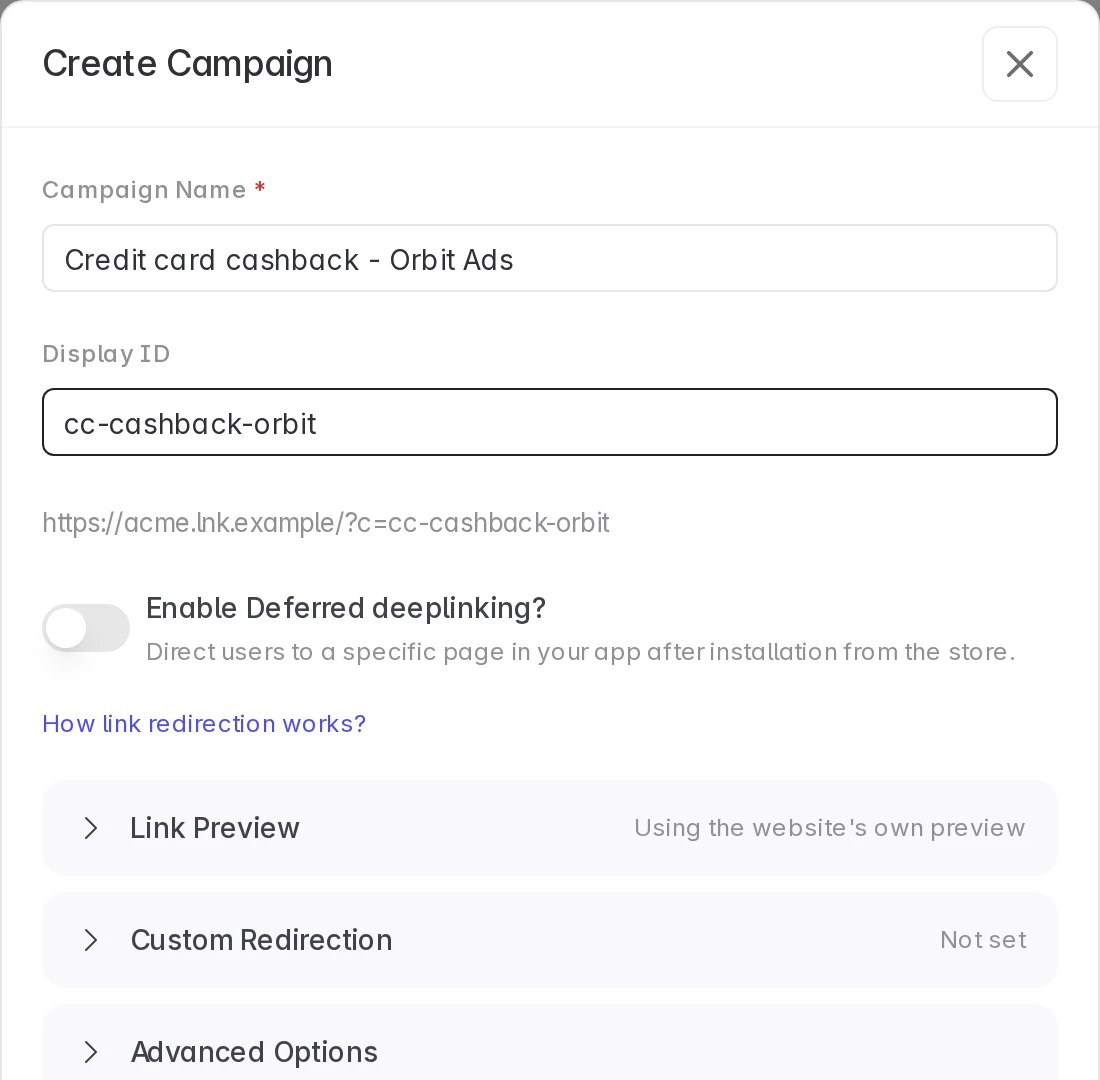 Open **Advanced Options**, start typing the affiliate's name under **Ad Channel**, and pick it. Affiliates appear in the list only once the customer has connected them.
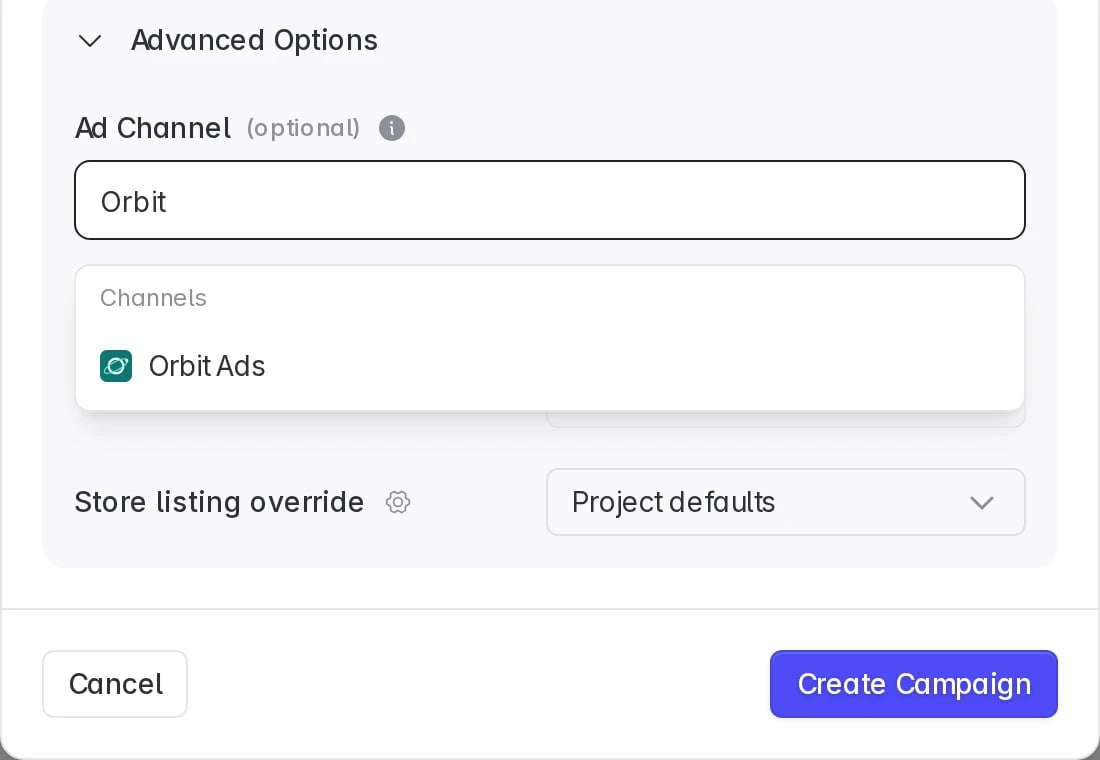 Click **Create Campaign**, then send the link to the affiliate.
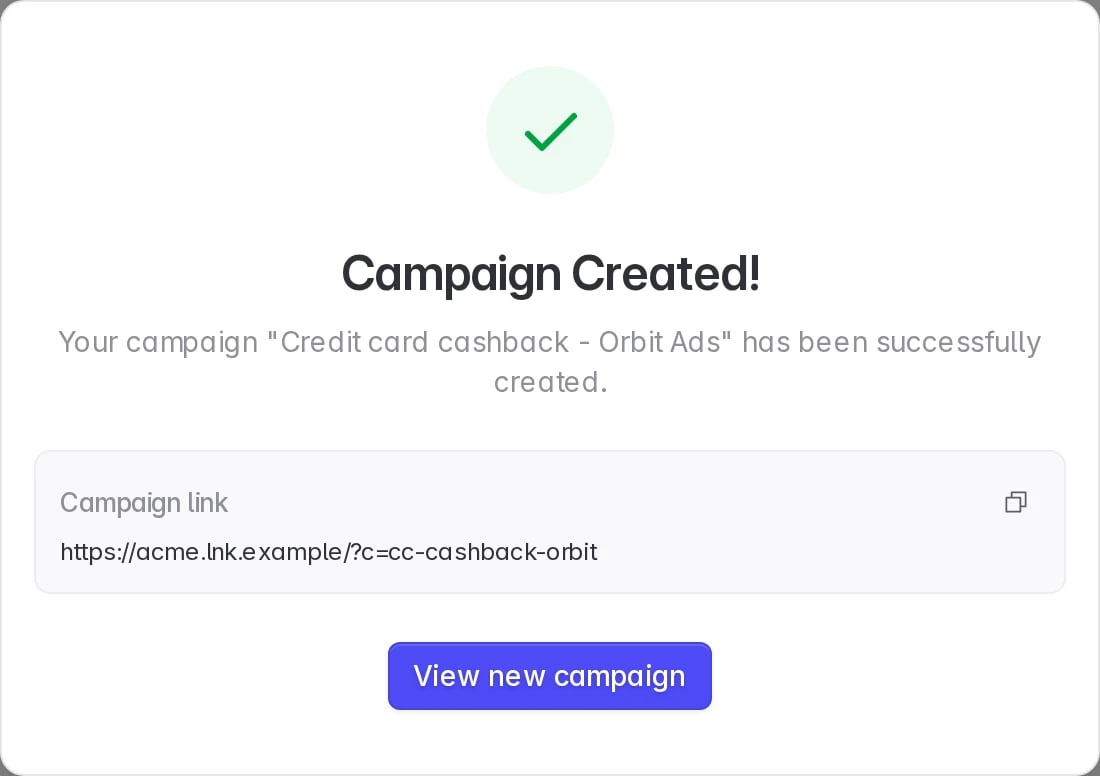 Pick the affiliate under **Ad Channel**. A campaign with no ad channel is not credited to the affiliate, and they receive no postbacks for it.
## 4. What each of you sees on the campaigns page
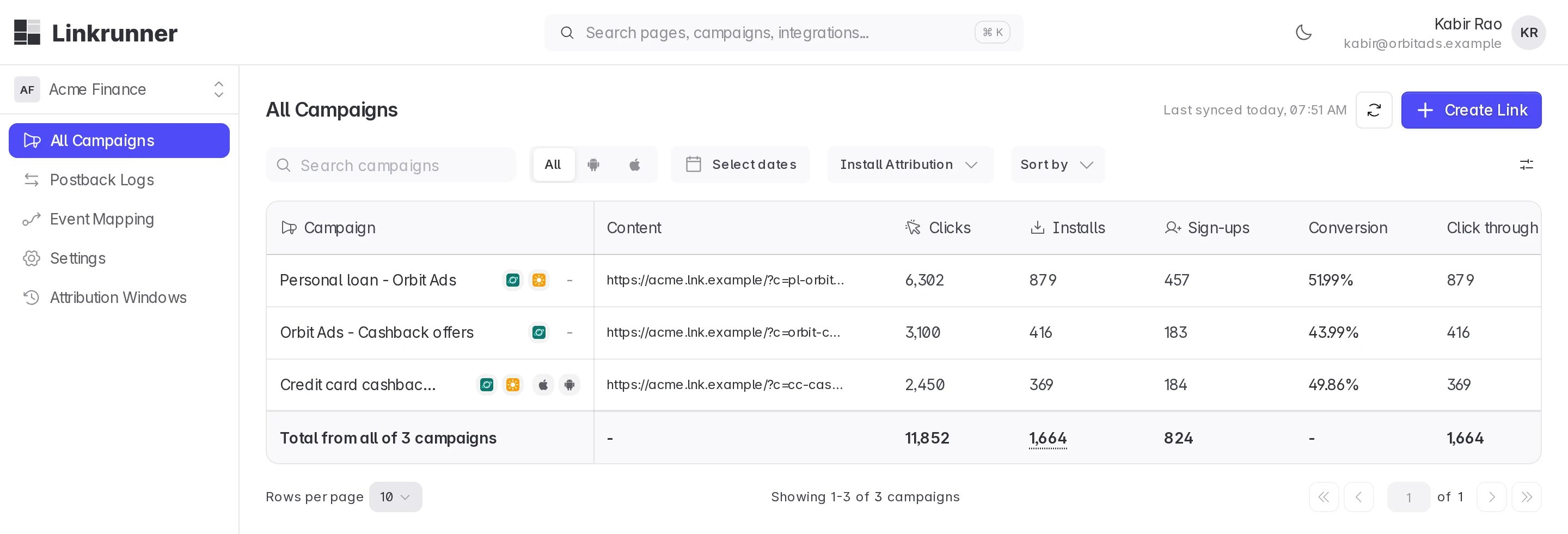
Everyone opens the same campaign list (**App Campaigns** in your sidebar, **All Campaigns** for the agency and the affiliate), but each account sees a different slice of it.
### You (the customer)
You see every campaign in your project. A campaign the agency built for an affiliate carries two logos next to its name: the affiliate's and the agency's.
Pick the affiliate under **Ad Channel**. A campaign with no ad channel is not credited to the affiliate, and they receive no postbacks for it.
## 4. What each of you sees on the campaigns page
Everyone opens the same campaign list (**App Campaigns** in your sidebar, **All Campaigns** for the agency and the affiliate), but each account sees a different slice of it.
### You (the customer)
You see every campaign in your project. A campaign the agency built for an affiliate carries two logos next to its name: the affiliate's and the agency's.
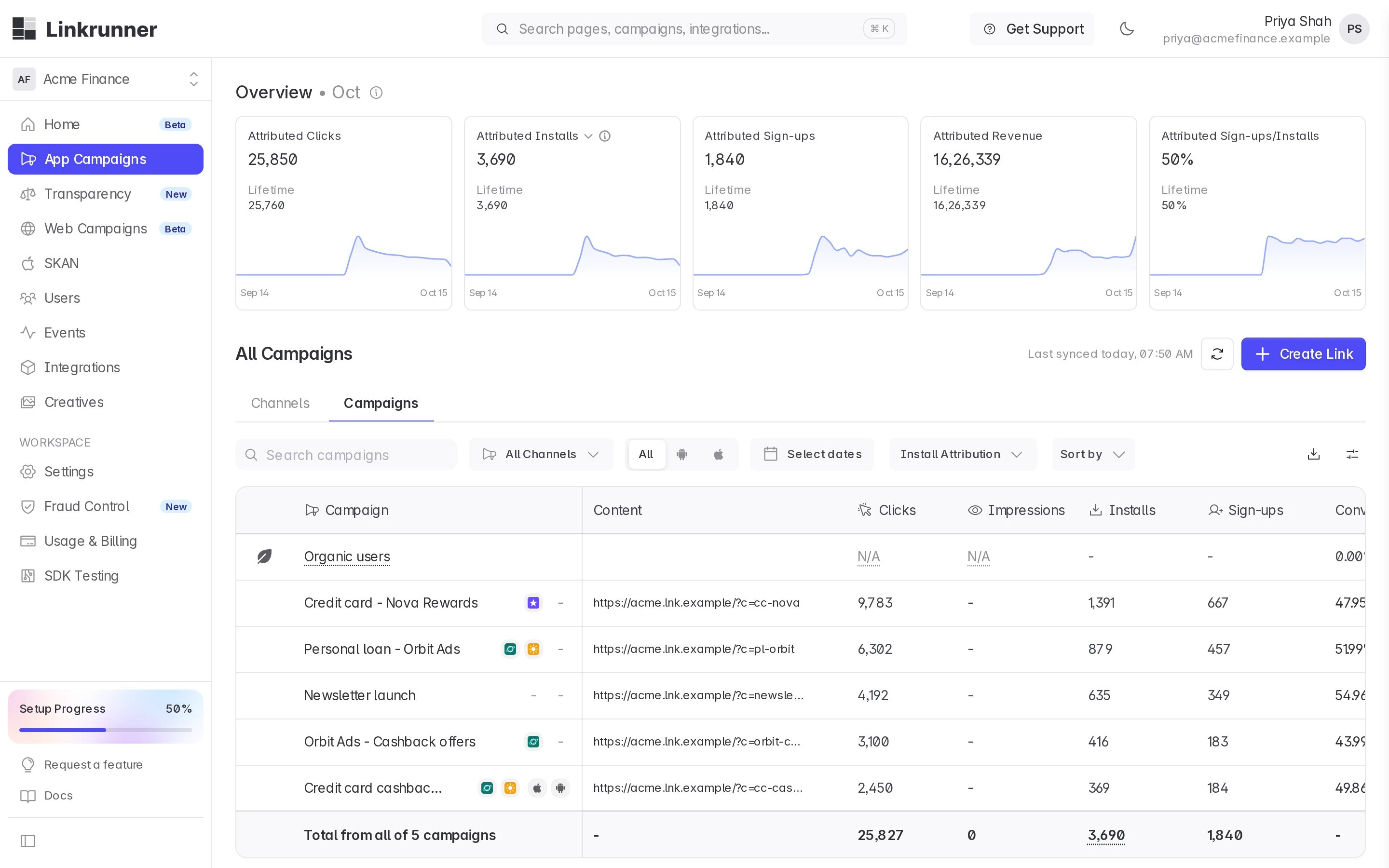 Hover over a logo to see what it means. The affiliate's logo reads **Attributed to Orbit Ads**, and the agency's reads **Built by Brightline Media**.
 ### The agency
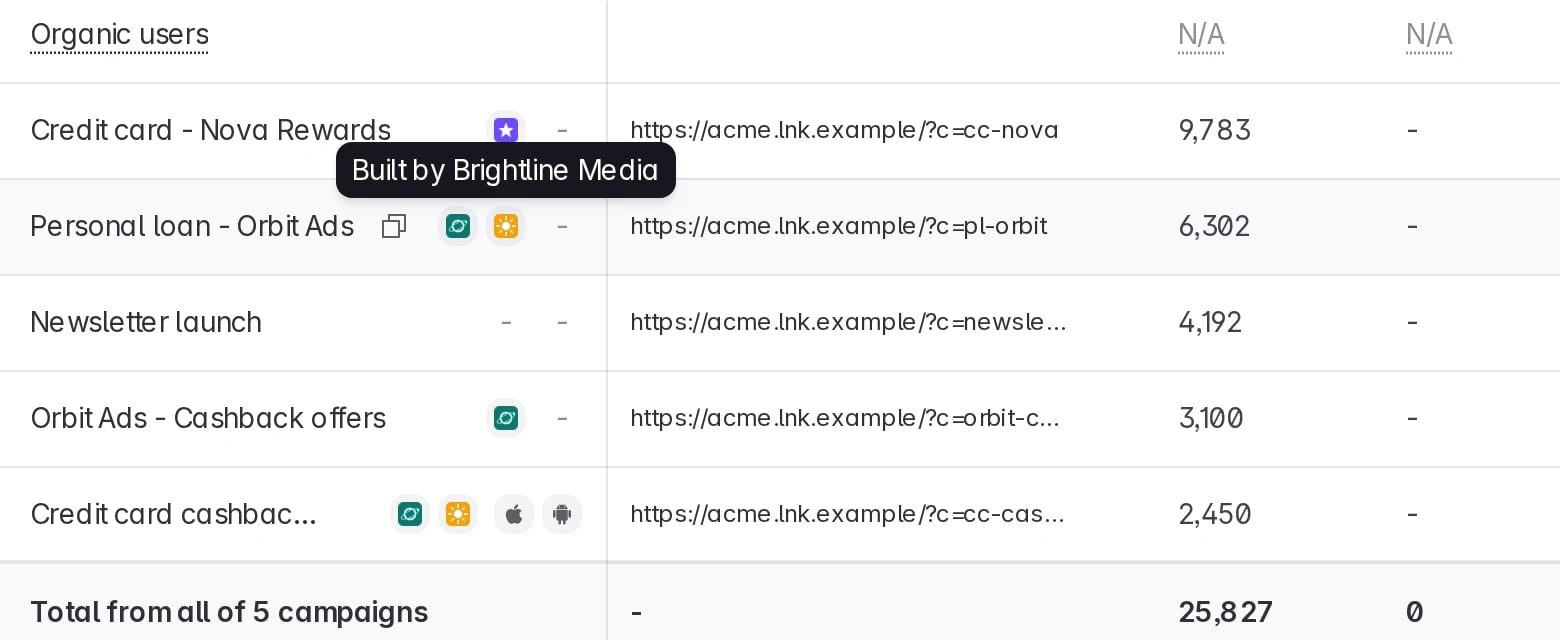
The agency sees the campaigns it built, each with the affiliate's logo next to its name. Spend and revenue columns appear only if you turned on **Revenue & spend** for them.
### The agency
The agency sees the campaigns it built, each with the affiliate's logo next to its name. Spend and revenue columns appear only if you turned on **Revenue & spend** for them.
 ### The affiliate
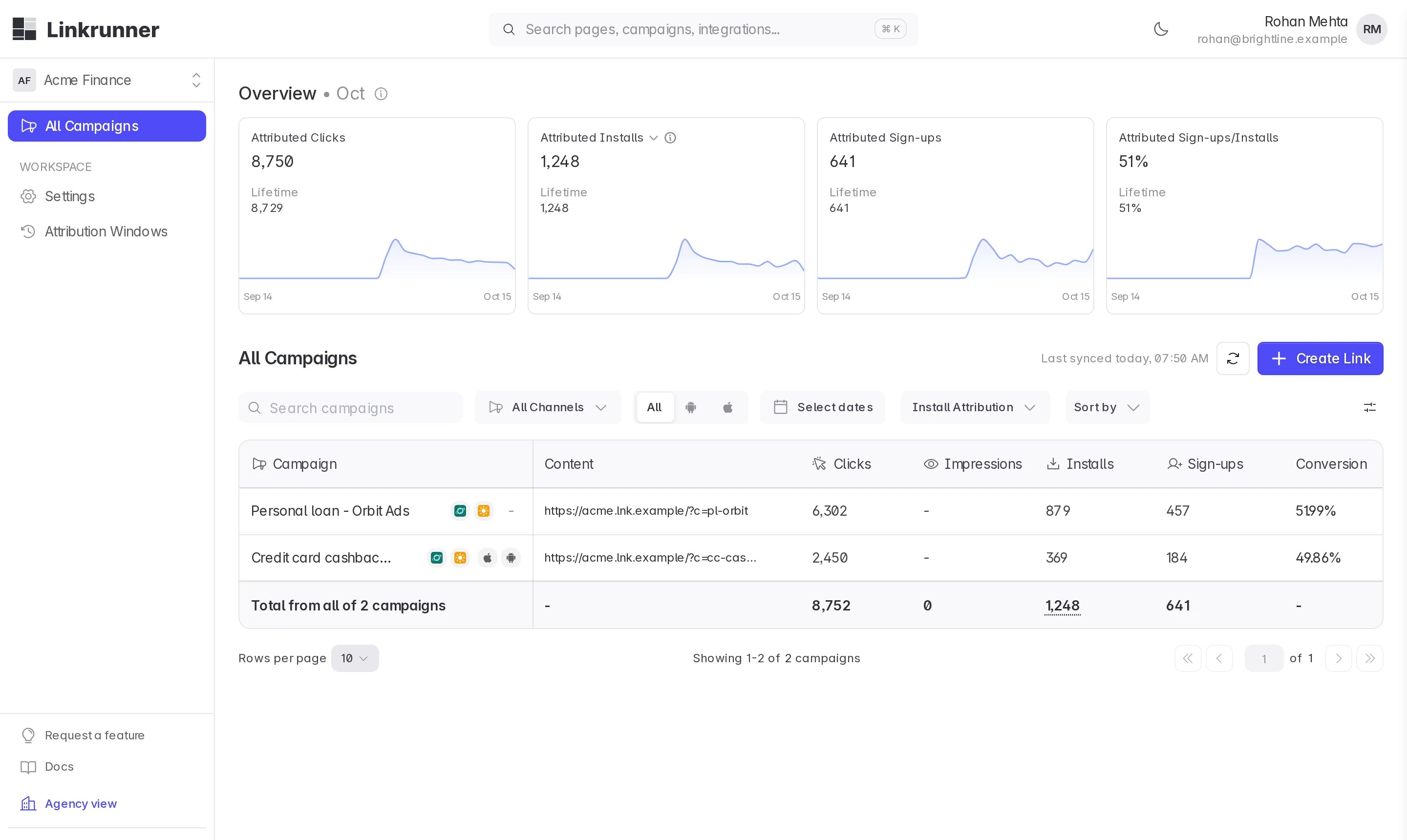
The affiliate sees only the campaigns attributed to it, including those the agency built for it, with the agency's logo on them. It never sees your spend or revenue, your other partners' campaigns, or your own campaigns.
### The affiliate
The affiliate sees only the campaigns attributed to it, including those the agency built for it, with the agency's logo on them. It never sees your spend or revenue, your other partners' campaigns, or your own campaigns.
 ### Side by side
| | You (customer) | Agency | Affiliate |
| - | - | - | - |
| Campaigns listed | All | Only the ones it built. You can widen this in [Control agency access](/agency-partners/control-agency-access#3-choose-how-much-data). | Only the ones attributed to it |
| Clicks, installs, sign-ups | Yes | Yes | Yes |
| Spend, revenue, ROAS | Yes | Only with **Revenue & spend** on | Never |
| Channels tab and overview totals | Yes | Only if you turn them on | No |
| Create campaigns | Yes | With **Campaigns → Edit** | Its own links only |
| Edit campaigns | Yes | With **Campaigns → Edit** | No |
| Delete campaigns | Yes | No | No |
## Troubleshooting
**The affiliate is missing from the agency's Ad Channel list.**
You have not connected that affiliate, or nobody from the affiliate has joined their Linkrunner account yet. Connect them in **Integrations → Affiliate Partners**, and ask the affiliate to accept their invitation.
**"That partner is not connected to this project".**
Same cause as above. The agency can only pick affiliates you have connected.
**The agency has no Create Link button.**
Turn on **Campaigns → Edit** for the agency in **Settings → Members**. See [Control agency access](/agency-partners/control-agency-access).
**The affiliate cannot see a campaign the agency made.**
The agency left **Ad Channel** empty or picked another channel. The affiliate only sees campaigns attributed to them. Ask the agency to create a new campaign with the affiliate as **Ad Channel**.
**Need help?** Contact [support@linkrunner.io](mailto:support@linkrunner.io)
This documentation is built and hosted on [Mintlify](https://mintlify.com), a developer documentation platform.
### Side by side
| | You (customer) | Agency | Affiliate |
| - | - | - | - |
| Campaigns listed | All | Only the ones it built. You can widen this in [Control agency access](/agency-partners/control-agency-access#3-choose-how-much-data). | Only the ones attributed to it |
| Clicks, installs, sign-ups | Yes | Yes | Yes |
| Spend, revenue, ROAS | Yes | Only with **Revenue & spend** on | Never |
| Channels tab and overview totals | Yes | Only if you turn them on | No |
| Create campaigns | Yes | With **Campaigns → Edit** | Its own links only |
| Edit campaigns | Yes | With **Campaigns → Edit** | No |
| Delete campaigns | Yes | No | No |
## Troubleshooting
**The affiliate is missing from the agency's Ad Channel list.**
You have not connected that affiliate, or nobody from the affiliate has joined their Linkrunner account yet. Connect them in **Integrations → Affiliate Partners**, and ask the affiliate to accept their invitation.
**"That partner is not connected to this project".**
Same cause as above. The agency can only pick affiliates you have connected.
**The agency has no Create Link button.**
Turn on **Campaigns → Edit** for the agency in **Settings → Members**. See [Control agency access](/agency-partners/control-agency-access).
**The affiliate cannot see a campaign the agency made.**
The agency left **Ad Channel** empty or picked another channel. The affiliate only sees campaigns attributed to them. Ask the agency to create a new campaign with the affiliate as **Ad Channel**.
**Need help?** Contact [support@linkrunner.io](mailto:support@linkrunner.io)
This documentation is built and hosted on [Mintlify](https://mintlify.com), a developer documentation platform.